Cosmos was selling the “internet of blockchains” pitch when most of the industry was still arguing about whether you should run a full node on a Raspberry Pi. The architecture they shipped — Cosmos SDK to build chains, Tendermint to reach consensus, IBC to let those chains talk to each other — is now the backbone of dYdX, Celestia, Injective, Osmosis, and a long list of others. ATOM, the token of the Cosmos Hub, is the strange middle child of all this. It sits at the centre of the ecosystem politically but doesn’t capture all the value the wider Cosmos universe creates. The trade-off matters before you buy.
I’ve held ATOM since the early days and watched the ATOM 2.0 governance vote fail in 2022, the price drift through the 2023 bear, and the ecosystem keep shipping anyway. This is the walkthrough I’d give a friend buying their first ATOM today on BitGet. Two of the links below are affiliate. I’ll flag them.
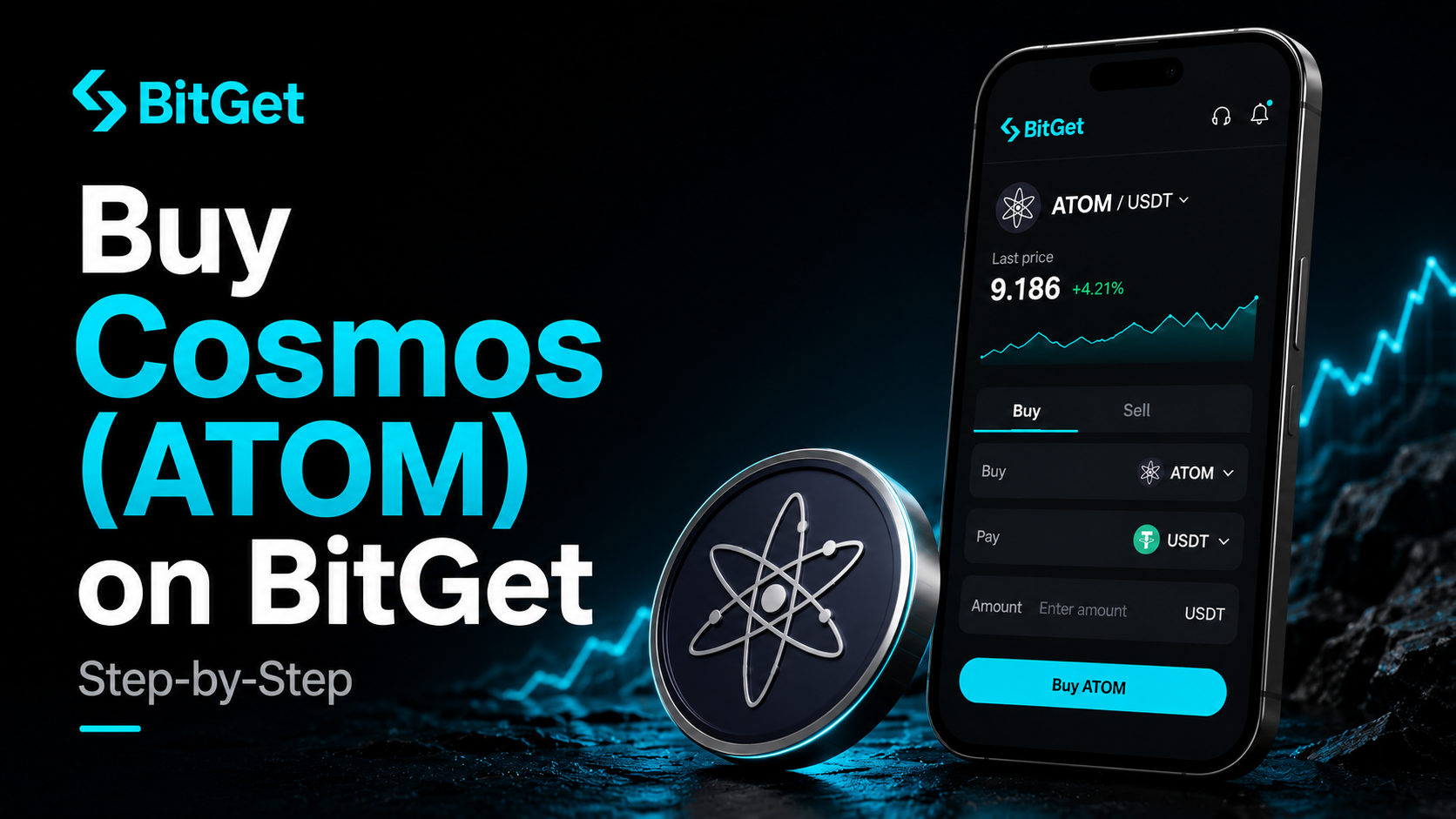
Short answer: To buy Cosmos on BitGet, create an account with email, enable 2FA, complete KYC (usually same-day), deposit funds via card, P2P, bank transfer, or crypto, then place a spot order on the ATOM/USDT pair. Spot fees are 0.10%. Card on-ramp adds 1–3%. For long-term holding, move ATOM to a Ledger Nano X — Keplr is the main hot wallet for the Cosmos ecosystem. Time from signup to ATOM in your account: about 30 minutes.
Open a BitGet account → (affiliate)
Key takeaways
- Cosmos is a network of sovereign blockchains connected by the Inter-Blockchain Communication protocol (IBC), with the Cosmos Hub and its ATOM token at the centre.
- Tendermint consensus delivers fast finality — usually under 7 seconds per block — which is why so many app-chains pick the Cosmos SDK as their base.
- ATOM staking yields sit between 15% and 20% APY, but unbonding takes 21 days during which the tokens earn nothing and can drop in price.
- BitGet spot fees are 0.10% maker/taker. Card buys cost 1–3% on top. P2P or crypto deposit is the cheaper route.
- Long-term ATOM belongs on a Ledger. Trading float on BitGet. Keplr for staking, governance, and Cosmos DApps.
What Cosmos actually is (and why IBC matters)
Cosmos isn’t a single blockchain. It’s a framework for building blockchains and an interoperability layer that lets them all talk to each other without trusting a third-party bridge.
The framework is the Cosmos SDK — a modular toolkit teams use to build their own sovereign chains. Tendermint is the consensus engine those chains use by default, producing blocks every 6–7 seconds with instant finality once the block is signed. The pitch was, and still is, that if you want to build a blockchain application, you should run your own chain optimised for it instead of sharing block space with everything else on Ethereum.
The interoperability layer is IBC — Inter-Blockchain Communication. It’s a protocol that lets two Cosmos chains transfer assets and messages between each other through light-client verification. No multisig bridge, no third-party custodian, no hot wallet on the destination chain holding the assets. Each chain verifies the other’s state directly. That’s why IBC has survived without the catastrophic bridge hacks that have hit Ethereum-side bridges multiple times. It’s a structurally safer design.
The chains running on this stack are serious. dYdX v4 migrated from an Ethereum L2 to its own Cosmos app-chain. Celestia, the modular data availability chain, runs on Cosmos SDK. Injective, Osmosis, Sei, Akash, Stride — all Cosmos chains. The aggregate value secured across the IBC-connected ecosystem regularly sits in the billions of dollars.
ATOM is the token of the Cosmos Hub, the original Cosmos chain. The Hub’s role has shifted over time — once envisioned as the central security and routing layer for the whole ecosystem, it’s now more of a coordination chain with its own DeFi (mainly Astroport) and a contested place in the value-capture story. That’s the open question every ATOM holder lives with.
For the wider context — what crypto is, what an exchange does, how to think about which token to start with — the how to buy crypto parent guide covers it. Blockchain explained is the basics if you need them.
Why I recommend BitGet for buying ATOM
A handful of exchanges list ATOM. Here’s why BitGet is the one I’d point a beginner at for this token specifically.
Deep ATOM/USDT liquidity. ATOM has been a top-50 token for years and the BitGet order book reflects that — tight spreads, fast fills, no thin-liquidity surprises during volatile sessions.
Honest fee structure. Spot maker/taker fees start at 0.10% and drop with BGB holdings or volume. The chart price is the price you trade against. No hidden mark-up. Full breakdown in the BitGet trading fees post.
Multiple deposit routes. Card, bank transfer, P2P, or crypto deposit. Pick the one that fits your timeline and budget.
Native Cosmos network withdrawal. When you withdraw ATOM from BitGet, you can send to a Cosmos-native address (cosmos1…) directly. Confirmations are fast — usually under a minute on Tendermint. Full platform breakdown in the BitGet review.
Not for US residents. BitGet is geo-blocked in the US. If that’s where you live, look at Coinbase Advanced or Kraken instead. Everywhere else, this is the workflow I’d run. The BitGet vs KuCoin and BitGet vs OKX comparisons sit alongside this one.
Pre-signup checklist (ID, bank, 2FA, storage)
Five minutes of prep before you open the sign-up page.
A photo ID. Passport or driving licence in date. KYC will ask for both the document and a selfie. Blurry photos get rejected.
An email you control. You’ll be getting 2FA codes, withdrawal approvals, and security alerts at this address for years. Use a real one you check daily.
A strong password. 16+ characters, never reused on another site. A password manager makes this painless.
An authenticator app. Google Authenticator or Authy. Install it before you sign up. SMS 2FA is a security hole — SIM swap attacks have drained more accounts than most beginners would believe. 2FA for crypto covers which factor types are actually safe.
Your funding source. Debit card, bank account, or crypto already in another wallet. UK readers using Faster Payments and EU readers using SEPA Instant find P2P near-instant.
A storage plan. Decide before you buy where the ATOM is going. Trading float on BitGet, long-term holdings on a hardware wallet. If you don’t own one yet, the Ledger Nano X supports ATOM via the official Cosmos app — order one while KYC clears.
Step-by-step: BitGet signup
Five steps. About ten minutes if your documents are ready.
- Open the sign-up page. Go to BitGet (affiliate — gives you a small fee discount). Enter your email and a strong password.
- Verify your email. A six-digit code arrives within a minute. Paste it in.
- Enable 2FA. Security Settings → Authenticator. Scan the QR code with your app, save the backup code somewhere offline. Write it down — don’t screenshot.
- Complete KYC. Identity Verification → upload passport or driving licence and take a selfie. Mine cleared in 13 minutes. Some take a few hours.
- Add a payment method. If you’re using card, add it now. If P2P, you’ll set up the trade in the funding step below.
Account ready. Time to fund.
Funding: card vs P2P vs bank vs crypto deposit
Four ways to put money on the platform. Each has a different cost and speed.
| Method | Fee | Speed | Best for |
|---|---|---|---|
| Crypto deposit | Network fee only | 1–60 min | Already hold USDT/USDC/ATOM elsewhere |
| P2P (bank transfer) | 0% (small rate spread) | 5–30 min | Best rate, slightly more steps |
| Bank transfer (third-party) | 0.5–1.5% | 1–3 hours | Mid-size buys |
| Card on-ramp | 1–3% | Instant | First small buy, can’t wait |
Crypto deposit is the cheapest if you already hold USDT or USDC somewhere else. Send to your BitGet deposit address. For USDT, the TRC-20 network costs about 1 USDT in fees — ERC-20 is closer to 8 USDT. Pick the right network or the funds don’t land.
P2P is the highest-effort, lowest-fee route. You’re matched with another user selling USDT for your local currency. You send them a bank transfer, BitGet escrows the USDT, they release once your bank confirms. Rates usually sit within 0.5% of mid-market.
Bank transfer via third-party on-ramps is the middle ground — fees visible, clears in a few hours.
Card on-ramp is the fastest and most expensive. The fee is bundled into the quoted rate — USDT will cost 1.5–3% above spot. Convenient. Bad value over time. Fine for a first $50 to test the workflow.
My rule for ATOM specifically: card for the first $50, P2P or crypto deposit for everything after.
Placing your first ATOM trade
USDT is in your spot account. Two ways to convert it to ATOM.
Option A: Market order (fast, slightly worse fill)
A market order buys at the best available price in the book, instantly. Fine for small buys.
- Open the BitGet app or web platform. Go to Spot Trading.
- Search ATOM/USDT and select it.
- On the buy side, select Market.
- Enter the USDT amount (or use the percentage slider — 25%, 50%, 100% of available USDT).
- Tap Buy ATOM. The trade fills in a second or two. ATOM appears in your spot wallet.
You pay 0.10% in fees plus a small slippage cost.
Option B: Limit order (slower, better price)
A limit order parks your buy at a price you set. You wait for the market to come to you.
- Open Spot Trading, select ATOM/USDT.
- On the buy side, select Limit.
- Check the current price. Set your limit slightly below the current ask — e.g. if ATOM is trading at $6.20, set your limit at $6.10.
- Enter the USDT amount.
- Tap Buy ATOM. The order sits in the book until ATOM drops to your price.
For anything over $100, limit orders are the right move on ATOM. The token can move 4–8% in a session when ecosystem news drops. Full breakdown of order types in the BitGet order types post.
How much ATOM to buy (position sizing)
The question every beginner asks after the first sharp move. Three rules I’d hand a new buyer.
Rule one: ATOM is a mid-beta altcoin. When Bitcoin moves 5%, ATOM usually moves 8–12% in the same direction. Higher than ETH, lower than the L2 token basket or the memecoin pile. If a 50% drawdown on your ATOM would change how you sleep, the position is too big.
Rule two: split your entry over weeks, not minutes. Pick a target — say £1,000 of ATOM over three months — and split into 12 weekly buys. You won’t catch the bottom. You won’t catch the top. You’ll get a reasonable average and you’ll learn the platform along the way.
Rule three: keep stablecoin reserve. ATOM has had multi-quarter drawdowns above 70% multiple times — from the 2021 peak around $44 down through the 2022 collapse. If you go in 100% on day one and the price drops 50% in three months, you’ve got nothing left to average in. Keep 30–40% of your ATOM budget as USDT for that exact moment.
For a first-ever ATOM buy, start with the equivalent of a night out. Place the trade. Watch the price for two weeks. See how you feel when ATOM drops 15% on a slow Tuesday (it will, eventually). If you sleep fine, scale up.
This is the section where I’d point out that learning to size positions and actually read charts is a skill you can’t shortcut by reading blog posts. If you want to learn to trade — not just read about it — Trade Travel Chill (affiliate) is the community I’m part of and the one structured education source I trust. Optional. Useful when you’re ready.
ATOM staking: high yield with a 21-day catch
This is the section that makes ATOM interesting versus pure-play L1s with lower yields.
Cosmos Hub staking returns sit somewhere between 15% and 20% APY depending on the validator, the inflation rate, and the share of supply currently bonded. That’s a serious yield by L1 standards — substantially higher than ETH staking (around 3–4%), SOL staking (6–8%), or DOT staking (10–13%). The reason is straightforward: Cosmos inflation is dynamic and rises when the share of staked supply falls, designed to incentivise enough bonded ATOM to secure the chain.
The catch is the unbonding period. When you decide to unstake, your ATOM sits in a 21-day queue. During those three weeks the tokens earn no rewards and they can drop in price freely. If a black-swan event hits during your unbonding window, you watch your bag bleed without being able to sell.
The mechanics work like this. You delegate ATOM to a validator from a Cosmos-compatible wallet (Keplr is the standard). The validator runs the node; you keep custody but signal who you trust to validate. If your validator gets slashed for downtime or double-signing, a small percentage of your delegated stake is burned. Slashing is rare on the Cosmos Hub but it happens, so spreading delegations across two or three validators is the safer move.
Staking rewards are typically claimed manually — your accrued ATOM sits in a separate balance until you press “claim.” You can compound by claiming and re-delegating, or move them to a sister chain via IBC and use them elsewhere (Osmosis liquidity, for example, or borrowing against them on a Cosmos lending market).
BitGet also offers ATOM staking through its Earn product if you want a simpler path — covered in the BitGet Earn products post. Yields are usually a couple of points lower than direct delegation because the exchange takes a cut, but the workflow is one click.
ATOM 2.0 and the governance story
If you spend any time reading about ATOM, you’ll run into ATOM 2.0. It matters for context.
In 2022, the Cosmos Hub community proposed a major economic overhaul. The plan included a new monetary policy with sharply reduced inflation, a treasury controlled by ATOM holders to fund ecosystem development, and the introduction of “Interchain Security” letting consumer chains rent the Hub’s validator set in exchange for fees and stake. The proposal — Proposal 82 — went to a governance vote in October 2022.
It failed. The threshold required two-thirds majority. The vote came back short. Some of the components have since been adopted in modified form — Interchain Security launched and chains like Neutron and Stride now use it — but the full ATOM 2.0 monetary reform didn’t pass.
The result matters for buyers because it’s a marker of how Cosmos governance actually functions. The Cosmos Hub community is opinionated, decentralised in voting power, and willing to vote down major proposals from the foundation. That’s healthy for governance and frustrating for a coherent product roadmap. The “internet of blockchains” thesis is real; the ATOM-as-central-token thesis is contested in a way most L1 token stories aren’t.
Current developments on Interchain Security, the Hub roadmap, and validator policies all live in the Cosmos Hub forum and the official Cosmos blog. Worth reading if you’re buying ATOM at any size. CoinDesk’s Cosmos coverage and CoinGecko’s ATOM page for price and market data.
Storing ATOM: Ledger, Keplr, or exchange?
You bought the ATOM. Where does it live?
Exchange (BitGet)
Fine for your active trading float — the amount you’d be willing to lose without losing sleep. BitGet publishes Proof of Reserves and lets you withdraw at any time. But you don’t hold the private keys. That distinction matters far more in a crisis than in a normal Tuesday.
Hot wallet (Keplr)
Keplr is the main wallet for the Cosmos ecosystem. Browser extension and mobile app. Supports staking and governance natively on the Hub plus more or less every IBC-connected chain — Osmosis, Stride, Injective, Celestia, Akash, dYdX, the lot. Once installed, you can stake, vote, and bridge across chains without leaving the wallet.
Keplr is a hot wallet — connected to the internet, exposed to phishing, browser extension hijacks, and malicious DApp approvals. Fine for staking small balances and using DApps. Bad for life savings. Crypto wallets explained covers the trade-offs.
Cold wallet (Ledger Nano X)
A Ledger Nano X is a hardware wallet — a USB device that stores your private keys offline. ATOM is fully supported via the official Cosmos app, and Ledger pairs cleanly with Keplr — you can sign Keplr transactions on the Ledger so even a compromised laptop can’t drain you. Every transaction confirms physically on the device.
Ledger costs about £150. Cheaper than the lesson of an exchange collapse. Order from the Ledger store (affiliate). Set it up, write the 24-word seed on the card it ships with, store the card somewhere fireproof and away from your home computer. The hot vs cold wallet comparison goes deeper.
The split I run for ATOM
- Trading float on BitGet: 20% — for active trades.
- Keplr (staked, paired with Ledger): 60% — staked to validators, earning yield.
- Ledger long-term (unstaked): 20% — cold storage, available without unbonding wait.
Full self-custody playbook in the how to store crypto safely guide. And the basics of why protecting your seed phrase storage properly matters more than any other security step.
Ready to buy your first ATOM?
Sign-up takes 90 seconds, KYC usually clears same-day, and BitGet has solid ATOM/USDT depth plus native Cosmos withdrawals.
Affiliate link. I may earn a commission at no extra cost to you.
Common ATOM beginner mistakes
The mistakes I see most often when people start buying ATOM.
Sending ATOM to the wrong network. When you withdraw ATOM from BitGet, you pick the Cosmos network (cosmos1… addresses). Sending to an Ethereum address — even a wrapped ATOM contract — is a separate path with bridges involved. Native Cosmos withdrawals are the default; only deviate if you know exactly what you’re doing.
Forgetting about the 21-day unbonding period. This is the single biggest ATOM-specific mistake. New stakers delegate happily, watch yield accrue, then panic when they realise unstaking takes three weeks. Plan your stake size accordingly — keep a portion liquid so you’re not forced to start an unbonding queue in a crisis.
Picking one validator with maximum stake. Spreading across two or three reputable validators reduces slashing risk and supports decentralisation. Look at the Cosmos Hub validator list, check uptime history, and pick smaller validators with strong track records rather than the biggest ones by stake.
Skipping claim rewards for months. Cosmos rewards don’t auto-compound — they accrue in a separate balance until you claim. Long delays mean opportunity cost. A claim-and-restake every few weeks compounds returns properly.
Storing on the exchange forever. Trading float yes. Life savings no. Move long-term holdings to a Ledger.
Confusing Cosmos with a single chain. ATOM is the token of the Cosmos Hub specifically. Osmosis, Celestia, Injective, dYdX — separate chains, separate tokens, all part of the Cosmos ecosystem via IBC. Buying ATOM doesn’t get you exposure to all of them.
Sharing the seed phrase. No legitimate company, no support agent, no platform will ever ask for your 24-word seed phrase. Anyone who does is trying to rob you. Phrase stays on paper, in your home, and nowhere else. Crypto scams guide covers the common attacks.
Ignoring 2FA. Set it up the second you create the account. Account drainers don’t break encryption — they phish credentials and target accounts without 2FA.
Jumping into leverage on day one. ATOM is volatile enough on spot. The BitGet futures USDT-M and BitGet leverage explained posts are research material — not instructions to act on in week one. Six months of spot before you touch perps.
One last thing.
If this walkthrough saved you a few hours of research, signing up through my affiliate link costs you nothing and helps keep the lights on.
Affiliate link.
Frequently asked questions
What is the minimum amount of Cosmos I can buy on BitGet?
You can buy fractional ATOM from around $1 worth. ATOM is divisible to six decimal places (called uatom — micro-ATOM). Most people start with $50–$200 to learn the interface before scaling up.
Do I need to verify my identity to buy ATOM on BitGet?
Yes for full functionality. You can hold and trade limited amounts without KYC, but withdrawal limits are tiny. KYC usually clears within 1–24 hours and unlocks full deposit and withdrawal limits. KYC explained covers what to expect.
Can I buy Cosmos on BitGet with a credit card?
Yes, but I wouldn’t. Card on-ramps charge 1–3%, credit card providers often add a cash-advance fee on top, and many cards block crypto purchases anyway. Use debit, bank transfer, or P2P instead.
What’s the cheapest way to buy ATOM on BitGet?
P2P trading or depositing USDT from another wallet. P2P fees are usually zero with a small rate spread. Crypto deposit only costs the network fee for the token you’re transferring in.
Should I keep my ATOM on BitGet or move it to a wallet?
Move long-term holdings to a hardware wallet like the Ledger Nano X paired with Keplr. Keep an active trading float on the exchange. Anything you plan to stake is best done from a Ledger-paired Keplr setup.
How does ATOM staking work and what’s the APY?
You delegate ATOM to a validator from a Cosmos wallet like Keplr. Returns sit between 15% and 20% APY depending on the validator and the share of supply staked. Unbonding takes 21 days during which the tokens earn no rewards. Crypto staking explained goes deeper.
What’s the difference between Cosmos and Polkadot?
Both are “blockchain of blockchains” frameworks. Cosmos chains are sovereign — each runs its own validator set and security. Polkadot parachains share security via the Relay Chain. Cosmos uses IBC for interoperability; Polkadot uses XCM. Different design philosophies for similar problems.
Final word
The first ATOM buy teaches you the workflow for every Cosmos transaction after it. Sign up. KYC. Fund cheaply. Place a limit order. Move the long-term bag to a Ledger paired with Keplr. Stake what you’re committed to holding for more than three weeks. Don’t chase every new Cosmos token without understanding which chain it lives on.
That’s the short version. Do those five things in that order and you’ve already avoided the mistakes that cost most beginners 30% in their first six months in Cosmos.
Right — over to you.
One more thing: Buying a token doesn’t mean it will go up. Most altcoins underperform Bitcoin over long enough timeframes. Only buy what you can afford to lose, and never put your rent money in crypto. If a YouTuber tells you a coin will 100x — they’re guessing too.
Related posts
- How to Buy Polkadot (DOT) on BitGet: Step-by-Step
- How to Buy Near (NEAR) on BitGet: Step-by-Step
- How to Store Crypto Safely: The Self-Custody Guide