The first crypto wallet I set up was a Trust Wallet on my iPhone. I screenshotted the seed phrase, saved it to my photos, and felt very clever about it. About four months later I was watching a YouTube video that mentioned “people who screenshot their seed phrase deserve what they get” and the penny dropped. I deleted the screenshot, redid the wallet, and have never made that mistake again — but I’d already exposed it to anything that scanned my camera roll. That’s the kind of thing nobody tells you when they say “just download a wallet”. So here’s the proper version — what wallets actually are, the three main types, and how to not lose your crypto.
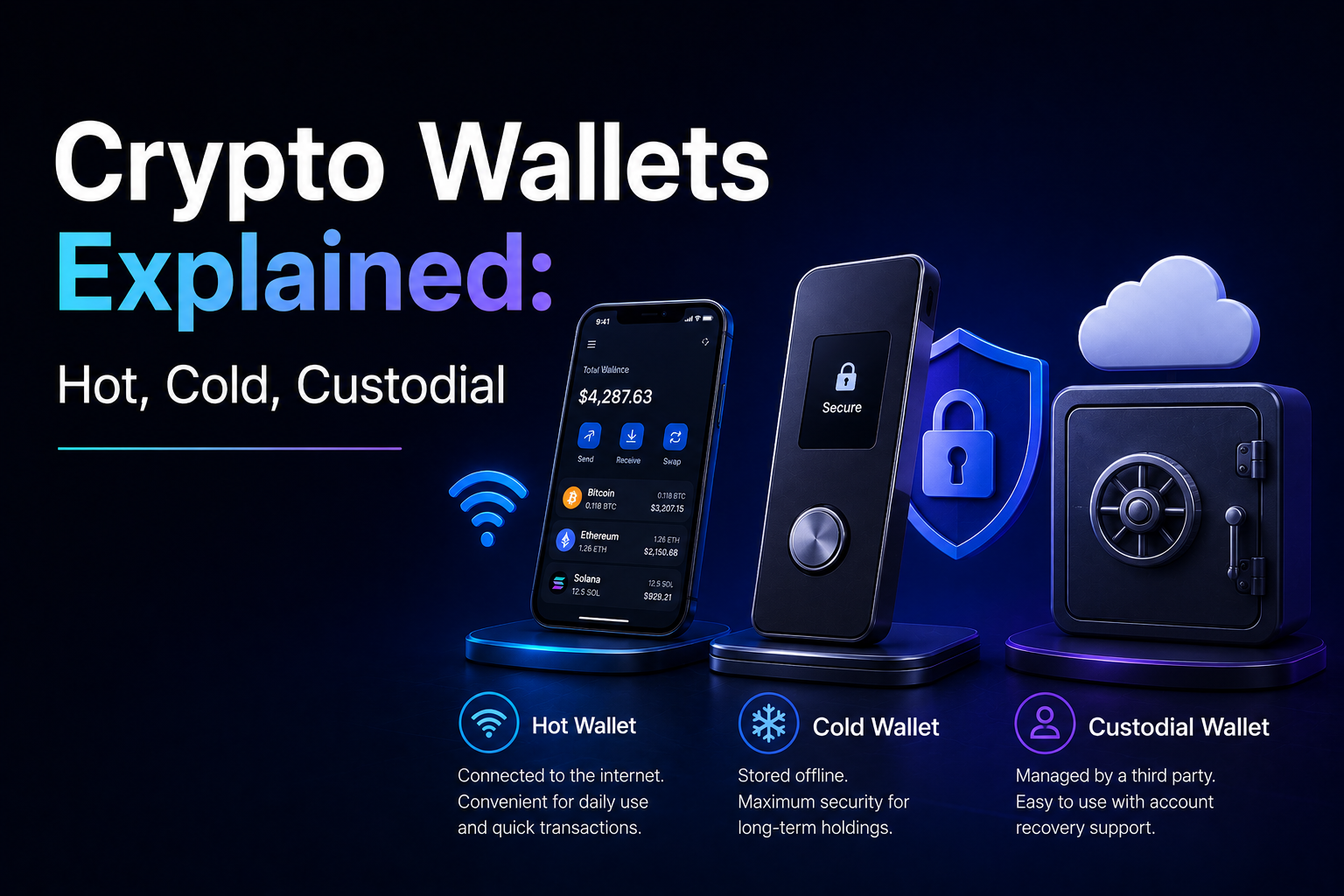
Short answer: A crypto wallet doesn’t hold your coins — it holds the keys that prove you own them on the blockchain. There are three main types: custodial wallets (the exchange holds your keys), hot wallets (software on your phone or laptop), and cold wallets (hardware devices that stay offline). For small amounts, a custodial wallet on a reputable exchange is fine. For meaningful amounts, you want a cold wallet like a Ledger and a properly stored seed phrase. The wallet holds the keys, the blockchain holds the coins.
Get a Ledger hardware wallet → (affiliate link)
Key takeaways
- A crypto wallet holds your private keys, not your coins. The coins live on the blockchain.
- Three categories: custodial (exchange holds keys), hot wallets (online software), cold wallets (offline hardware).
- Custodial = convenient but you don’t really own the crypto. “Not your keys, not your coins.”
- Hot wallets work for small amounts and active DeFi use. Cold wallets are for serious balances.
- Lose your seed phrase, lose your crypto. No customer service can recover it.
What a crypto wallet actually is (it holds keys, not coins)
This is the part everyone gets wrong on day one. A crypto wallet doesn’t hold your Bitcoin. There is no Bitcoin “inside” your wallet. Your Bitcoin is on the Bitcoin blockchain, where it has always been and where it will stay.
What your wallet holds is a pair of keys:
- A public key (or address), which you share with people who want to send you crypto
- A private key, which you keep secret — it proves you own the crypto associated with the public key
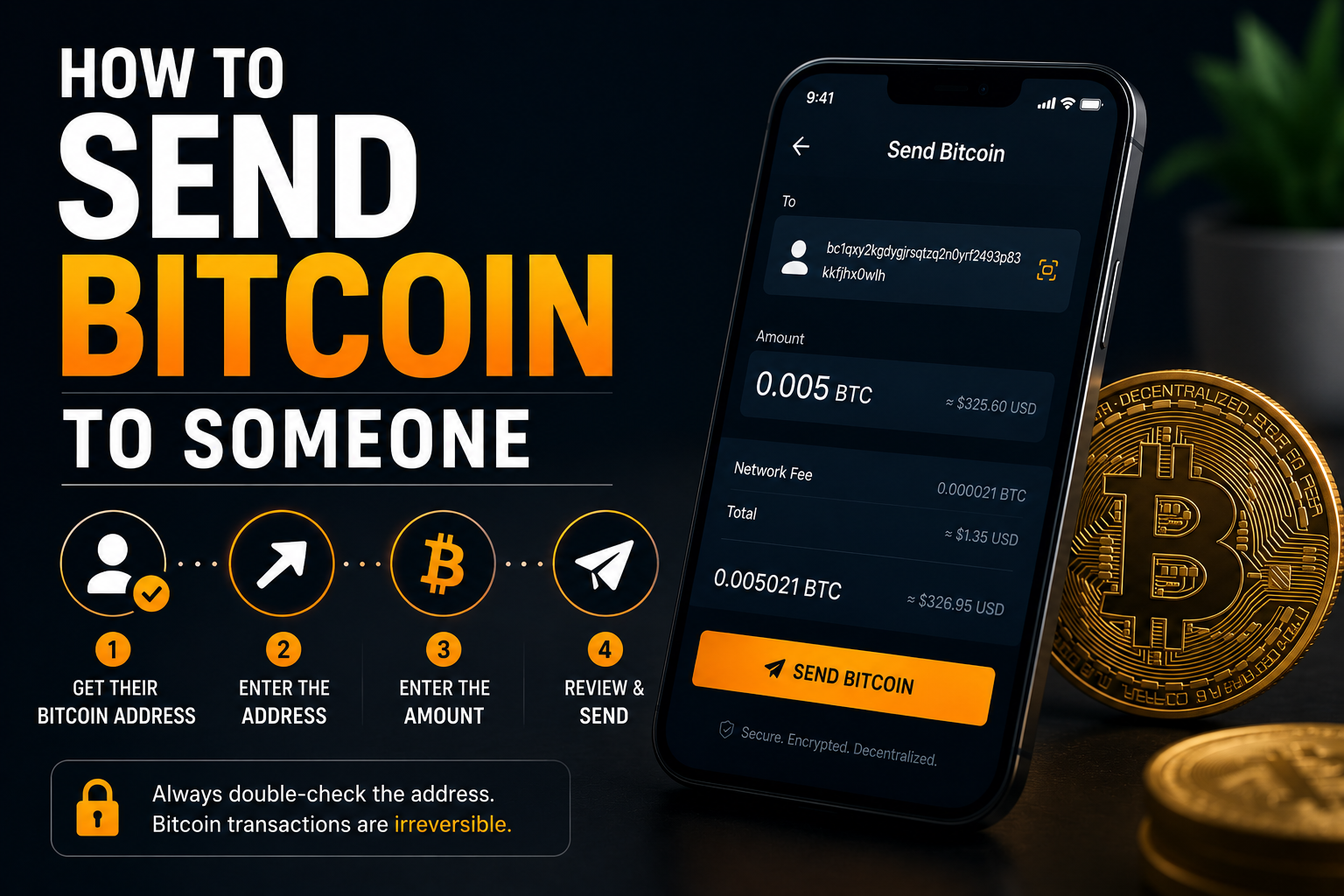
When you “send Bitcoin”, you’re really signing a message with your private key that says “move the coins associated with this public address to this other public address”. The Bitcoin network checks the signature, verifies you control the keys, and updates the ledger.
That’s the entire mechanism. The wallet is the app or device that:
- Generates and stores your private keys
- Builds and signs transactions for you
- Shows you your balance (by reading the blockchain)
Everything else is interface. Whoever holds the private key controls the funds. There’s no “I forgot my password” recovery if you lose the keys. There’s no bank to call. The protection is absolute and unforgiving — that’s the whole point.
This is why the slogan “not your keys, not your coins” matters. If you leave your crypto on an exchange, you don’t hold the keys. The exchange does. As far as the blockchain is concerned, the exchange owns your coins. You own an IOU from the exchange.
For most retail users that’s fine for the amounts they actually trade. It becomes a problem at meaningful balances or if the exchange has a bad year (Mt. Gox, FTX, Celsius — all had customers who thought their balances were safe).
The 3 wallet categories (custodial, hot, cold)
Wallets fall into three buckets. The trade-off is the same in every category: convenience vs control.
| Type | Holds keys | Internet-connected | Examples | Best for |
|---|---|---|---|---|
| Custodial | The exchange | Yes | BitGet, Coinbase, Revolut | Small amounts, active trading |
| Hot (non-custodial) | You | Yes | MetaMask, Trust, Phantom, BitGet Wallet | Daily use, DeFi, NFTs |
| Cold (non-custodial) | You | No | Ledger, Trezor, paper wallets | Long-term holdings |
The honest test for which one you need:
- If you’d panic over losing the amount on it, it should be cold.
- If you use it daily for swapping, NFTs, or DeFi, it should be hot.
- If it’s a few hundred dollars you’re actively trading, a custodial exchange wallet is fine.
Most experienced traders use all three. A custodial exchange wallet for active trading. A hot wallet for on-chain activity. A cold wallet for long-term holdings. Different tools for different jobs.
For the full hot-vs-cold breakdown, see hot vs cold wallet.
Hot wallets — MetaMask, Trust, BitGet Wallet
A hot wallet is software that holds your keys on a device that’s connected to the internet — your phone, your laptop, a browser extension.
The advantage: instant access. You can swap, send, sign in to apps, mint NFTs, all from the same wallet. They’re free, the setup takes minutes, and most are non-custodial — you control the keys.
The disadvantage: anything on an internet-connected device can in theory be compromised. Malware, phishing, fake wallet apps, browser exploits — all of these have drained hot wallets over the years.
Popular options
MetaMask. The most widely used Ethereum and EVM wallet — including Polygon, Arbitrum, Optimism, and most L2s. Browser extension and mobile app. Free, open source, well-tested. The default for DeFi.
Trust Wallet. Owned by Binance. Supports a wide range of chains including Bitcoin, Ethereum, Solana, and most major chains. Mobile-first. Beginner-friendly.
Phantom. Started as the leading Solana wallet, now supports Ethereum and Bitcoin too. Nice UX, mobile and browser.
BitGet Wallet (formerly BitKeep). Multi-chain, mobile and browser, with built-in swaps and dApp browser. Separate from the BitGet exchange — has its own seed phrase.
Rabby. Built for power DeFi users. Better transaction simulation than MetaMask — shows you exactly what a contract will do before you sign.
When to use a hot wallet
- Daily DeFi: swapping, lending, providing liquidity
- NFTs (minting, buying, selling)
- Connecting to dApps
- Receiving small amounts you’ll spend or move quickly
When not to use a hot wallet
- Long-term holdings you don’t need to touch
- Any balance you’d be seriously upset to lose
- Anywhere you’re not 100% sure you’ve verified the wallet app is real (fake MetaMask copies in app stores are a huge scam vector)
Cold wallets — Ledger, Trezor, paper
A cold wallet (also called a hardware wallet) keeps your private keys on a device that’s never connected to the internet. To sign a transaction, you connect the device to your phone or computer, approve the transaction on the device’s screen, and the signed transaction is broadcast. The keys never leave the device.
This is the gold standard for self-custody. Malware on your laptop can’t drain a cold wallet because the laptop never has access to the keys. Phishing sites can’t trick you into signing a bad transaction because you have to manually approve every detail on the hardware device.
Popular options
Ledger Nano X. What I use. Bluetooth and USB, works with phone and desktop, supports 5,500+ assets. About $149. Full review: Ledger Nano X review.
Ledger Nano S Plus. Cheaper sibling, USB only, no Bluetooth. Around $79. Same security, less convenience.
Trezor Model T. Open-source alternative to Ledger. Touchscreen, USB only. Around $169. Some people prefer Trezor for the fully open-source firmware. Comparison in Ledger vs Trezor.
Paper wallets. A piece of paper with your keys printed on it. Properly “cold” but fragile, easily lost or destroyed, and a pain to use. Not recommended for most users.
Air-gapped devices. Some users keep a dedicated phone or laptop that never connects to the internet for cold storage. Workable but overkill for most.
When to use a cold wallet
- Long-term holdings of any meaningful size (call it $500+)
- The portion of your portfolio you don’t intend to touch for months
- Inheritance planning (with proper seed phrase storage)
When not to use a cold wallet
- Small balances you’ll spend quickly
- Frequent DeFi activity (although hardware wallets work with MetaMask if you want the convenience plus the security)
If you’re holding crypto worth more than the cost of a hardware wallet, getting one is the single best risk-reduction decision you can make.
Custodial wallets — exchanges (BitGet, Coinbase)
A custodial wallet is one where someone else holds the keys. The most common form is an exchange account. When you “have $5,000 of Bitcoin on BitGet”, you have a database entry that says BitGet owes you 0.05 BTC. The actual Bitcoin is in BitGet’s wallets, not yours.
Advantages
- No seed phrase to lose
- Customer support exists (varies by exchange)
- Fast trading without on-chain confirmations
- 2FA, password recovery, fraud monitoring
Disadvantages
- The exchange controls your keys
- If the exchange fails or freezes withdrawals, your funds are stuck
- You depend on the exchange’s security
- Some jurisdictions can freeze accounts
The honest position: a custodial wallet on a reputable exchange — BitGet, Coinbase, Kraken — is fine for the amounts you’re actively trading. It’s not fine for long-term storage of meaningful balances.
The Mt. Gox collapse in 2014 left customers waiting years to get partial recoveries. FTX in 2022 lost billions of customer funds. Celsius. BlockFi. Voyager. Every cycle has had a custodial failure that ate user balances. Tier-1 exchanges with Proof of Reserves are better than the alternatives, but they’re not bulletproof.
For the wider context, see best crypto exchanges and the BitGet review.
Public vs private keys (the only thing that matters)
If you understand one thing from this post, make it this.
Public key (or address). Like an email address. You share it with people who want to send you crypto. It looks like 1A1zP1eP5QGefi2DMPTfTL5SLmv7DivfNa (Bitcoin) or 0x742d35Cc6634C0532925a3b844Bc9e7595f1bb89 (Ethereum). Sharing it is safe — anyone can send you crypto if they know it.
Private key. Like the password to that email address — except there’s no reset button. Whoever knows the private key controls the crypto associated with the public key. If you share it, lose it, or have it stolen, the funds are gone forever.
Most wallets don’t show you the private key directly. They give you a seed phrase — a list of 12 or 24 random English words — which is a human-readable version of the master key. From the seed phrase, the wallet can derive all your private keys for every chain it supports.
The seed phrase is the backup. The seed phrase is the keys. The seed phrase is everything. Protect it like it’s a winning lottery ticket — because anyone who has it can drain everything.
For specifics on storage, see seed phrase storage.
Seed phrases — what they are, how to protect
Your seed phrase is the master key to all your crypto. Here are the rules I follow.
Do
- Write it on paper or metal. Bricks and mortar storage. Multiple copies in different physical locations.
- Test the recovery. Once you’ve written it down, wipe the wallet and restore it from the seed phrase to confirm the backup works. Then re-fund it.
- Use a metal backup for serious holdings. Cryptosteel, Billfodl, or similar — fire-proof and water-proof.
- Store in a place burglars wouldn’t look. Not in a desk drawer labelled “Crypto”.
Don’t
- Don’t screenshot it. Photos sync to cloud services. Anyone with your iCloud or Google login could find it.
- Don’t store it in a password manager (cloud-based). If your password manager gets breached, your crypto’s gone.
- Don’t type it on a computer. Keyloggers and remote access tools have drained wallets this way.
- Don’t share it with anyone. No exchange, support agent, project team, or “wallet helper” needs your seed phrase. Anyone asking for it is trying to steal from you.
- Don’t store all copies in one place. A house fire or burglary should not wipe out your access.
The single most common way retail users lose crypto isn’t hacks or exchange failures — it’s seed phrase mismanagement. Lost phrases, screenshots, photos shared with the wrong cloud service, partners going through a breakup. Get this right and you’ve eliminated most of the risk.
For the full breakdown of scams that target wallet holders, crypto scams guide covers the patterns.
Which wallet for which use case (table)
This is the cheat sheet.
| Use case | Wallet type | Specific picks |
|---|---|---|
| Active spot/futures trading | Custodial exchange | BitGet, Coinbase |
| Trying DeFi for the first time | Hot wallet | MetaMask, BitGet Wallet |
| Buying NFTs | Hot wallet | MetaMask, Rabby, Phantom |
| Holding ETH or BTC long-term | Cold wallet | Ledger Nano X |
| Daily payments / small amounts | Hot wallet | Phantom, BitGet Wallet |
| Inheritance planning | Cold + multisig | Ledger + Casa, Unchained, Sparrow |
| Earning staking yield | Depends — exchange or liquid staking | BitGet Earn, Lido |
| Stablecoin savings | Custodial or cold | BitGet, Ledger |
The simple framework: anything you’re going to use this week, hot or custodial is fine. Anything you’re going to hold for a year, cold.
For the exchange comparison, see best crypto exchanges. For the deep dive on the cold storage I use, Ledger Nano X review.
Multisig wallets (brief intro)
A multisig (multisignature) wallet requires more than one key to sign a transaction. The most common setup is 2-of-3: three keys exist, any two of them are needed to move funds. Lose one key — say, in a fire — and the other two still recover access. Have one key stolen — say, in a phishing attack — and the attacker still can’t move funds without one of the other keys.
Multisig is overkill for most retail users. It becomes useful at higher balances ($50k+) or for shared funds (a DAO treasury, a couple’s joint holdings, an inheritance).
Services that handle multisig well include:
- Casa — multisig with one or more keys held by Casa
- Unchained — collaborative custody for Bitcoin
- Sparrow Wallet — DIY multisig for Bitcoin
For most beginners, a single hardware wallet with carefully stored seed phrase is enough. Move to multisig once your balances really warrant the operational complexity.
Common wallet mistakes
I’ve made or watched friends make every one of these. They’re worth knowing.
- Screenshotting the seed phrase. Cloud sync makes it accessible to anyone with the right credentials.
- Saving the seed in a password manager. Adds a single point of failure.
- Sending crypto to the wrong network. Sending ERC-20 USDT to a TRC-20 address means the funds are gone. Always check the network matches.
- Buying a “discounted” hardware wallet on Amazon or eBay. Hardware wallets must be bought direct from the manufacturer. Used ones may have pre-set seeds.
- Falling for the “wallet upgrade” scam. Random support staff don’t message you about upgrading your MetaMask. Anyone asking for your seed is stealing.
- Signing unlimited approvals on shady contracts. A bad approval can drain your wallet later. Use Revoke.cash periodically.
- Storing the only seed copy in one location. Fire, flood, burglary, divorce — any single point of failure is too many.
The deep dive on the scam patterns is in crypto scams guide. The full storage playbook is how to store crypto safely.
The setup I actually use
This is what I personally do. Not a recommendation, just transparency.
Long-term BTC and ETH holdings: Ledger Nano X. Seed phrase on two metal backups in two physical locations. Tested recovery once before funding the device. Almost never touch it except to occasionally top up.
Active trading float: BitGet — custodial. Around 15–20% of my crypto net worth at any time. Withdraws to the hardware wallet are scheduled rather than reactive.
On-chain experiments (DeFi, NFTs, new chains): A hot wallet — MetaMask plus Phantom plus a BitGet Wallet — funded with a small, expendable amount. If any of these gets drained, my long-term holdings are untouched.
Small daily-use balance: A hot wallet I treat like cash in my pocket. A few hundred dollars maximum. Easy to lose, not the end of the world if I do.
That separation — long-term cold, active trading custodial, experiment money on a hot wallet — is the structure I’d recommend to anyone with more than a few thousand in crypto.
If you’ve got more than the price of a wallet in crypto, get a wallet.
The Ledger Nano X is what I use for everything I’m not actively trading. About $149. Pays for itself the moment an exchange fails or a hot wallet gets drained.
Affiliate link. I may earn a commission at no extra cost to you.
A note on learning to trade
Picking a wallet is one part. Learning to actually trade the assets you put in it is another. If you want a structured way in — beyond YouTube videos and Twitter threads — I’d point you at Trade Travel Chill. It’s the community I’m part of and the one paid education source I’d recommend to retail traders. For comparisons, see best crypto trading courses.
Frequently asked questions
What is a crypto wallet in simple terms?
A crypto wallet is software or hardware that stores the private keys that prove you own crypto on a blockchain. The wallet doesn’t hold the coins themselves — the blockchain does. The wallet holds the keys.
What’s the difference between a hot and cold wallet?
A hot wallet is software on an internet-connected device (phone, laptop, browser). A cold wallet is hardware that stays offline. Hot is convenient, cold is safer for serious balances. Most users with significant crypto use both.
Is a wallet on an exchange safe?
Reputable exchanges use cold storage for most user funds and offer 2FA, withdrawal whitelists, and other security. But the exchange controls your keys — if the exchange fails, your funds are at risk. For long-term holdings, use a wallet you control.
What is a seed phrase?
A seed phrase is a list of 12 or 24 words that backs up your wallet. From the seed phrase, the wallet can recover all your private keys. If you lose the seed phrase, you lose access. If someone steals it, they can drain everything.
What happens if I lose my seed phrase?
You lose access to the crypto. There is no recovery — no support team can help, no bank can reverse it. This is why secure, redundant storage matters so much.
Can someone steal crypto from my hardware wallet?
Not directly — the keys never leave the device. But they can steal it indirectly: by getting your seed phrase, by tricking you into signing a malicious transaction, or by physically obtaining the device with the PIN. The hardware is safe, the human user is the weak point.
What’s the best wallet for beginners?
For a custodial wallet, BitGet or Coinbase. For a non-custodial hot wallet, MetaMask (for Ethereum and EVM chains) or BitGet Wallet (multi-chain). For cold storage, the Ledger Nano X.
Final word
A wallet holds keys, not coins. There are three categories: custodial (someone else holds the keys), hot (your software wallet, online), and cold (your hardware wallet, offline). Most people end up using all three for different jobs.
If I were starting again today:
- Open a BitGet account for active trading.
- Buy a Ledger Nano X before my balance grows past the price of the device.
- Set up a hot wallet for on-chain experiments — with a small balance only.
- Write the seed phrase down on paper or metal. Test the recovery. Store backups in two separate physical locations.
- Never screenshot the seed, never type it on a computer, never share it with anyone for any reason.
That’s it. Get the wallet setup right and you’ve eliminated the most common ways retail users lose their crypto.
Right — over to you.
Related posts
- Ledger Nano X Review: Honest Take
- Hot vs Cold Wallet: Which Do You Need?
- Seed Phrase Storage: How to Get It Right