I bought my first Ledger Nano X on a Tuesday afternoon in December 2022. The week before, FTX had imploded. The week before that, Celsius. My exchange balance — which I’d told myself was “safe enough” — suddenly felt like Monopoly money I’d lent to a stranger. Three years later, the same Ledger is still sitting on my desk. It has more BTC on it than the day I unboxed it. It has never been hacked, lost, or replaced. This is the honest review.
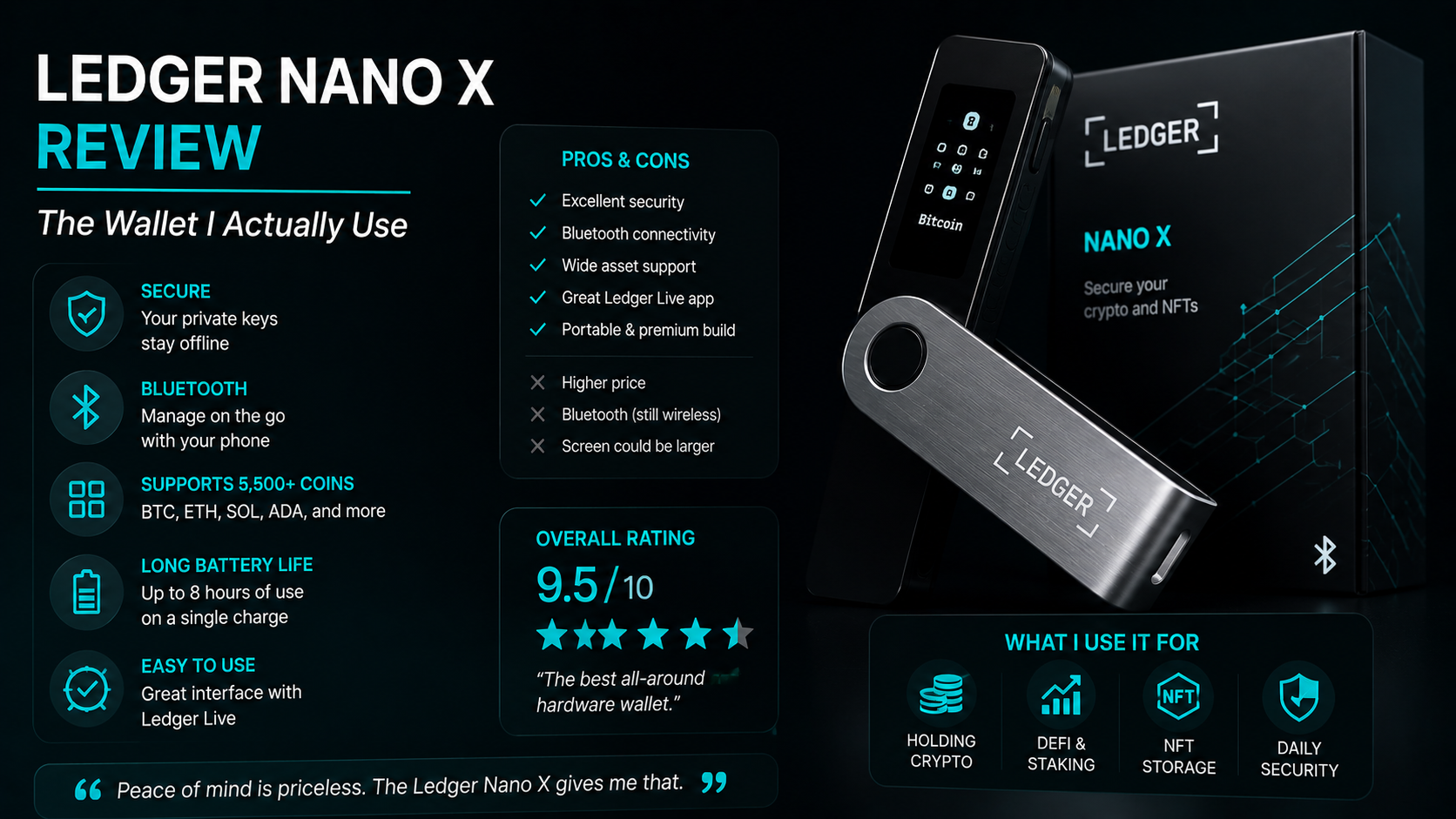
Short answer: The Ledger Nano X is a Bluetooth-enabled hardware wallet that stores private keys offline on a Secure Element chip. It supports 5,500+ coins and tokens, costs around $149, and is the wallet I use for my long-term crypto holdings. It is not perfect — a 2020 customer data leak hurt trust — but as a piece of self-custody hardware, it is the most battle-tested option for retail users today. Rating: 9/10.
Check the Ledger Nano X → (affiliate)
Key takeaways
- The Nano X stores your private keys on a certified Secure Element chip — same class of chip used in passports and bank cards.
- It supports Bluetooth (the Nano S Plus does not), so you can pair it with the Ledger Live mobile app.
- A 2020 e-commerce database leak exposed customer names and addresses. The hardware was never compromised. Funds were never at risk. Phishing attempts using that data still happen today.
- The Nano S Plus does almost everything the Nano X does for about $80 — if you don’t need Bluetooth, save the money.
- A hardware wallet only protects you if you protect the seed phrase. Most “Ledger hacks” are users sending their seed to a fake support agent.
Why I bought a Ledger in the first place
I traded crypto for nearly three years without a hardware wallet. I kept everything on exchanges — Binance, Coinbase, BitGet, a small stash on Crypto.com. I told myself I’d “buy a Ledger eventually”. Eventually never came.
Then November 2022 happened. FTX, a top-five exchange, went from solvent to bankrupt in about 72 hours. Celsius had already locked withdrawals five months earlier. BlockFi followed. Voyager folded. By the end of the year, every retail trader I knew had either lost money on one of those platforms or watched a friend lose money.
I had a small balance on FTX. Not enough to mourn, but enough to make a point. The point was: anything I didn’t hold the keys to was not mine. It was an IOU from a company. A company can fail.
So on the first Tuesday in December I ordered a Nano X from the Ledger site, paid for next-day delivery, and on Thursday I moved 70% of my long-term crypto off exchanges and onto the device. Three years later, the floor has come out from under another two exchanges, and the Ledger has done exactly what it was bought to do: nothing dramatic, just held the keys.
If you’re sitting on a meaningful balance on an exchange and you’ve never owned a hardware wallet, the how to store crypto safely guide is where to start. This review is the next step.
What the Ledger Nano X actually is
A Ledger Nano X is a small piece of hardware — about the size of a USB stick — that stores the private keys to your crypto wallets offline. That’s it. That’s the whole job.
Here’s why that matters. Every crypto wallet, anywhere, is just a pair of cryptographic keys: a public key (the address people send to) and a private key (the secret that proves ownership). If someone gets your private key, they own your crypto. Full stop.
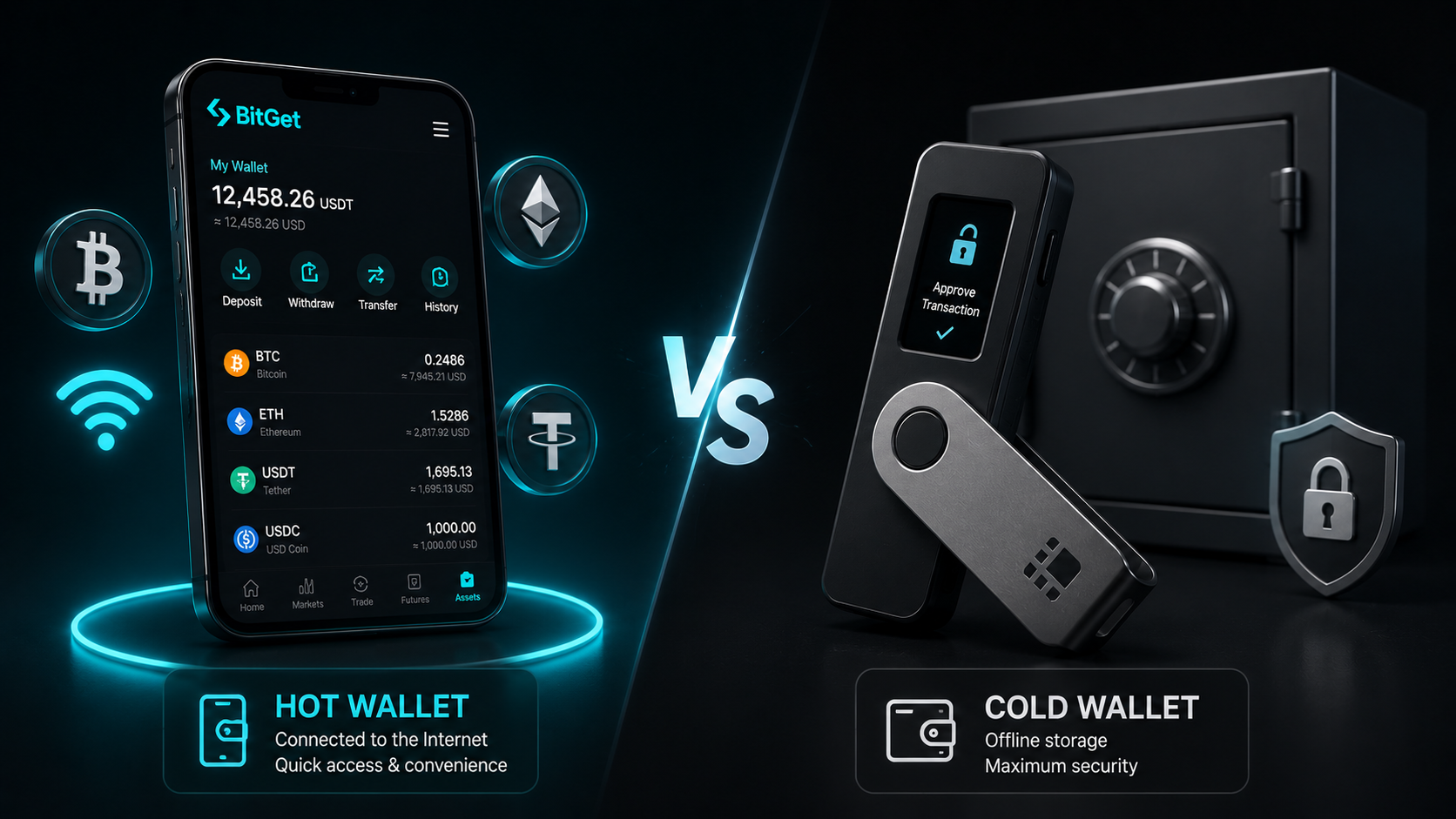
On an exchange, the exchange holds your private keys for you. On a software wallet like MetaMask, the keys live on your phone or laptop — protected by your device’s security, which is decent but not bulletproof. On a hardware wallet, the keys live on a separate, offline chip that never connects to the internet. To sign a transaction, the chip does the cryptography internally and only the signed result leaves the device.
That means even if your laptop is riddled with malware, even if your phone is compromised, the private keys stay on the Ledger. The attacker can’t pull them off. To steal your crypto they’d need the physical device and your PIN and (for big moves) your confirmation on the device’s screen.
That’s the trade. You take on the responsibility of managing your own keys, and in return nobody can freeze you, lend out your coins, or go bankrupt holding them.
If the difference between hardware and software wallets is new to you, the hot vs cold wallet explainer covers it in plain English.
Specs and what’s in the box
I’ll keep this section short because spec sheets get boring fast.
| Spec | Ledger Nano X |
|---|---|
| Secure Element chip | ST33K1M5 (CC EAL5+ certified) |
| Connectivity | USB-C + Bluetooth 5.0 |
| Battery | 100 mAh (about 8 hours active, weeks on standby) |
| Display | 128×64 OLED |
| Coins/tokens supported | 5,500+ |
| Storage | Up to 100 apps installed at once |
| Weight | 34g |
| Dimensions | 72mm × 18.6mm × 11.75mm |
| Price | ~$149 USD |
What’s in the box: the device itself, a USB-C cable, three blank recovery sheets for writing down your seed phrase, a keychain strap, and the printed quick-start guide.
The packaging is sealed with a tamper-evident wrapper. Always — always — buy direct from the Ledger shop (affiliate) or an officially listed reseller. Don’t buy a Ledger second-hand. Don’t buy a “deal” off eBay or Amazon Marketplace. There have been documented cases of attackers selling pre-tampered Ledgers with a seed phrase already loaded, waiting for the buyer to deposit funds. Pay the full $149 to a verified source. The cost of getting this wrong is your entire portfolio.
Setup walkthrough
The setup takes about 20 minutes if you’ve never done it before. Sit somewhere quiet with no distractions. Don’t do this on a train or in a coffee shop.
Step-by-step
- Unbox and check the seal. The plastic wrapper around the box should be intact. If it looks resealed, stop. Email Ledger support and don’t power the device on.
- Plug in via USB-C. The device boots to a welcome screen. Press both buttons together to begin.
- Set up as new device. Choose “Set up as new device” — never “Restore from recovery phrase” unless you have your own seed from a previous Ledger to import.
- Set a PIN. Pick a 4–8 digit PIN. Use 8 digits if you want maximum brute-force resistance. You enter the PIN every time you power the device on. Three wrong PINs in a row wipe the device. This is a feature, not a bug.
- Write down the 24-word seed phrase. The device displays 24 words, one at a time. Write them down on the paper recovery sheet in the box, in order, in pen, by hand. Do not type them. Do not photograph them. Do not save them to a notes app. Do not use a password manager. The seed phrase is the master key to every coin on the device.
- Verify the seed phrase. The device asks you to confirm a few words from the list. This is to prove you wrote them down correctly. Get it wrong here and you start over from step 3.
- Install Ledger Live. Download from ledger.com/ledger-live only. Not from a Google search, not from an app store ad. Direct URL.
- Pair the device with Ledger Live. Connect via USB and follow the prompts. Bluetooth pairing is optional and only works with the mobile app.
- Install the apps you need. In Ledger Live, go to Manager. Install Bitcoin, Ethereum, and any other chains you hold. Each chain needs its own app installed on the device.
- Send a tiny test transaction first. Before you move anything serious, send $5 of crypto to your Ledger address. Confirm it lands. Then send it back to the exchange. Then do the full move. This 10-minute habit catches 90% of “wrong address” disasters.
The seed phrase rules I follow
The seed phrase is the only thing that matters. Lose the device — fine, buy a new one and restore from the seed. Lose the seed — your coins are gone forever, no recovery possible. So the seed is what you protect.
My rules:
- Never digital. Not a photo, not a text file, not a cloud note, not a password manager, not an email to yourself. Anything connected to the internet is a target.
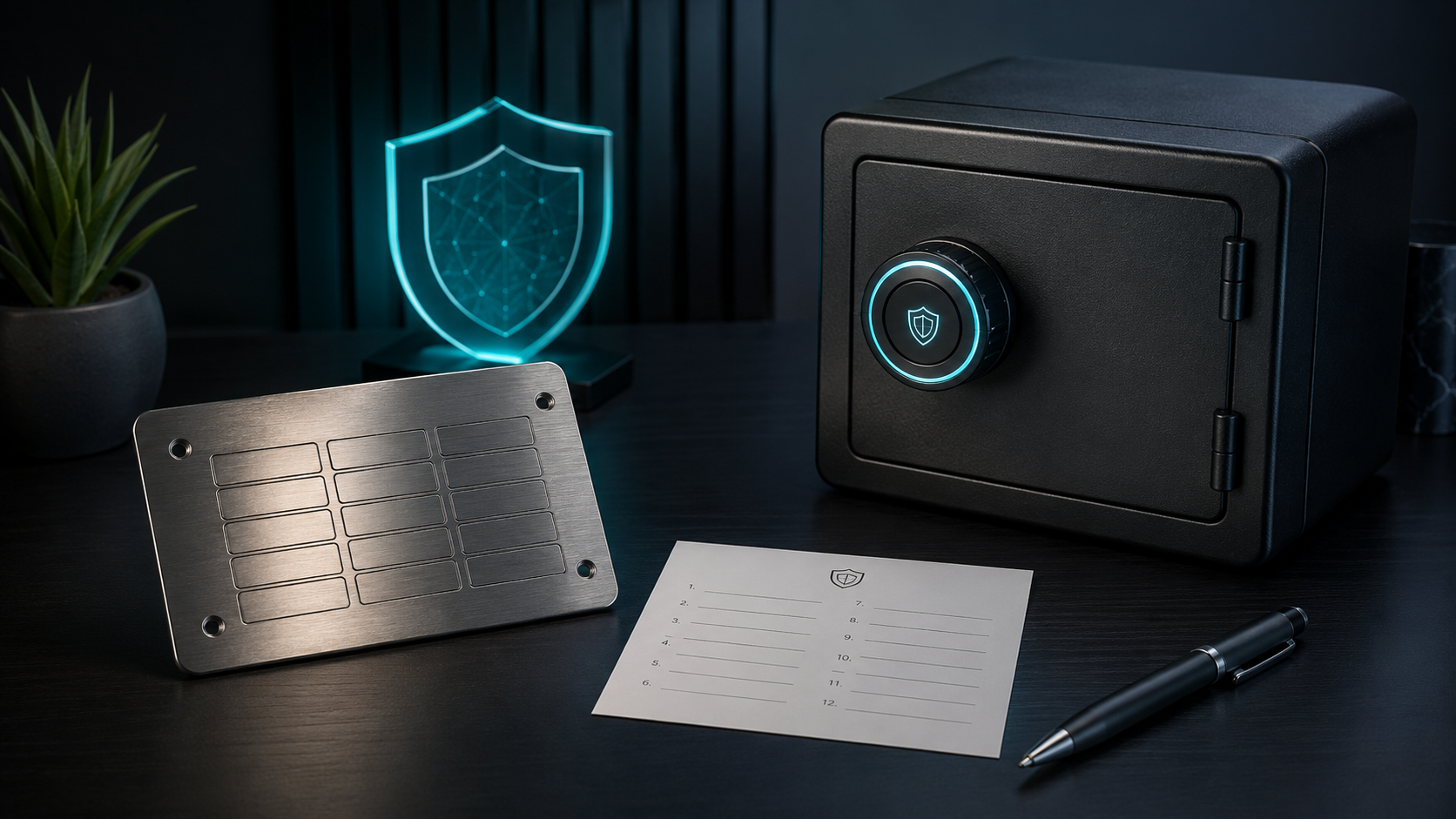
- Two physical copies, two locations. I keep one on the original paper sheet in a fireproof bag at home, and a second copy stamped into a stainless steel plate in a separate location. If one location burns or floods, the other survives.
- Never speak it aloud, ever. No phone calls, no video calls, no AI assistants in the room, no smart speakers. The seed never leaves the room it was written in.
- Never type it on a computer. The only time you ever input a seed phrase is on the Ledger device itself, button-by-button, when restoring.
- Tell nobody where it is. Not a partner, not a parent, not a lawyer (until you’ve planned inheritance properly — separate topic).
Anyone asking you to type or share your seed phrase — even someone claiming to be Ledger support — is trying to rob you. Ledger support will never ask for your seed phrase. Nobody legitimate will ever ask for your seed phrase. If a website, app, or person asks, walk away.
For the full storage playbook, the how to store crypto safely guide goes deeper on inheritance, metal backups, and passphrase strategies.
Coins and networks supported
The Nano X supports more than 5,500 coins and tokens across 100+ blockchain networks. The list covers everything most retail traders will ever hold:
- Bitcoin and all forks (BCH, BSV, LTC)
- Ethereum and all ERC-20 tokens (USDT, USDC, LINK, UNI, etc.)
- Solana and SPL tokens
- XRP, ADA, DOT, AVAX, MATIC, TRX, ATOM, NEAR
- All major stablecoins on every chain they exist on
- Most BSC, Polygon, Arbitrum, Optimism, Base tokens via the relevant network app
- NFTs on Ethereum and Polygon (with caveats — Ledger Live’s NFT display is functional but not pretty)
The chains that aren’t supported are mostly obscure ones with low security audits. If you hold a coin that needs a custom node or unusual signing scheme, check the Ledger compatibility page before you assume.
One practical note: the Nano X has limited app storage. You can install around 100 apps at once depending on size. If you hold across a lot of chains, you’ll be uninstalling and reinstalling apps as you switch. Uninstalling an app does not lose your coins — the keys are derived from the seed, not stored in the app. You can reinstall and the balances come back. It just takes 30 seconds you didn’t budget for.
Ledger Live app: pros and cons
Ledger Live is the desktop and mobile app you use to interact with the device. It shows balances, sends and receives, lets you swap, stake, and buy crypto with a card. Some of those features are good. Some are mid.
What works
- Portfolio view. Clean dashboard showing all your balances across chains in one place.
- Receive and send. Generates addresses, prompts you to confirm on the device, signs transactions. Boring and reliable, which is exactly what you want.
- Staking. Native staking for ETH, SOL, ATOM, DOT, ADA, and others. The yields are typically a fraction of a percent lower than going direct, but the convenience is real.
- Mobile app. Works over Bluetooth with the Nano X, which is the main reason to buy the X over the S Plus.
What doesn’t
- Buy crypto in-app. Ledger Live lets you buy crypto via third-party providers (MoonPay, Coinify). The fees are eye-watering — typically 2.5%–4% plus a spread. Buy on an exchange like BitGet and transfer in. You’ll save 80% on fees.
- Swap. Same story. The in-app swap routes through aggregators with fat spreads. For anything bigger than a token cleanup, use an exchange or a DEX directly.
- NFT display. Functional but ugly. You can see your NFTs, but the metadata loading is slow and the interface looks like 2019. Use a dedicated NFT wallet for active trading.
- Account management complexity. Adding a new chain means installing the app on the device, then adding the account in Live. The two-step process trips up new users.
Bottom line: use Ledger Live for the things it does well (portfolio, send/receive, staking) and use better tools for the things it doesn’t (buying, swapping, NFTs).
The wallet I keep my long-term bag on.
If you want self-custody without faff, the Nano X is what I’d buy again today. Costs about $149.
Affiliate link. I may earn a commission at no extra cost to you.
The 2020 customer data leak: what actually happened
If you do any research on Ledger before buying, you will run into the 2020 data leak. I’m not going to skip over it. Here’s the honest version.
What happened
In July 2020, Ledger disclosed that its e-commerce database had been breached. Around 270,000 customer records were taken — names, email addresses, phone numbers, and physical shipping addresses. A subset of the data, around 1 million email addresses, was later dumped publicly on a hacker forum.
The breach hit the marketing database — the system Ledger uses to send order confirmations and newsletters. The crypto-holding hardware was never touched. No private keys were exposed. No seed phrases were leaked. No customer funds were stolen by the breach itself.
What Ledger did
Ledger publicly disclosed within days. They paid for external audits. They tightened their internal data handling and reduced what customer data they store. They also got publicly hammered for taking too long to notify some users and for not segregating sensitive data better. Fair criticism.
What still happens because of it
Five years on, the leaked address list is still being used by phishers. If you bought a Ledger before 2020 you may already have received:
- Fake emails claiming “your Ledger has been compromised, click here to restore”
- Fake physical letters in the post with a QR code claiming to be a Ledger replacement program
- Phone calls from “Ledger support” asking you to confirm your seed phrase to “verify your account”
Every one of these is a scam. Ledger will never email you asking for your seed. Ledger will never call you. Ledger will never send a replacement device through the mail unprompted with a new seed phrase to set up. If you receive any of these, delete and ignore.
My take
The leak was bad. It exposed real customers to real harm — particularly the small number who received targeted physical threats. Ledger handled the response imperfectly but transparently. The hardware product itself was not compromised, and three years on the device still does what it claims.
Would I still buy a Ledger today knowing about the leak? Yes. Because the alternative — leaving funds on an exchange or in a software wallet — is statistically worse for almost everyone. The breach is a customer-data risk you can mitigate (use a PO box address if you’re paranoid, use a unique email for the purchase). An exchange collapse is a customer-funds risk you can’t.
For more on the kinds of scams that piggyback off this kind of leak, the how to store crypto safely guide has a full section on phishing patterns and the crypto scams guide covers the broader landscape.
Ledger Nano X vs Nano S Plus vs Stax
Ledger sells three main consumer devices. Picking the right one matters because the price gap is real and most people don’t need the top model.
Quick comparison
| Nano S Plus | Nano X | Stax | |
|---|---|---|---|
| Price | ~$79 | ~$149 | ~$399 |
| Secure Element | ST33K1M5 | ST33K1M5 | ST33K1M5 |
| Connectivity | USB-C | USB-C + Bluetooth | USB-C + Bluetooth |
| Battery | None (USB only) | 100 mAh | Wireless charging |
| Display | 128×64 OLED | 128×64 OLED | 3.7″ E-Ink touchscreen |
| Coins supported | 5,500+ | 5,500+ | 5,500+ |
| App storage | ~100 apps | ~100 apps | ~100 apps |
| Mobile use | Wired only | Wired or Bluetooth | Wired or Bluetooth |
| Weight | 21g | 34g | 45g |
Which one to buy
Buy the Nano S Plus if: You’re on a desktop most of the time, the $70 saving matters, and you’re fine plugging in via USB. This is the value pick. Security is identical to the Nano X.
Buy the Nano X if: You want to manage your crypto from your phone, you travel and don’t want to carry a cable, or you want the slightly nicer build. This is what I use.
Buy the Stax if: You manage a large portfolio actively, the touchscreen meaningfully improves your workflow, and the price doesn’t pinch. For most users it’s overkill — you’re paying $250 extra for a screen.
If I were starting today with a $100k+ portfolio I’d still buy the Nano X. The Stax is a nice piece of hardware but the Nano X does the job for less than half the price.
Ledger vs Trezor (brief)
Trezor is Ledger’s main competitor. Both are reputable. The honest comparison:
| Ledger Nano X | Trezor Model T | |
|---|---|---|
| Price | ~$149 | ~$179 |
| Secure Element | Yes (closed source) | No (open source MCU) |
| Bluetooth | Yes | No |
| Open source firmware | Partial | Full |
| Coins supported | 5,500+ | 1,800+ |
| Touchscreen | No | Yes |
The big philosophical split is the Secure Element chip. Ledger uses a closed-source certified chip. Trezor uses an open-source general-purpose chip. The Trezor crowd argues open source is more trustworthy because anyone can audit it. The Ledger crowd argues a certified Secure Element offers better physical attack resistance.
Practically: both work. Both are used safely by millions. If you care about open-source ideology, Trezor is your choice. If you want broader coin support, Bluetooth, and the larger ecosystem, Ledger is the pick. I went Ledger because of the coin range and the mobile workflow. I’d happily own either.
Common Ledger mistakes (and how to avoid them)
After three years and a lot of reader emails, here are the mistakes I see again and again.
Storing the seed phrase digitally
The single biggest one. People photograph the recovery sheet “just for backup”, or type it into a notes app, or save it in their password manager. Anything digital is a target. Anything in the cloud is replicated to servers you don’t control. The only safe storage is offline, physical, and held by you. Read the seed phrase rules earlier in this post and follow them.
Buying second-hand
Don’t. Even from a trusted-looking marketplace. There have been multiple documented cases of attackers selling pre-configured Ledgers with a known seed phrase. The victim sets up the device, deposits crypto, and the attacker — who already knows the seed — drains the wallet. Always buy direct from Ledger (affiliate) or an officially named reseller.
Falling for fake support
Real Ledger support will never DM you on Twitter, email you out of the blue, or call you on the phone asking for your seed. If anyone claiming to be Ledger asks for any part of your seed phrase, it’s a scam. Always. The crypto scams guide has the full taxonomy.
Approving blind transactions
Some apps and dApps ask the Ledger to sign a transaction without showing the details on the device screen — “blind signing”. This is how a lot of users have been drained. They thought they were signing a normal swap; they were actually signing a contract that drained their wallet. Only enable blind signing on apps you fully trust, and disable it when you’re done.
Not verifying receive addresses on the device
When you receive crypto, Ledger Live displays an address. Click “verify on device” and the address also appears on the Ledger’s screen. Compare them character-by-character. Malware on your computer can replace an address shown on screen — it cannot change what shows on the Ledger. Always verify on the device for any meaningful amount.
Using one Ledger for trading and long-term storage
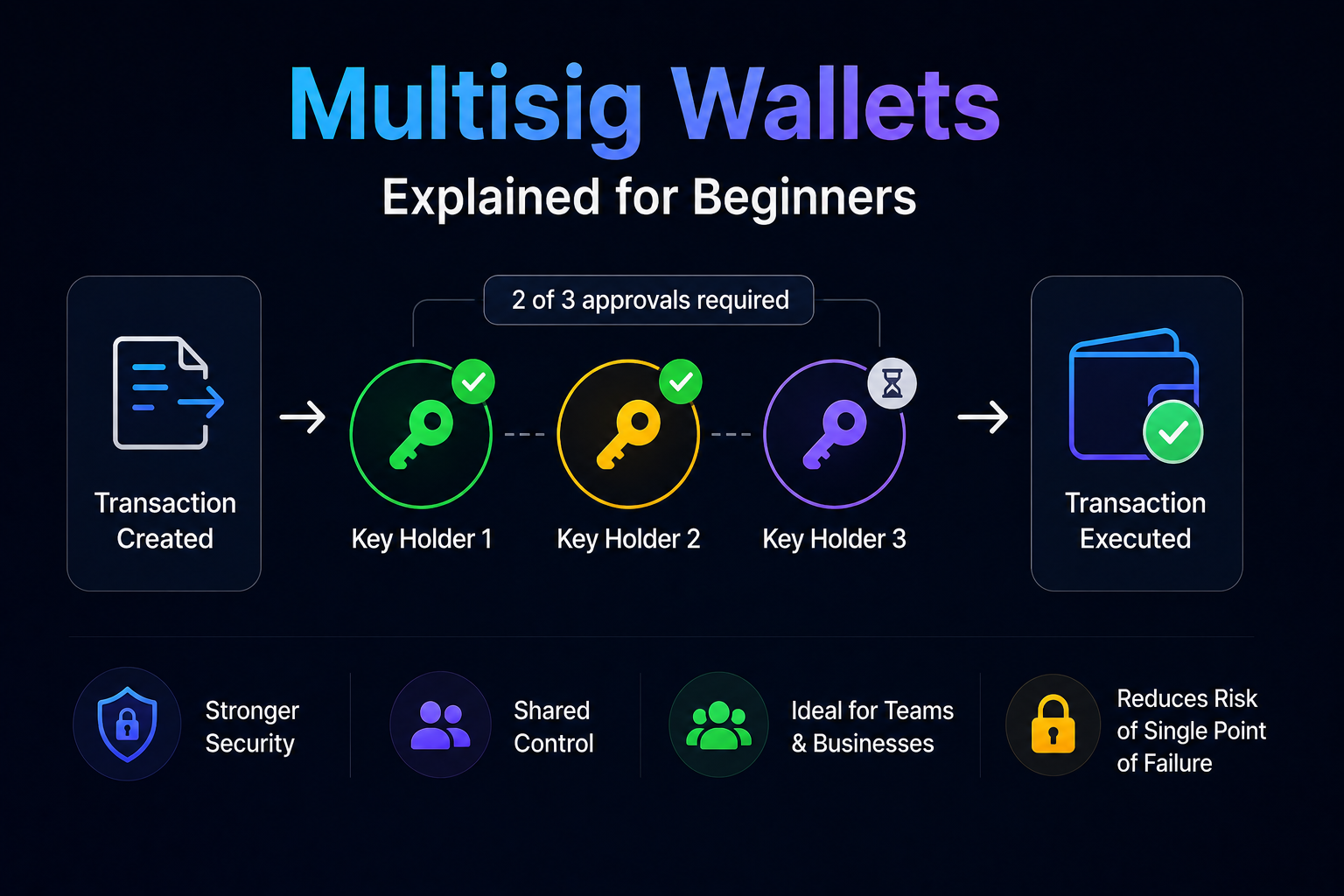
If you connect your Ledger to dozens of dApps to do active DeFi, you increase the attack surface. Smart contracts can be exploited, approvals can be drained, malicious dApps can fool you. The cleaner setup: one Ledger for long-term holdings (rarely connects to anything), one hot wallet for daily activity. The hot vs cold wallet guide goes deeper on the split.
Not testing recovery before depositing
Before you put serious money on a new Ledger, test that the seed phrase works. Wipe the device after setup (Settings → Reset all). Then restore from the seed phrase you wrote down. If the same accounts and addresses appear, your seed works. Only after that successful recovery test should you deposit real funds.
Where the Ledger fits in my overall setup
The Ledger is one part of a layered system, not the whole thing. The full split:
- Exchange (BitGet): trading float only. Active capital I’m working with this month.
- Hot wallet (BitGet Wallet / MetaMask): small amounts for DeFi, swaps, gas. Whatever I’m willing to lose if the wallet is drained.
- Ledger Nano X (cold storage): the long-term bag. Never connects to anything except Ledger Live for sending/receiving and the occasional staking transaction.
Rough percentages: 15% on exchange, 5–10% in hot wallets, 75–80% on the Ledger. That ratio shifts when I’m trading more actively or when I’m moving funds around, but the principle stays: the majority lives cold, and cold means Ledger.
This is the setup the how to store crypto safely guide walks through in more detail, and it’s what I’d recommend to anyone holding more than a few thousand pounds of crypto.
Ready to take custody?
The Nano X is what I’d buy again today. Buy direct — never second-hand, never off a marketplace.
Affiliate link.
Frequently asked questions
Is the Ledger Nano X worth it?
For anyone holding more than about $1,000 in crypto, yes. The cost is around $149 and the device pays for itself the first time it protects you from an exchange collapse, a phishing attack, or a malware-infected laptop. Below $1,000 the maths is less obvious, but the habit of self-custody starts early or never.
Is the Ledger Nano X safe after the 2020 data leak?
The hardware was never compromised. The leak exposed customer names and addresses, which has fuelled ongoing phishing campaigns, but no private keys or funds were affected. The device itself is as safe as the day it shipped. Use a PO box or a separate email if the data exposure concerns you.
Can a Ledger Nano X be hacked?
Not directly through the device. Every documented case of a Ledger user losing crypto comes down to one of: a stolen seed phrase (user error or phishing), a malicious dApp the user approved, or a tampered device bought second-hand. The Secure Element chip itself has not been broken.
What’s the difference between the Nano X and Nano S Plus?
The Nano X has Bluetooth and a battery. The Nano S Plus does not. Both use the same Secure Element chip, support the same coins, and offer the same security. The S Plus costs around $79; the X costs around $149. If you don’t need mobile-via-Bluetooth, save the money.
Do I need a Ledger if I only buy small amounts of Bitcoin?
If you’re trading $50 a month casually, an exchange or software wallet is fine. Once your holdings get to a few thousand pounds, self-custody starts to matter. The Ledger is the cheapest serious insurance you’ll ever buy.
What happens if I lose my Ledger?
Nothing, as long as you have your 24-word seed phrase. Buy a new Ledger (or any other compatible hardware wallet, including a Trezor), restore from the seed, and your accounts and balances reappear. The device is replaceable. The seed is not.
Can the Ledger Nano X store NFTs?
Yes — ERC-721 and ERC-1155 NFTs on Ethereum and Polygon. The display in Ledger Live is basic compared to dedicated NFT wallets, but the underlying security is the same. For active NFT trading, most people use a connected hot wallet and reserve the Ledger for long-term holdings.
Final word
The Ledger Nano X is not glamorous. It doesn’t make you money. It doesn’t have a community or a price chart. It’s a small piece of plastic and silicon that, three years on, has done exactly one thing: held my keys, every day, without fail.
That’s the entire job. And it’s the job most people don’t take seriously until they’ve already been burned by an exchange collapse, a software wallet hack, or a phishing email.
If I were starting again today, this is the order I’d do it in:
- Open a BitGet account (or your local equivalent). Buy your first crypto. Read how to buy crypto for the on-ramp basics.
- Once you’ve got more than about $500 worth, order a Ledger from the official Ledger shop (affiliate).
- Set it up properly. Follow the seed phrase rules in this post. Do a recovery test.
- Move the bulk of your holdings off the exchange and onto the Ledger.
- Keep only your active trading float on exchanges from that day on.
That’s the playbook. The Ledger isn’t the only piece — your seed storage matters more than the device itself — but it’s the piece that makes the rest possible.
Right — over to you.
Related posts
- How to Store Crypto Safely: The Self-Custody Guide
- Hot Wallet vs Cold Wallet: Which One Do You Need?
- BitGet Review: The Crypto Exchange I Actually Use