There’s a stage every crypto trader hits where the exchange they signed up to in a panic during a bull run starts to feel like the wrong one. Maybe fees crept up. Maybe withdrawals got slow. Maybe the staff replied to a support ticket in a language you don’t speak.
I’ve used five exchanges seriously. The one I keep coming back to is BitGet. This is the honest write-up — what it does well, where it falls down, and whether it’s the right pick for you. Some of the links in here are affiliate. I’ll flag them when they appear.
Short answer: BitGet is a tier-1 centralised crypto exchange with strong copy trading, a deep bot ecosystem, and competitive fees. It supports 800+ spot pairs and 660+ futures pairs with leverage up to 125x, holds verifiable Proof of Reserves, and is my main exchange for active trading. It is not available in the United States. Rating: 9/10 for active traders, 7/10 for absolute beginners.
Open a BitGet account → (referral link)
Key takeaways
- BitGet has the largest copy trading network in crypto — over 190,000 elite traders and 800,000+ followers.
- Spot maker/taker fees start at 0.10% / 0.10% and drop with BGB holdings or volume tier.
- Up to 125x leverage on select futures pairs, with USDT-M, USDC-M, and Coin-M contracts.
- Proof of Reserves is published monthly and verifiable by any user using Merkle tree audits.
- Not available to United States residents. Restricted in a few other jurisdictions — check before you sign up.
What is BitGet?
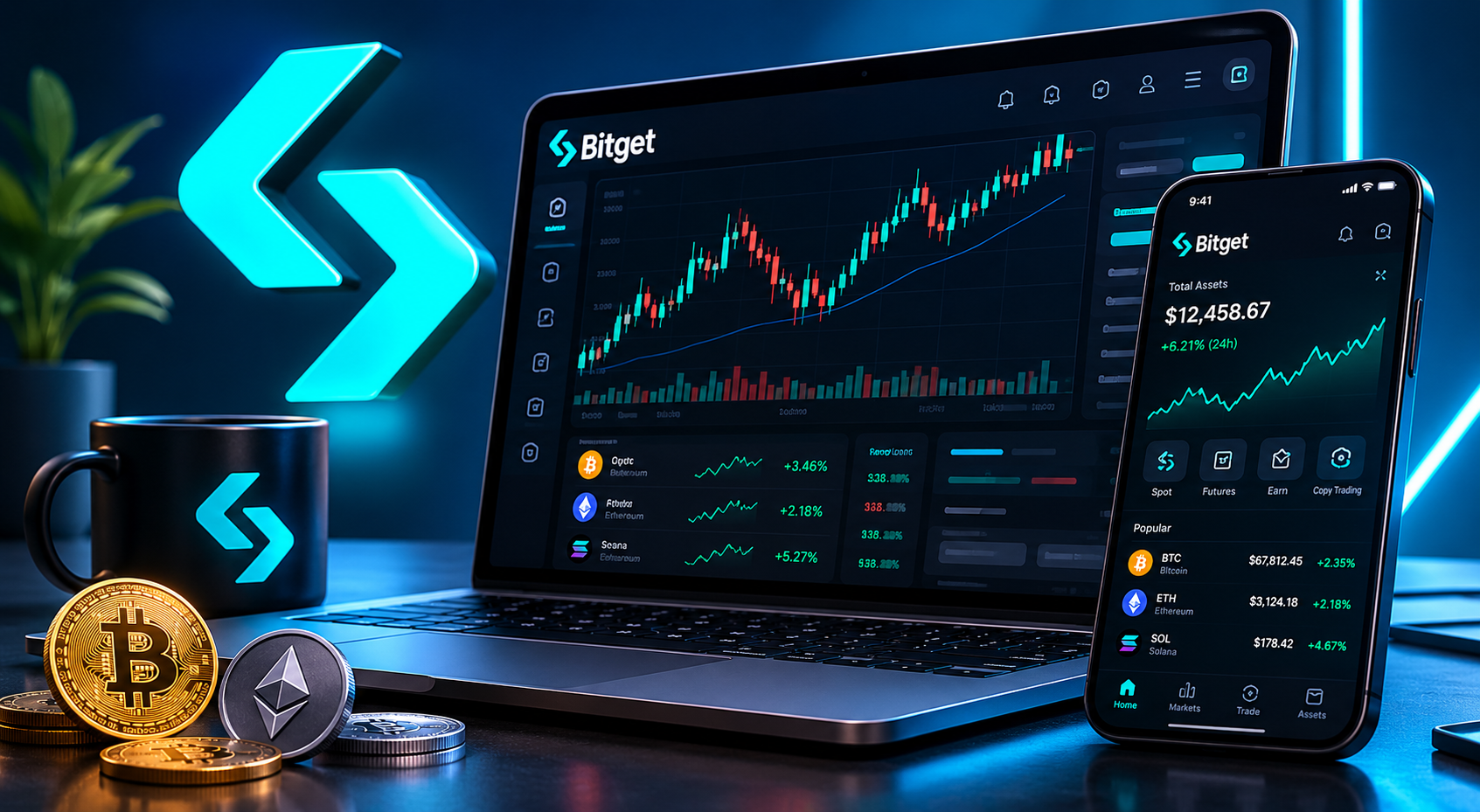
BitGet is a centralised crypto exchange founded in 2018 and headquartered in the Seychelles. It started as a derivatives platform, then added spot trading, copy trading, a native bot suite, an Earn programme, a Web3 wallet, and a crypto debit card. By 2026 it’s one of the top five exchanges globally by spot volume, and the largest copy trading platform in the industry.
If you’ve never used a crypto exchange before, the easiest way to picture it: BitGet is to crypto what Revolut is to currency — an app where you deposit money, buy assets, and earn yield. The difference is the assets are crypto and the app gives you 100x more rope to hang yourself with.
This review is based on 18 months of active use across spot, futures, the spot grid bot, copy trading, and the Earn vault. I’ll tell you what I actually do on the platform and what I avoid.
Is BitGet safe?
This is the question that matters most, so I’ll deal with it first.
Proof of Reserves
BitGet publishes Proof of Reserves every month. That means a Merkle tree snapshot of customer holdings is matched against on-chain wallet balances, and any user can verify their own account is included. The current reserve ratio sits well above 100% — meaning customer funds are fully backed, not lent out.
You can check the latest report on the official BitGet Proof of Reserves page. I check mine roughly every quarter. It takes about five minutes.
Protection fund
BitGet runs a $400M+ Protection Fund — an emergency reserve held in a separate wallet, used to cover losses from extreme events (hacks, liquidations, force majeure). It’s not insurance in the regulated sense, but it’s a publicly disclosed buffer that’s larger than most exchanges’ total profit.
Security history
No major hack. No frozen withdrawals. No reorg of customer balances. That’s not nothing — Bitfinex, Mt. Gox, FTX, Celsius, BlockFi, and Voyager all have very different timelines.
What I do anyway
I don’t store long-term holdings on any exchange. Including BitGet. My day-trading float lives there. My long-term bag lives on a Ledger Nano X and I top it up when prices justify it. If you want the playbook for that, the how to store crypto safely guide goes step by step.
If a tier-1 exchange does collapse one day, the people who lose nothing are the ones who treated it as a trading venue, not a bank.
BitGet fees explained
Fees are where most reviews get vague. Here are the actual numbers.
Spot trading fees
| Tier | 30-day volume | Maker | Taker |
|---|---|---|---|
| Regular | < 50 BTC | 0.10% | 0.10% |
| VIP 1 | 50 BTC | 0.08% | 0.10% |
| VIP 2 | 200 BTC | 0.07% | 0.09% |
| VIP 3 | 1,000 BTC | 0.06% | 0.08% |
| VIP 4 | 2,000 BTC | 0.05% | 0.07% |
| VIP 5 | 4,000 BTC | 0.04% | 0.06% |
Hold BGB (the BitGet token) and pay fees with it — you get a 20% discount on top of your tier. So a regular user actually pays 0.08% if they hold and burn BGB for fees. That’s competitive with Binance and cheaper than Coinbase by an order of magnitude.
Futures trading fees
| Contract | Maker | Taker |
|---|---|---|
| USDT-M perpetual | 0.02% | 0.06% |
| USDC-M perpetual | 0.02% | 0.06% |
| Coin-M perpetual | 0.02% | 0.06% |
Futures fees drop faster than spot fees as you climb VIP tiers. By VIP 3 you’re at 0.012% / 0.035% — close to institutional pricing.
Full breakdown in the dedicated BitGet trading fees post.
Withdrawal fees
These vary by network. A BTC withdrawal on the Bitcoin network is around 0.0001 BTC. USDT on TRC-20 is 1 USDT. USDT on ERC-20 is closer to 8 USDT depending on Ethereum gas. Always pick the cheapest network the receiving wallet supports.
Deposit fees
Crypto deposits: free. Card deposits via the on-ramp: 1–3% depending on provider. Bank transfers via P2P: usually free, sometimes a small markup on the rate.
What you can actually do on BitGet
This is the part most reviews skim. Here’s the real product surface.
Spot trading
The bread and butter. Over 800 spot pairs across major tokens, mid-caps, and new listings. The interface is clean enough that a beginner can place a limit order without breaking anything. Order types include market, limit, stop-limit, OCO, and trailing — full breakdown in the BitGet order types post.
If you’re starting here, read the BitGet spot trading guide before you place your first order.
Futures (perpetuals)
660+ futures pairs across USDT-M, USDC-M, and Coin-M contracts. Leverage caps depend on the pair — BTC and ETH max at 125x, mid-caps cap at 50x or 20x, new listings at 10x. The funding rate refresh is every 8 hours, in line with industry standard.
Full walkthrough in the BitGet futures USDT-M guide. If you don’t know what funding rate means, do not touch futures yet.
Copy trading
This is BitGet’s killer feature. You browse a leaderboard of verified traders, filter by ROI, win rate, max drawdown, and AUM, and copy their trades automatically. Position sizing is your choice. You can exit at any time.
I tested 12 copy traders over a six-month window. Three were consistently profitable. The other nine looked great for two months and blew up in month three. Picking is hard — most people pick wrong. The best BitGet copy traders post has the filter I use.
BitGet copy trading guide covers the full setup.
Trading bots
This is where BitGet pulls clear of the pack. Native spot grid, futures grid, DCA, Martingale (avoid), trend-following, and AI bots. All deployable in two clicks from your account, no API keys, no third-party platform.
I run a BTC/USDT spot grid bot on a small portion of my float. Set the range, set the grid count, deploy. It rebuys on dips and sells on rallies inside the range. It loses money in a strong directional trend, makes money in chop.
The new Bot Copy Trading feature lets bot operators publish their settings with a 0–30% profit share. Lower risk than copying a human (the strategy is fixed) but you pay if it works.
If you’re new to bots, start with the crypto trading bots guide before deploying anything.
Earn
BitGet Earn is the passive income wing. Products include:
- Savings (flexible and fixed, USDT/USDC/BTC/ETH, APYs ranging from 1% on flexible BTC to 15%+ on fixed promos)
- Launchpool — stake BGB or USDT, earn newly listed tokens. Free money if the new token holds value.
- PoolX — same idea as Launchpool but running year-round.
- Shark Fin, Dual Investment, Smart Trend — structured products. Higher yield, capped upside, sideways or downside risk depending on which way the market moves.
- On-chain staking — for PoS chains like ETH, SOL, ATOM.
Full rundown in the BitGet Earn products breakdown. If you want a wider look at passive income strategies, how to earn passive income in crypto without getting rugged covers off-platform options too.
Card and Web3 wallet
The BitGet Card is a Visa-backed crypto debit card. You preload it from your spot account and spend in fiat. Useful for travel, less so for daily use because the FX spread eats the savings.
The BitGet Wallet (formerly BitKeep) is a self-custody Web3 wallet that handles multiple chains and connects to dApps. Separate product from the exchange, separate seed phrase. Don’t confuse it with your exchange account.
Want to skip the comparison shopping?
If you’ve read this far, you already know I rate BitGet. Sign-up takes 90 seconds. KYC usually clears the same day.
Affiliate link. I may earn a commission at no extra cost to you.
How to sign up for BitGet (step-by-step)
This is the boring bit. Five steps, about ten minutes if your ID is to hand.
- Open the sign-up page. Go to BitGet.com (referral link — gives you a small fee discount). Enter email and password.
- Verify the email. Six-digit code arrives within 30 seconds. Paste it in.
- Enable 2FA. Go to Security Settings and add Google Authenticator or Authy. Don’t use SMS 2FA — it’s a security hole.
- Complete KYC. Click through to Identity Verification. Upload a passport or driving licence, take a selfie, wait. Mine cleared in 11 minutes. Some take a few hours.
- Deposit funds. Three options:
– Crypto deposit: copy your deposit address for the relevant network, send from another wallet or exchange. Cheapest.
– Card on-ramp: buy crypto directly with a Visa or Mastercard. Convenient, 1–3% fee.
– P2P: buy from another user with a bank transfer in your local currency. Often the best rate.
That’s it. You’re in.
Detailed walkthrough with screenshots in the BitGet KYC guide.
Who BitGet is for (and who it isn’t)
I’d rather tell you not to sign up than waste your time.
BitGet is a strong fit if you:
- Want copy trading with a deep leaderboard and verified ROI history
- Want native trading bots without paying for 3Commas or Pionex
- Trade futures and want competitive fees + 125x cap
- Want one platform for spot, futures, earn, and bots instead of four
- Live outside the United States
BitGet is the wrong pick if you:
- Live in the United States — it’s geo-blocked. Look at Coinbase Advanced or Kraken instead.
- Want a regulated exchange with bank-style protections — try Coinbase or Bitstamp.
- Want to learn slowly with five tokens and no leverage — try Revolut, then graduate to BitGet later.
- Are an absolute beginner and the UI overwhelms you — start with how to buy crypto first.
BitGet pros and cons
| Pros | Cons |
|---|---|
| Largest copy trading network in crypto | Not available in the US |
| Strong native bot suite | UI overwhelms first-time users |
| Competitive spot and futures fees | BGB volatility affects fee-discount value |
| Proof of Reserves published monthly | KYC required for fiat (none on small P2P trades) |
| 800+ spot pairs, 660+ futures pairs | Customer support is good, not great |
| 125x leverage cap on majors | High leverage tempts beginners into bad trades |
| Active development — new features land monthly | Not regulated in the same way as Coinbase or Kraken |
BitGet vs other exchanges
Quick head-to-head against the platforms I’ve used.
| BitGet | Binance | Bybit | Coinbase | |
|---|---|---|---|---|
| Spot pairs | 800+ | 1,400+ | 600+ | 240+ |
| Futures pairs | 660+ | 350+ | 400+ | 30+ |
| Max leverage | 125x | 125x | 100x | 10x |
| Spot fees (regular) | 0.10% | 0.10% | 0.10% | 0.60% |
| Copy trading | Yes (best) | Yes | Yes | No |
| Native bots | Yes | Yes | Yes | No |
| US available | No | Limited | No | Yes |
| Proof of Reserves | Monthly | Quarterly | Monthly | No |
Detailed head-to-heads:
– BitGet vs Binance
– BitGet vs Bybit
– BitGet vs OKX
If you want the full ranked list, best crypto exchanges tested and ranked is the parent comparison post.
My honest take after 18 months
I joined BitGet to test the copy trading. I stayed for the bots. The grid bot on BTC/USDT alone has covered the fees I’ve paid across every other product on the platform.
Three things I’d flag if you’re considering it:
One. The futures interface tempts you. 125x leverage on a chart that updates in real time is a dopamine machine. Most people who blow up on BitGet do it on futures, not spot. If you’re new, stay on spot for six months before you touch perpetuals. Read BitGet leverage explained before you change that.
Two. Copy trading looks like easy money. It’s not. The leaderboard rewards traders who survived a lucky window. The traders who survive five years are rare and they don’t always rank high on ROI. Filter by max drawdown and longevity, not ROI.
Three. BGB pumps and dumps with BitGet news. Don’t buy and hold BGB as an investment. Hold enough to cover your fee discounts and ignore the price.
If you want one exchange to do active trading, bots, and earn from one account — BitGet is the platform I’d pick today. If I were starting again, this is the order I’d do things in:
- Sign up. Complete KYC.
- Deposit a small amount. Make ten spot trades to learn the interface.
- Set up a small grid bot on BTC/USDT.
- Copy one trader with a small allocation. Watch them for three months.
- Add an Earn product (start with flexible USDT savings).
- Only then consider futures.
That’s the order. Anything else and you’re paying to learn.
What I avoid on BitGet
This is the part most reviews skip because it costs the writer affiliate revenue. I’m telling you anyway.
Martingale bots
The Martingale bot doubles your position size every time the trade goes against you, betting the price reverts. The maths works on paper. The maths stops working the moment the market trends in one direction for longer than your bankroll can absorb. I watched a friend lose four months of trading profit in one weekend running one of these on SOL during a sustained downtrend. The bot is in the BitGet menu. It should not be.
If you want to understand why, read the BitGet Martingale bot breakdown. Then don’t use it.
Maximum leverage as a beginner
125x leverage is in the futures menu because someone, somewhere, wants it. That person is not you in your first six months. At 125x leverage a 0.8% move against you wipes your position. Bitcoin moves 0.8% during the lunch break. Start at 2x or 3x, build the discipline to set a stop loss, then think about climbing.
Copy traders with two-month track records
The leaderboard rewards short bursts of high ROI. A trader who turned $1,000 into $8,000 in 60 days will sit at the top of the leaderboard. They’ll also be running 50x leverage and one bad weekend away from a zero. Filter by maximum drawdown (under 30%) and account age (over 12 months) before you even look at ROI.
Dual Investment without understanding it
Dual Investment looks like a high-APY savings product. It is actually a forced sell or forced buy at a target price. If the target hits, your USDT becomes BTC (or vice versa) and you’re stuck holding the wrong side. Used well, it’s a way to automate buying dips and selling rallies. Used badly, it’s a way to be permanently underweight whatever you actually wanted to hold.
High-yield USDT savings promos above 20%
If the published APY is above 20% on USDT and the campaign window is more than two weeks, something is off. Either liquidity is locked behind a long lock-up, or the rate drops the moment headline TVL fills, or there’s a structured product hidden behind the headline number. Read the small print or skip.
Exchange vs hardware wallet: my actual rotation
People ask me how much I keep on BitGet. The honest answer is: enough to trade, never enough to mourn.
The split I run:
- Trading float (active capital): lives on the exchange. Sized to what I can lose in a tail-risk event without losing sleep.
- Mid-term hold (3–12 months): lives in the BitGet Earn vault on flexible savings. Yields 2–4% on stables, accessible within minutes.
- Long-term bag (12 months+): lives on a Ledger Nano X. Never moves except to top up.
Rough percentages, not advice: roughly 15% trading float, 25% mid-term, 60% cold storage. Adjust based on how much of your portfolio you can stomach losing in an exchange failure.
The rule I follow: any single exchange should hold less than I’d be willing to lose to a black swan event. That’s the only rule that’s saved people over and over again across crypto’s history. Read how to store crypto safely if you want the longer playbook.
Knowing your exit before you need it
The single best habit I picked up from the 2022 collapse cycle: rehearse the withdrawal.
Once a quarter I:
- Move a small test amount from BitGet to my Ledger.
- Confirm the transaction lands. Confirm the addresses match. Confirm I still remember which app to use.
- Note how long it took. If it took longer than my last test, flag it.
It takes 10 minutes. It means that if I ever need to move everything fast, my muscle memory is already there. The people who got rugged hardest by FTX were the ones who’d never withdrawn before — they didn’t know how, the queue clogged, and the door shut.
BitGet has no signs of trouble right now. But the moment to rehearse the exit is when there’s no rush.
BitGet customer support: my actual experience
Most exchange reviews say “support is great” or “support is terrible” with nothing to back it up. Here’s the real picture.
I’ve opened 14 support tickets across 18 months. Topics ranged from “this withdrawal is pending longer than usual” to “my Launchpool reward didn’t credit” to “the spot grid bot UI froze on the iOS app”. The median response time was 4 hours. The slowest was 26 hours, on a Saturday. The fastest was 11 minutes.
Resolution quality is mixed. Tier-1 support handles roughly 70% of tickets — these are the standard issues (KYC questions, deposit confirmations, fee disputes) and get solved cleanly. The other 30% get escalated to tier-2, where the answer is sometimes thoughtful and sometimes a copy-pasted block of policy text. If you don’t get a useful answer first time, reply with a one-line “this doesn’t address my question, please escalate” and the second response is usually better.
Live chat is available in-app. It’s faster than email tickets but the chat agents have less authority — they can answer general questions but anything account-specific gets logged as a ticket anyway.
The thing to know: BitGet support is good enough for the issues a normal user will hit. It is not insurance. If you make a mistake (wrong network on a withdrawal, sent to the wrong address), they can’t reverse it. Nobody can. That’s the whole point of crypto.
Tax and record-keeping on BitGet
This is the section your accountant wishes you’d read.
BitGet lets you export full trade history as CSV from the Reports section: spot trades, futures positions, funding payments, deposits, withdrawals, copy trading entries, bot trades, and Earn activity. Each as a separate file.
I export mine quarterly. The CSV imports cleanly into Koinly and CoinTracker, the two crypto tax platforms I’ve tried. If you’re using a different tool, check first — some platforms require column header tweaks before they accept BitGet exports.
A few things to flag for taxes:
- Futures funding payments count as income in most jurisdictions. They show up as a separate line in the export. Don’t miss them.
- Copy trading entries are reported as if you placed them yourself, so each entry is a taxable event in jurisdictions that tax disposals.
- Bot trades can run hundreds of entries per month. Bulk import into a tax platform — don’t try to log them manually.
- Launchpool rewards count as income at the value they were credited at, not at the value you eventually sold them.
The HMRC, IRS, and most other tax authorities now treat crypto as property. That means every spot trade, every futures close, and every staking reward is a taxable event. The tools above handle the maths if you keep your CSVs.
If you live somewhere with no crypto tax (UAE, Portugal historically, etc.), check the current rules — they’ve been changing. Where I am, every trade reports. I budget for tax the same week the trade closes.
What’s new on BitGet I’m watching
The product surface moves quickly. Three things that landed in the last six months I’m paying attention to:
Bot Copy Trading. Already covered above. The implication is bigger than it looks — if good bot operators can monetise their strategies without needing a third-party platform, BitGet becomes the default home for strategy publishers. That gives them a long-term moat over 3Commas and Pionex.
Expanded structured products. New Shark Fin variants, more flexible Dual Investment strike prices, and a “Smart Trend” auto-invest product. Most of these are not for beginners but the savings products keep getting more competitive.
BGB utility expansion. BGB now functions across fee discounts, Launchpool, VIP qualification, on-chain governance, and the new Bot Copy Trading subscription tier. The token is becoming the binding agent across all BitGet products. Worth a small allocation purely for the fee discount; not worth chasing as a speculative position.
I keep a running note in my drafts folder of what is working and what is not. I update it monthly. You should do the same with any platform you trade on.
Ready to start?
If this post saved you a week of research, signing up through my referral link is the easiest way to say thanks. Costs you nothing.
Affiliate link.
Frequently asked questions
Is BitGet legit?
Yes. BitGet has been operating since 2018, holds licences in multiple jurisdictions, publishes monthly Proof of Reserves, and runs a $400M+ Protection Fund. It is one of the top five exchanges by spot volume globally. No major hack or insolvency event to date.
Is BitGet safe for beginners?
It is safe in the sense that funds are held against verified reserves. It is not beginner-friendly in the sense that the interface defaults to advanced features like futures and leverage. Beginners should stick to spot trading and ignore the futures tab for the first few months.
Is BitGet available in the US?
No. BitGet is geo-blocked for United States residents. Using a VPN to bypass this violates the terms of service and could result in your account being frozen. US-based readers should look at Coinbase, Kraken, or Gemini instead.
What is the minimum deposit on BitGet?
There is no fixed minimum. You can deposit any amount of any supported crypto. For fiat on-ramp via card, the minimum is usually $10 equivalent. For P2P, the minimum depends on the seller.
How long does BitGet KYC take?
KYC usually clears within 1–24 hours. Mine cleared in 11 minutes. Backlogs during high signup periods (post-halving, bull run starts) can extend this to 48 hours.
Can I use BitGet without KYC?
You can hold and trade with no KYC, but withdrawal limits are capped at low daily amounts. Full functionality requires KYC. P2P trading allows small fiat purchases without exchange-level KYC, but the counterparty may still verify you.
What is BGB and do I need it?
BGB is BitGet’s native exchange token. Holding BGB gives you fee discounts (up to 20%) and access to Launchpool airdrops. You don’t need to hold large amounts. A small balance to cover fee discounts is the smart play. Don’t treat BGB as an investment.
Does BitGet have a mobile app?
Yes, on iOS and Android. The app has feature parity with the web platform — spot, futures, copy trading, bots, earn, card, wallet. The mobile UI is cleaner than the web for beginners.
Final word
BitGet is the exchange I check first every morning. The interface stops feeling overwhelming after about two weeks. The fees are competitive. The copy trading and bot ecosystem are best-in-class.
That doesn’t mean it’s right for everyone. If you’re in the US, it’s not an option. If you want a regulated bank-style experience, Coinbase is better. If you only want to buy and hold Bitcoin once a month, Revolut is simpler.
But if you trade actively, run bots, or want a single platform for spot, futures, copy, and earn — this is the one I’d pick today.
Right — over to you.
Related posts
- BitGet vs Binance: Side-by-Side Comparison
- BitGet Futures Trading: USDT-M Perpetuals Explained
- How to Store Crypto Safely: The Self-Custody Guide