The first time I really understood what self-custody meant, I was watching the FTX withdrawal page refresh on a hotel Wi-Fi in Bangkok at 3am. The button just span. By the time I crawled into bed, billions of dollars in customer funds were trapped. I had a few thousand on the platform. I got lucky — most of it was already on a Ledger. The rest? Gone.
This post is the playbook I wish someone had handed me on day one. How to actually hold crypto without losing it to a hack, a bad app, a scam, or your own future self at 3am. Plain steps, real numbers, and the kit I actually use. Some links here are affiliate — I’ll flag them as they come up.
Short answer: The safest way to store crypto is on a hardware wallet (cold storage) like the Ledger Nano X, with the seed phrase written on metal — never on paper or in the cloud — and stored in two physically separate locations. Keep only your active trading float on an exchange like BitGet, use app-based 2FA (never SMS), and rehearse a small test withdrawal every quarter. Rule of thumb: if you’d cry over losing it, it shouldn’t live on an exchange.
Get a Ledger Nano X → (affiliate)
Key takeaways
- Exchanges are not banks. FTX, Mt. Gox, Celsius, and BlockFi all collapsed with customer funds inside.
- A hardware wallet (cold storage) keeps your private keys offline — they never touch the internet.
- Your seed phrase is the only thing that matters. Lose it, lose everything. Leak it, lose everything.
- Store seed phrases on metal plates, in two geographically separate spots. Never on a phone, never in cloud notes, never as a photo.
- Use Authy or a YubiKey for 2FA. SMS 2FA is broken — SIM swaps are a real and growing attack.
- Rehearse the withdrawal once a quarter. The moment you actually need it is the worst time to learn how.
Why can’t I just leave my crypto on an exchange?
Because exchanges keep dying.
Here’s the short list of the ones that took customer funds with them:
- Mt. Gox (2014) — once handled 70% of all Bitcoin volume. 850,000 BTC gone. Twelve years later, victims are still getting partial payouts.
- QuadrigaCX (2019) — the founder died (allegedly) with the only password to the cold wallets. $190M lost.
- Celsius (2022) — paused withdrawals, filed bankruptcy. Customers became unsecured creditors waiting in a queue.
- Voyager (2022) — same story. Different brand.
- FTX (2022) — the biggest. $8B+ of customer funds used by Alameda. A “trusted” exchange with celebrity endorsements and a stadium sponsorship.
- BlockFi (2022) — fell over a month after FTX took it down.
Every single one had a slick interface, smiling executives, and customers who thought their funds were safe because the website was professional. The website doesn’t matter. What matters is who controls the keys.
Not your keys, not your coins
The phrase is old and a bit cheesy and completely correct. If you don’t hold the private keys to a wallet, you don’t own the crypto in it — you own an IOU from whoever does. On a centralised exchange, that IOU is denominated in BTC but redeemable only if the exchange is still solvent, still online, and still willing to process your withdrawal.
Most of the time it works fine. Until the day it doesn’t.
What an exchange is actually for
Exchanges are venues. They’re where you swap fiat for crypto, swap one crypto for another, and place trades. They are not vaults. The mistake almost everyone makes early on — including me — is treating the exchange as a savings account because it has a balance number that looks like one.
I use BitGet every day. It’s the best exchange I’ve found for active trading and bots. But the only thing on it is what I’m actively trading. The long-term bag lives somewhere else.
What’s the difference between a hot wallet and a cold wallet?
The split is dead simple: hot wallets are online, cold wallets are offline.
A hot wallet is any wallet whose private keys touch an internet-connected device. Your MetaMask, your Phantom, your BitGet Wallet app, your exchange balance. Convenient. Fast. Connects to dApps in one click. Also the attack surface for every drained-wallet story you’ve ever read.
A cold wallet is any wallet whose private keys never touch the internet. The most common form is a hardware wallet — a small USB-sized device that signs transactions internally and only exports the signed result. The private key never leaves the chip.
The trade-off in one line
Hot wallets are like a cash float in your pocket. Cold wallets are like a safe in your house. You don’t carry your life savings in your pocket; you don’t keep your daily lunch money in a safe.
I keep about 10–15% of my stack hot for trading and gas, and the rest cold. Adjust the ratio based on how active you are and how much you’d lose sleep over.
Full breakdown of the differences (with attack examples) is in hot vs cold wallet.
Where most people get burned
The most common attack right now is not a sophisticated zero-day. It’s a fake wallet app on the App Store, a malicious browser extension that looks like MetaMask, or a phishing email that takes you to a clone site. Hot wallets are vulnerable to all three. Cold wallets are not — even if your laptop is fully compromised, the malware can’t sign a transaction on your hardware wallet without you physically pressing the button.
That’s the whole point.
What hardware wallet do I actually use?
A Ledger Nano X. I’ve had mine for nearly four years. It’s done thousands of transactions across Bitcoin, Ethereum, Solana, multiple L2s, and a few altchains. Battery still works. Buttons still click. No drama.
Check the Ledger Nano X → (affiliate)
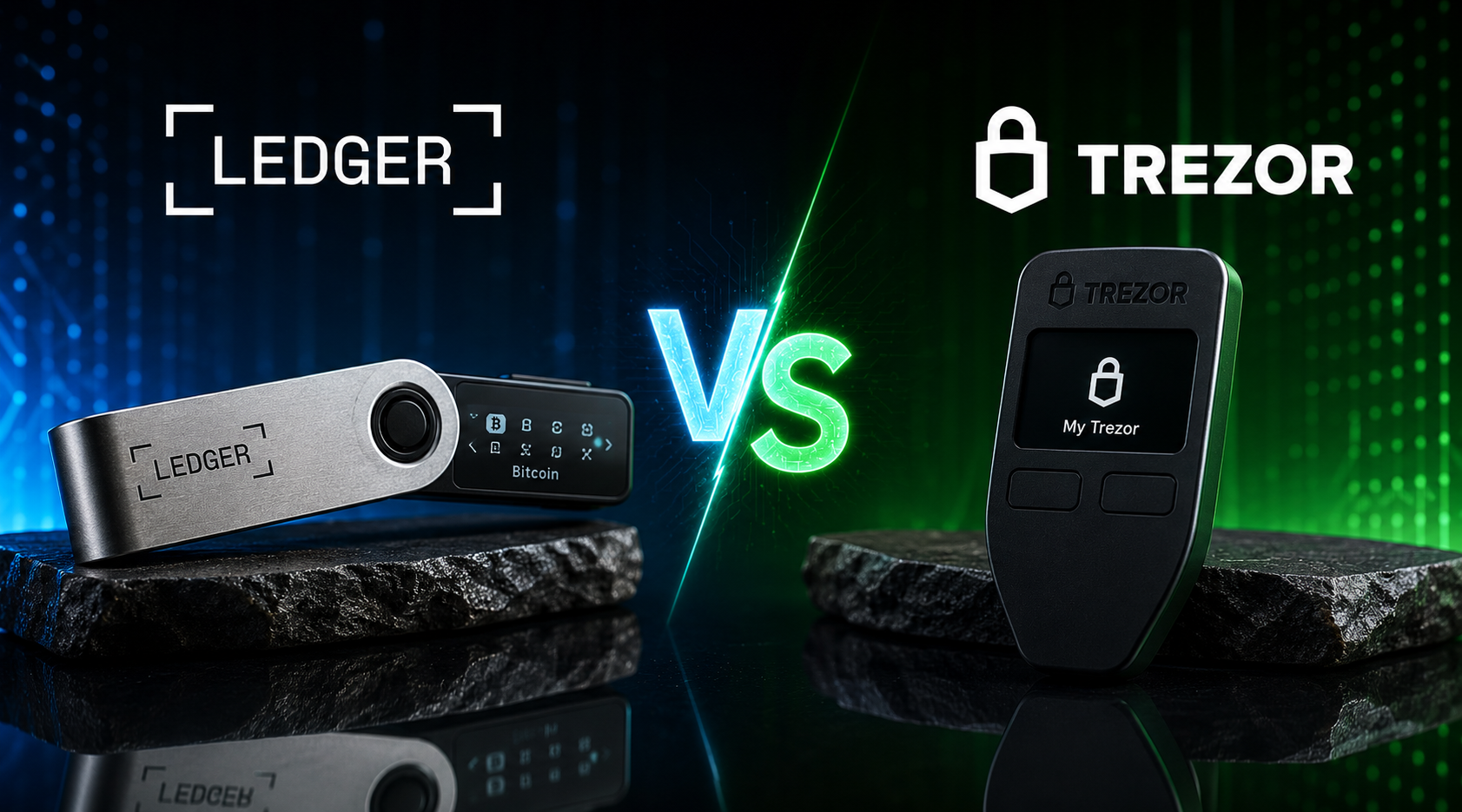
Why Ledger and not Trezor
Both are good. I’ve used both. I keep coming back to Ledger for three reasons:
One. Bluetooth on the Nano X means I can sign Solana and Ethereum transactions on the go without plugging into a laptop. The Bluetooth only carries the signed transaction — the private key never leaves the secure element chip. People panic about Bluetooth and most of them haven’t read how it actually works.
Two. Coin support. Ledger handles more chains natively than Trezor, especially on the long tail of L1s and L2s. If you’re only holding BTC and ETH, it doesn’t matter. If you ever stray into Solana, Polkadot, Cosmos, or anything newer, it matters.
Three. The Ledger Live app is fine. Not amazing. But it does what it needs to do — portfolio view, staking, swaps, send/receive — without crashing or asking for your seed phrase. Trezor Suite is fine too. It’s a wash.
There’s a fuller writeup in the Ledger Nano X review if you want the deeper comparison.
What about the 2020 Ledger data leak?
Worth addressing because it comes up every time. In 2020, a marketing database from Ledger’s website was breached. Customer names, addresses, and emails got dumped on the internet. That was a marketing system breach, not a wallet breach — no private keys, no seeds, no funds were touched. The actual wallet hardware was never compromised.
The fallout was a wave of phishing emails and a handful of physical mail scams pretending to be Ledger asking for the seed phrase. The lesson there is the same lesson for every wallet: Ledger will never ask for your seed phrase. Nobody legitimate will. Ever. If they ask, it’s a scam.
I still trust the hardware. I’m more careful with the marketing emails.
What about cheaper options?
There are cheaper hardware wallets out there. Some are fine. Some are knockoffs that ship pre-compromised — meaning the seed phrase was already generated by the seller, who then waits for you to fund it before draining it. Buy from the manufacturer’s official site only. Never eBay. Never Amazon Marketplace third-party sellers. Never “discounted” listings on social.
The official Ledger site is the one I link above. That’s where mine came from.
How do I set up a hardware wallet? (Step-by-step)
This is the part where most people freeze up. It’s not hard. Twenty minutes, max.
-
Buy from the manufacturer. Order direct from shop.ledger.com (affiliate). Box arrives with tamper-evident seals. If the seals look broken or the device boots already initialised, send it back.
-
Plug it in. Connect to your laptop with the cable that came in the box. Install Ledger Live from ledger.com — type the URL, don’t click an ad.
-
Initialise as a new device. Ledger Live walks you through it. Pick “Set up as new device”.
-
Generate a fresh seed phrase. The Ledger generates a 24-word seed offline, on the device itself. It will display the words one at a time on the device screen. Write each word on the recovery sheet that comes in the box.
-
Verify the seed. The device asks you to confirm a few of the words by selecting them from a list. This is the step people rush. Don’t. If a word is wrong, your wallet is wrong.
-
Set a PIN. Four to eight digits. Entered on the device, not the computer. Don’t use 1234. Don’t use your birthday. Pick something random.
-
Install apps. In Ledger Live, install the apps for the chains you’ll use — Bitcoin, Ethereum, Solana, whatever. Each chain is a separate app on the device.
-
Send a small test amount. Before you move anything serious, send the equivalent of $10 from your exchange to your hardware wallet. Confirm it lands. Then send a small amount back to confirm you can spend it. This is the “rehearse the withdrawal” rule applied to your own kit.
-
Move the bag. Once the test round-trip works, start migrating long-term holdings from the exchange to the Ledger.
That’s the whole setup. The hardware does the heavy lifting. Your only jobs are: write the seed correctly, set a PIN you can remember, never let the seed phrase touch the internet.
For a Bitcoin-specific walkthrough, how to buy Bitcoin covers the buy and the transfer in one piece. For Ethereum, how to buy Ethereum does the same.
How should I store my seed phrase?
This is the single most important section of this post. Read it twice.
Your seed phrase is the master key. Anyone with those 24 words controls every wallet derived from them. Lose them and the wallet is dead. Leak them and you’re drained inside an hour. Treat them like a bearer bond.
What not to do
- Don’t take a photo. Photos sync to iCloud, Google Photos, Dropbox, whatever. The moment a phrase is in cloud storage, it’s compromised. Every major drained-wallet story has a photo somewhere in the chain.
- Don’t put it in a password manager. I love 1Password. It is not for seed phrases. A password manager breach exposes everything in it at once.
- Don’t email it to yourself. Same reason. Email is plaintext at rest on servers you don’t control.
- Don’t store it in a Word doc or Notes app. Both sync. Both back up. Both have been breached at scale.
- Don’t keep all copies in one place. A house fire, a flood, or a burglary takes them all at once.
- Don’t tell anyone the exact location. Including a partner, until you’ve thought hard about whether they need to know now or later (see inheritance section).
What to do
Buy a metal plate. Paper burns and gets wet. Metal doesn’t. Two well-reviewed options are Cryptosteel and Billfodl — both around $80–$120. I use a Billfodl. You can also use cheaper steel washers and a punch set for under $30 if you’re handy.
Stamp the seed words into the metal. No pen. No printer. A hammer and a letter punch. Slow. Deliberate. Won’t degrade.
Make two copies. Store them in different places. One at home, in a fireproof safe. One at a second location — a parent’s house, a safe deposit box, a friend’s safe. The point is that a fire, flood, or break-in at one location doesn’t kill both.
Never the cloud. Never a photo. Never plaintext digital. Repeat until it’s reflex.
The passphrase upgrade (advanced)
Ledger and most hardware wallets support a 25th-word passphrase — an extra word or phrase of your choosing that sits on top of the 24-word seed. With a passphrase, the seed alone doesn’t open the wallet. You also need the 25th word, which you keep in your head or in a third location.
This is sometimes called a “hidden wallet” or “plausible deniability” setup. Useful if you’re in a jurisdiction with $5-wrench attacks or want a decoy wallet to show under coercion. Overkill for most people but worth knowing about.
The risk: forget the passphrase, the wallet is gone. The seed alone won’t recover it. Only use this if you can confidently remember (or safely store) the passphrase forever.
What should I keep on the exchange vs cold storage?
This is the question that decides whether you panic or sleep through the next exchange collapse.
The split I run
- Trading float (active capital): lives on the exchange. Whatever I’m actively trading this month. Sized to a number I could lose in a tail-risk event without losing sleep.
- Mid-term hold (3–12 months): lives in the BitGet Earn vault on flexible savings. Easy to pull, earns 2–4% on stables. Still exchange custody, but separated from the trading wallet in my head.
- Long-term bag (12 months+): lives on the Ledger. Never moves except to top up.
Rough percentages, not advice: about 15% trading, 25% mid-term, 60% cold. Adjust for how active you are.
The hard rule
Any single exchange should hold less than I’d be willing to lose to a black swan. That’s the one rule that’s actually saved people across every cycle.
If you’ve got a portfolio of any meaningful size, the question to ask is: if BitGet, Binance, or whoever went the way of FTX tomorrow morning at 9am, what would I lose? If the answer is “more than I can stomach”, move the surplus to cold today. Not next month. Today.
That said — there’s a reasonable use case for keeping a chunk on the exchange. Active trading. Earning yield on stables in BitGet Earn. Running a grid bot on BTC/USDT that needs the float to operate. None of that works on a Ledger. The trick is being honest about which portion is “working capital” and which portion is just sitting there because moving it felt like effort.
If you haven’t opened an exchange account yet, how to buy crypto covers the on-ramp. Then come back here and move what you don’t need to trade.
Get the wallet I actually use.
If you’re holding more than you’d want to lose, a Ledger pays for itself the first time an exchange wobbles. Mine has been with me for nearly four years.
Affiliate link. I may earn a commission at no extra cost to you.
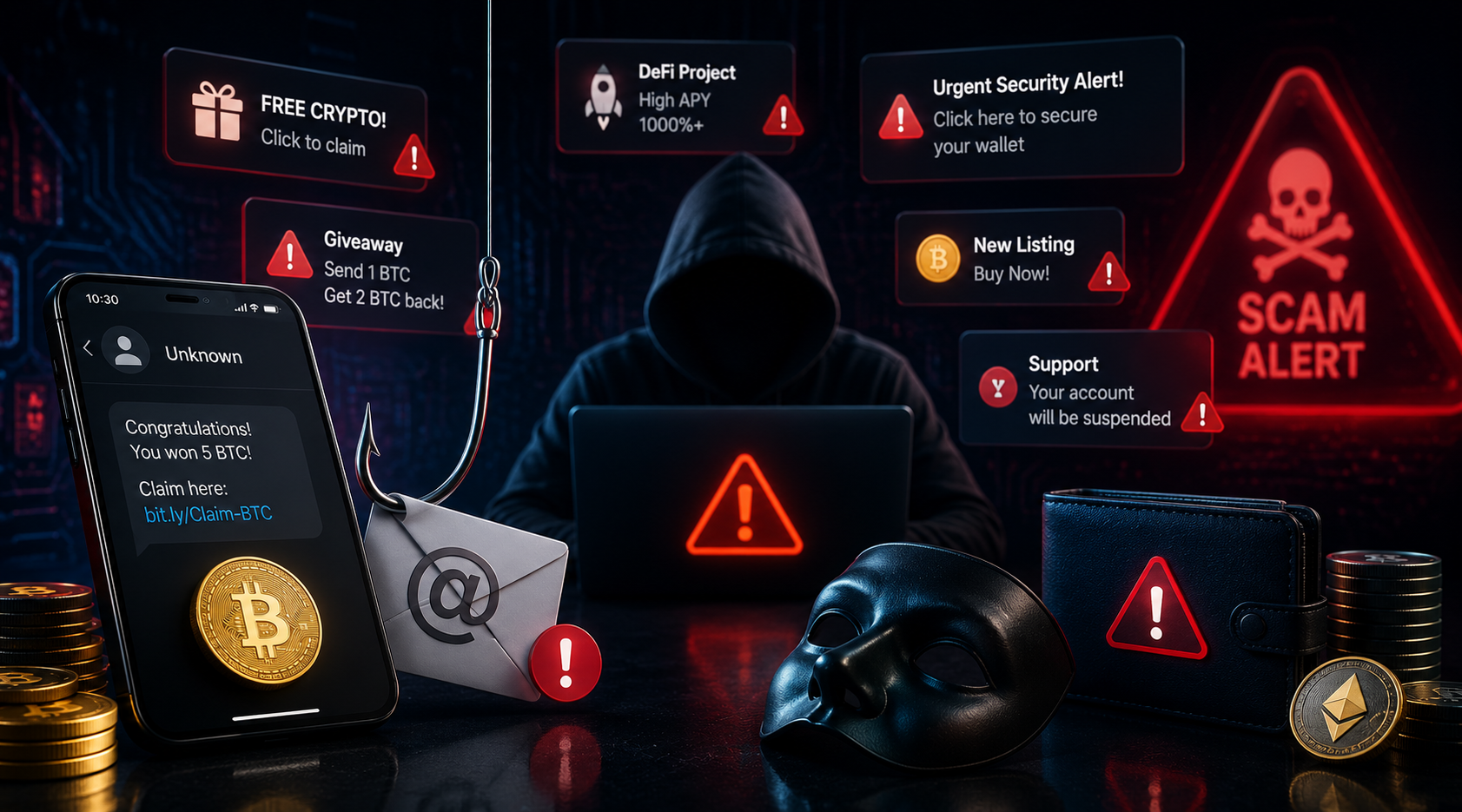
What crypto scams should I watch out for?
These are the scams that actually drain people in 2026. Not the theoretical ones. The ones I see hit somebody every week.
Phishing
The classic. An email or DM pretending to be from a wallet, exchange, or dApp, asking you to “verify your wallet”, “claim an airdrop”, or “resolve an urgent security issue”. The link goes to a clone site that looks identical to the real one. You type in your seed phrase or sign a malicious transaction, and the wallet is drained inside a minute.
Defence: Never click links in emails about wallets. Type the URL by hand. Bookmark official sites. Assume every “claim your airdrop” message is hostile until proven otherwise.
Address poisoning
A newer one. The attacker sends a tiny transaction from a wallet whose address looks almost identical to one you’ve recently sent to (matching first six and last four characters, for example). Next time you copy-paste from your transaction history, you might grab the attacker’s address by mistake and send a real amount there.
Defence: Always verify the full address before signing. Don’t copy from transaction history. Use the address book in Ledger Live for recipients you send to often.
Fake wallet apps
A “MetaMask” or “Trust Wallet” app on the App Store or Play Store that’s actually a clone. You import your seed phrase into it and the seed phrase ships straight to the attacker.
Defence: Download only from the official site, with the URL typed by hand. Verify the publisher name on the app store. If it’s not from “MetaMask” or “ConsenSys” or whoever the legit publisher is, walk away.
SIM swap
The attacker calls your phone carrier, social-engineers their way to “porting” your number to a new SIM, and now receives all your SMS 2FA codes. From there they reset exchange passwords and drain accounts. This is one of the biggest single causes of six-figure losses in crypto.
Defence: Don’t use SMS 2FA. Use an app like Authy or a hardware key like YubiKey. Lock your phone account with a verbal PIN at the carrier. Some carriers offer “port-out protection” — turn it on.
Discord and Telegram impersonation
A fake “admin” DMs you offering help, asks for your seed phrase or wants you to connect your wallet to a “support tool”. Real admins never DM first. Treat every unsolicited DM in a crypto Discord as hostile.
Defence: Disable DMs in crypto Discords by default. If you do need support, only use it via the official ticket system, never a DM.
Approval scams (the ETH-specific drain)
You connect your wallet to a dApp and unknowingly sign an “approval” transaction that gives the dApp unlimited permission to move your tokens. Months later, the dApp gets compromised (or was malicious from day one) and uses the approval to drain you.
Defence: Review approvals regularly using a tool like Revoke.cash. Use a hot wallet with a small balance for dApp connections — never connect your main wallet to random sites.
The “I forgot my password, can you help” scam
This one targets you, but uses your reputation to scam others. An attacker compromises a friend’s account and DMs you asking for crypto “to help with an emergency”. The voice sounds right because the account is real.
Defence: Verify every crypto-related request via a second channel. Phone call. Voice note. Anything but the chat that was compromised.
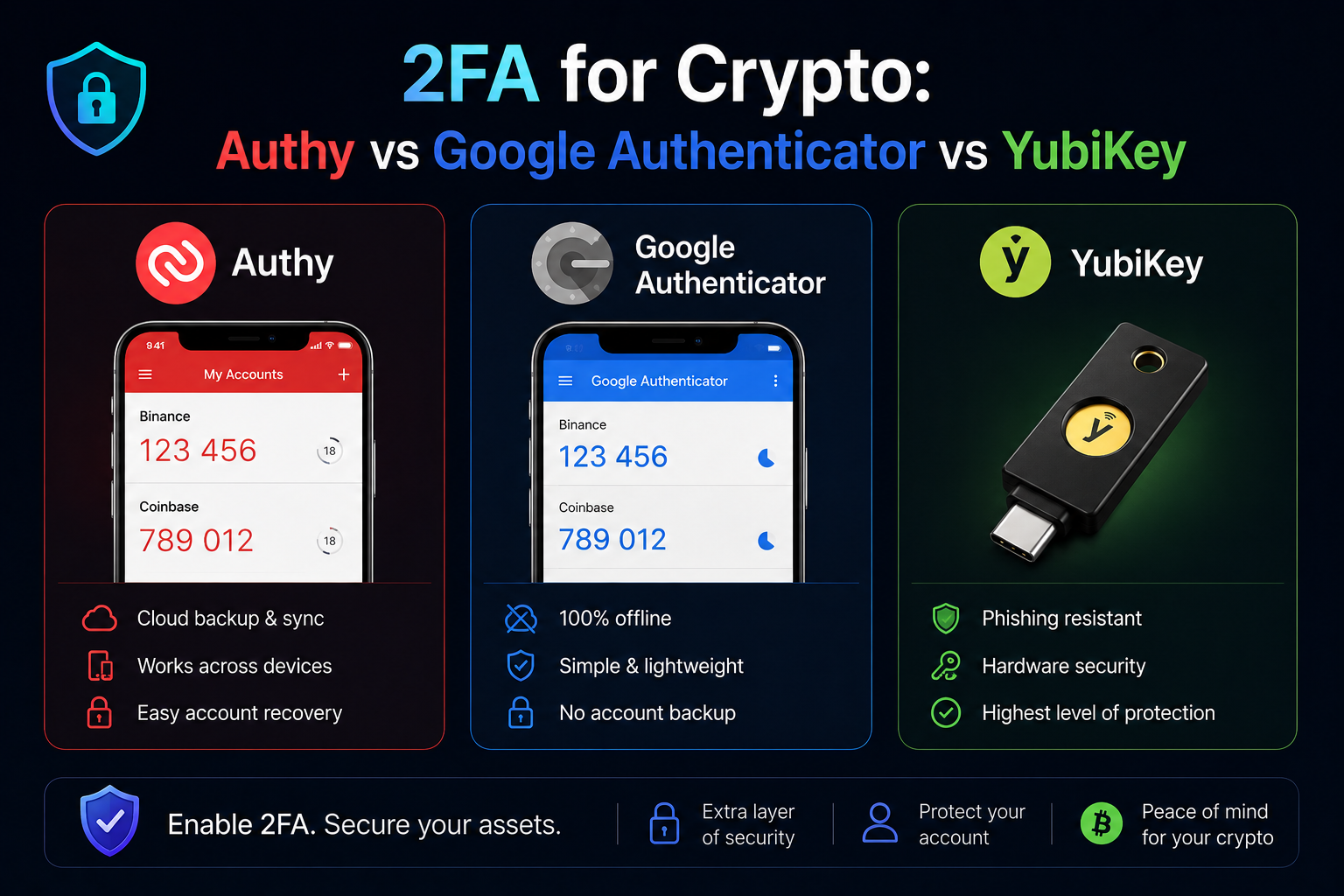
How should I set up 2FA?
Two-factor authentication is the second-most-important security setting on any exchange account, right behind not putting your seed phrase online. There are three options. They are not equal.
Option 1: SMS — don’t
Most exchanges still offer SMS 2FA as the default. It is broken. A SIM swap takes 10 minutes for a determined attacker and bypasses SMS entirely. If your exchange account is protected only by SMS 2FA, treat it as no 2FA at all.
Turn SMS 2FA off the moment you have a better option in place.
Option 2: Authenticator app — fine
Google Authenticator and Authy both generate rotating six-digit codes on your phone, valid for 30 seconds. The codes are derived from a secret shared once at setup, so there’s no network channel to intercept.
Authy vs Google Authenticator: Authy syncs across devices with an encrypted backup. Google Authenticator (legacy) didn’t, which meant losing your phone meant losing your codes. The new Google Authenticator does sync, but the sync model has been criticised. I use Authy with the cloud sync turned off and the backup phrase stored offline. Belt and braces.
This is the floor. If you’re on Authy or Google Authenticator with a strong password, you’re ahead of 95% of crypto users.
Option 3: Hardware key (YubiKey) — best
A YubiKey is a small USB or NFC device that signs the 2FA challenge on its internal chip. Phishing-resistant because the key checks the actual domain — if you’re on a clone site, it refuses to sign. SIM-swap-immune because there’s no phone in the loop.
For exchanges that support it (BitGet, Binance, Coinbase, Kraken all do), a YubiKey is the strongest 2FA available. About $50 for one. Buy two — one main, one backup, stored separately.
I run YubiKey on every exchange that supports it, with Authy as fallback. SMS 2FA is off on every account I own.
What do I do if I lose my device or seed phrase?
Different scenarios, different responses. Don’t conflate them.
Device lost or stolen, seed phrase safe
Calm. The device is just a key holder — the seed phrase is the master key. Buy a new Ledger, set it up as a new device, then choose “Restore from recovery phrase” and enter the 24 words. All your accounts and balances reappear.
The lost device can’t be used by anyone without the PIN. After three wrong PIN attempts, it factory-resets itself. Even if a sophisticated attacker dismantles it, the secure element chip is designed to resist hardware extraction. Don’t panic. Restore the seed onto a new device and move on.
Seed phrase compromised, funds still there
Move fast. If you suspect anyone has seen your seed phrase, the wallet is permanently compromised — even if nothing’s been drained yet, you’re racing the attacker.
Set up a brand new Ledger with a fresh seed phrase. Transfer everything from the old wallet to the new wallet immediately. Do it from the hardware wallet device (so the old seed never touches an internet-connected machine again). Once the transfers confirm, retire the old seed forever.
Seed phrase lost, no backup
If you’ve lost the seed phrase and don’t have a copy, the wallet is dead the moment your hardware device fails or resets. There is no customer support number for this. The funds are inaccessible.
This is why the rule is two metal copies in two locations from day one. Not “I’ll do it later”. Day one.
Exchange frozen or insolvent
If the exchange holding your trading float pauses withdrawals, the playbook is different. You’re now an unsecured creditor.
- Stop depositing immediately.
- Try to withdraw whatever’s still moving, including small amounts.
- Document everything — screenshots, balance snapshots, support tickets.
- Don’t sign up for “recovery services” that DM you. They are all scams.
- Wait for the bankruptcy process. Register as a creditor. Expect 20–80% recovery, paid out over years.
Nothing to do here except absorb the lesson: the time to move funds to cold storage is before any of this happens.
Should I use a multisig wallet?
For most retail holders, no. For some, yes.
A multisig wallet requires multiple signatures (e.g. 2-of-3 keys) to authorise a transaction. Instead of one seed phrase being the single point of failure, three separate keys exist, any two of which can sign.
When it makes sense
- High-net-worth holders with seven figures plus in a single wallet. A multisig with keys in three jurisdictions makes coercion attacks much harder.
- Treasuries and DAOs where multiple signers need to approve outgoing transactions. This is the original use case.
- Inheritance setups where you want a trusted second party to be able to recover funds without ever giving them a single key that can drain you alone.
- Geographic redundancy — fire, flood, or burglary at one location doesn’t kill access.
When it doesn’t
For a single retail holder with a sub-six-figure portfolio, multisig adds complexity without proportionate security gain compared to a properly stored single-sig hardware wallet. You’re more likely to lose access by losing track of where the three keys are than you are to suffer a single-key compromise.
How to set it up if you want to
Services like Casa (consumer multisig with concierge support) or Unchained Capital (Bitcoin-specific custody collaborative) offer guided multisig setups for retail users. The DIY route is Sparrow Wallet plus three hardware devices.
If your stack is large enough that the complexity is worth it, it’s worth it. If you’re asking whether it’s worth it, you probably aren’t there yet.
What about inheritance? What happens to my crypto when I die?
This is the section nobody wants to write or read. Write the section anyway.
The default outcome, if you do nothing, is that your crypto dies with you. Nobody can recover it. There is no legal process that compels a hardware wallet to give up its contents. Your family inherits an estate that no longer includes the wallet, even if they know it existed.
The QuadrigaCX case isn’t an exchange story — it’s an inheritance story. The founder’s keys went into the grave. So have countless personal stacks.
A simple inheritance setup
You don’t need a lawyer for this. You need a sealed letter.
The letter sits with your will, with your lawyer, or in a fireproof safe with your other personal documents. It contains:
- The fact that you own crypto, and a rough estimate of the value
- The name and contact details of one technical friend or family member who can help recover it
- Step-by-step instructions for restoring a Ledger from a seed phrase
- The location of both copies of the seed phrase
- A note that the seed phrase itself is NOT in the letter — only the location of the metal copies
If you use a 25th-word passphrase, that goes somewhere different again. Splitting the passphrase from the seed location means a single breach doesn’t expose both.
More serious setups
- Casa Inheritance — a multisig product specifically designed to release funds to nominated heirs after a verification process.
- Unchained Inheritance Protocol — similar, Bitcoin-only.
- Time-locked smart contracts (Ethereum) — funds release to a designated address after a period of inactivity. Programmable, fiddly, only worth it for technical users.
Whatever route you take, the principle is the same: if you die today, can the people you love access what you’ve built? If the answer is no, that’s a problem to fix this month.
How do I rehearse the exit?
The single best habit I picked up from the 2022 collapse cycle: rehearse the withdrawal.
Once a quarter I:
- Move a small test amount from the exchange to my Ledger.
- Confirm the transaction lands.
- Move a smaller amount back from the Ledger to the exchange.
- Note how long each leg took. If it took longer than my last test, flag it.
- Check Ledger Live shows the right balance afterward.
It takes 15 minutes. It means that if I ever need to move everything fast, my muscle memory is already there. The people who got hit hardest by FTX were the ones who’d never withdrawn before. They didn’t know how. The queue clogged. The door shut.
There’s no rush right now. That’s exactly why now is when you rehearse.
Common security mistakes I’ve watched people make
Pattern-matched from the last five years.
Buying a hardware wallet “for later”
The wallet sits in the box. The crypto stays on the exchange because moving it feels like effort. Six months later the exchange has a problem. The wallet was a paperweight. Set it up the day it arrives.
Photographing the seed phrase “just for backup”
Already covered. Still happening every week. The phone gets stolen, the cloud gets breached, the photo gets backed up to a partner’s shared album. Don’t.
Storing the seed phrase in a safe with the hardware wallet
A burglar takes both. Game over. The wallet and the seed live in different physical locations, always.
Using the same email for the exchange as for everything else
If your main email gets phished, every account tied to it is in play. Use a unique email for exchanges. Even better, use a unique email per exchange.
Reusing passwords
Still the most common attack vector across the entire internet. A data breach at any random site exposes your password, which an attacker then tries on Binance, Coinbase, BitGet, and your email. One unique password per account. Password manager. No exceptions.
Connecting the main wallet to every airdrop site
Each connection is a potential approval scam. Use a separate “burner” hot wallet with minimal funds for any site you don’t fully trust. Keep the main bag isolated.
Ignoring withdrawal whitelisting
Most exchanges let you whitelist specific withdrawal addresses, so even if your account is fully compromised, the attacker can only send to addresses already on the list. Turn this on. Set a 24-hour delay before new addresses can be added. Free protection.
Trusting “customer support” on Twitter
There is no exchange that does support via Twitter DM. Every account with a blue tick replying to a complaint on a crypto post is a scammer. Block and move on.
Hot vs cold: the actual rule of thumb I use
If you remember nothing else from this post, remember this.
| Holding | Where it lives | Why |
|---|---|---|
| Coffee money / micro-trading | Hot wallet on phone (BitGet Wallet, MetaMask) | Fast, small, won’t ruin you if lost |
| Active trading float | Exchange (BitGet) | Needed for trades, bots, copy trading |
| Mid-term stables earning yield | Exchange Earn vault | Liquid, productive, lower lockup |
| Long-term bag (BTC, ETH, your conviction picks) | Hardware wallet (Ledger) | Untouched by exchange or browser risk |
| Generational holdings | Hardware wallet + passphrase + inheritance letter | Survives every realistic scenario |
That’s the whole map. Match each holding to the right tier and most security problems disappear.
If you’re not sure where to start, the order I’d run today:
- Open an exchange account — BitGet is mine. Complete KYC.
- Buy your first crypto — how to buy crypto walks through it.
- Order a Ledger Nano X the same week. Get one here (affiliate).
- Set up the Ledger as soon as it arrives. Metal-stamp the seed. Two copies, two locations.
- Move your long-term portion to the Ledger. Leave only the trading float on the exchange.
- Turn on app-based 2FA, ideally a YubiKey, on every exchange account.
- Once a quarter, do a test withdrawal. Build the muscle memory before you need it.
That’s the playbook. Six steps. A weekend’s work. Saves you everything.
Don’t be the person who didn’t bother.
A hardware wallet costs less than dinner for two. Losing your stack to an exchange collapse costs everything. The Ledger Nano X is what I run, four years and counting.
Affiliate link.
Frequently asked questions
Is a hardware wallet really safer than a software wallet?
Yes, by a wide margin. A hardware wallet keeps the private keys on a secure element chip that never connects to the internet. Even if your laptop is fully compromised by malware, the malware can’t extract the key or sign a transaction without you physically pressing the button on the device. Software wallets, by contrast, hold keys in memory on a connected device — any malware with access to that memory can drain the wallet.
What’s the safest crypto wallet for beginners?
For most beginners, a Ledger Nano S Plus or Nano X. Both are cheap (around $80–$150), well-documented, and supported by every major chain. The Nano X has Bluetooth and a bigger battery, the Nano S Plus is wired-only and cheaper. The Ledger Nano X review covers the differences.
Can a hardware wallet be hacked?
Not the private keys, in any realistic scenario. The secure element chip is the same kind of hardware used in passports and bank cards — physically tamper-resistant. The realistic attacks are supply chain (buy from the official site only, never a third party), and seed phrase compromise (your seed phrase gets out, the wallet is drained — but that’s a user-side failure, not a hardware failure).
What happens if Ledger goes out of business?
Nothing happens to your funds. Ledger Live is just a viewer — your seed phrase generates your wallet addresses according to open standards (BIP39, BIP44). If Ledger disappeared tomorrow, you could restore the same wallet onto a Trezor, a Keystone, a Coldcard, or any other BIP39-compatible device. The keys are yours.
How much crypto should I keep on an exchange?
Only your active trading float — the amount you can lose to an exchange failure without serious financial pain. For most people that’s a small fraction of their total holdings. My rough rule: 10–20% on exchange, 60–80% in cold storage, the rest in mid-term yield. Adjust to your own situation.
Can I store crypto on a USB stick?
Not safely. A USB stick is just file storage — your private key file would sit on it in some encrypted format, but the moment you plug the USB into an internet-connected machine to spend the coins, you’re exposed. A hardware wallet is different: the key never leaves the device, even when plugged in. Don’t substitute a USB stick for a hardware wallet.
Is it safe to use a custodial wallet like Coinbase Wallet or BitGet Wallet?
Custodial wallets (where the company holds the keys) carry the same risks as exchanges — if the company fails or freezes withdrawals, your funds are stuck. Non-custodial wallets like the BitGet Wallet (Web3) hold the keys on your device. They’re safer than custodial but still less safe than a hardware wallet because the keys are on an internet-connected phone.
What’s the best 2FA for crypto exchanges?
A hardware key like YubiKey is the strongest option — it’s phishing-resistant and immune to SIM swaps. An authenticator app (Authy with backup phrase stored offline, or Google Authenticator) is the realistic baseline most people should run. SMS 2FA is broken — turn it off everywhere.
Final word
Self-custody sounds intimidating until you do it once. Then it just feels like the obvious answer.
The biggest risk in crypto isn’t volatility. It isn’t even regulation. It’s the slow drip of people leaving everything on an exchange because moving it feels like effort, and then one Tuesday morning the exchange is gone.
A Ledger costs less than a meal out. A metal plate costs less than a tank of fuel. The hour you spend setting them up is the cheapest insurance you’ll ever buy.
Right — over to you.
Related posts
- Ledger Nano X Review: Four Years In
- Hot vs Cold Wallet: What Actually Differs
- BitGet Review: The Crypto Exchange I Actually Use
- Crypto for Beginners: The Honest Starting Guide
External references
- Ledger Academy — What is a hardware wallet
- CoinGecko — Exchange transparency reports
- BitGet Proof of Reserves