Hardware wallet arguments online get weirdly religious. People defend their pick the way football fans defend their team — without ever having owned the other one. I’ve used both Ledger and Trezor for years and the honest answer is they’re both good, but they’re good at different things. This is the comparison I wish I’d had before I bought my first one.
Some links here are affiliate. I’ll flag them when they appear.
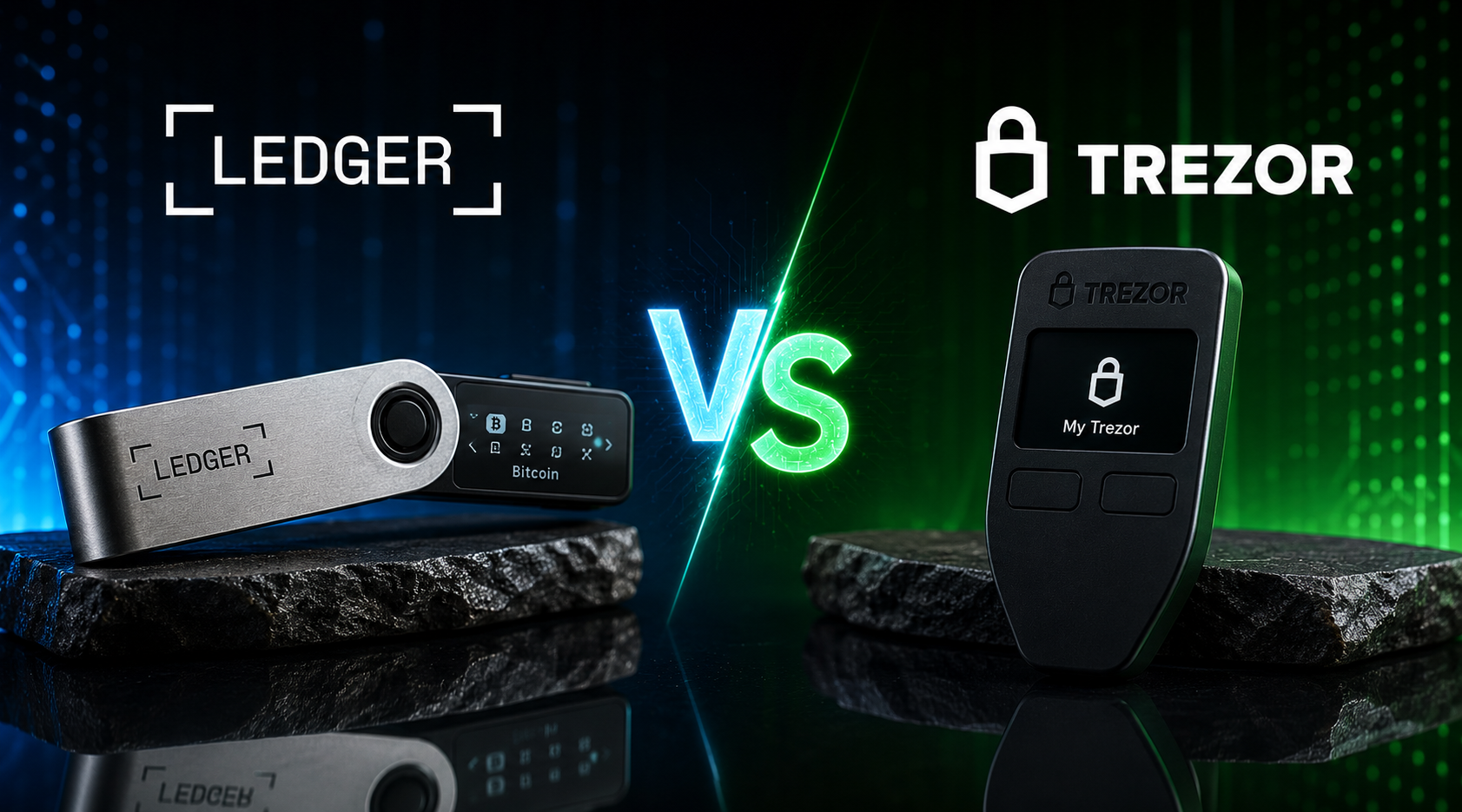
Short answer: Ledger wins on coin support (5,500+ assets), mobile app polish, and a Secure Element chip rated CC EAL5+. Trezor wins on full open-source transparency and a clean desktop experience. If you hold many altcoins or use mobile a lot, Ledger. If you hold mainly Bitcoin and care about open-source first principles, Trezor. My pick today: Ledger Nano X for most people.
Check the Ledger Nano X → (affiliate)
Key takeaways
- Ledger supports 5,500+ coins and tokens. Trezor supports about 1,200 natively (more via third-party integrations).
- Ledger uses a Secure Element chip (CC EAL5+ certified). Trezor uses a general-purpose MCU and argues open-source is the better security trade.
- Ledger’s firmware is closed source. Trezor’s is fully open source on GitHub.
- The 2020 Ledger customer data leak exposed roughly 270,000 customer records — emails, phone numbers, addresses. No funds were lost. Phishing risk shot up.
- Both wallets survived years of public use without anyone losing crypto due to a device-level break.
TL;DR comparison table
| Ledger Nano X | Trezor Safe 5 | |
|---|---|---|
| Price (RRP) | $149 | $169 |
| Coins supported | 5,500+ | ~1,200 native |
| Secure Element | Yes (CC EAL5+) | Yes (EAL6+, on Safe 5) |
| Open source firmware | No | Yes |
| Bluetooth | Yes | No |
| Screen | OLED, monochrome | Colour touchscreen |
| Companion app | Ledger Live | Trezor Suite |
| Mobile app | Yes (iOS + Android) | Limited (Trezor Suite Lite) |
| Recovery options | 24-word seed + optional passphrase | 24-word seed + Shamir Backup |
| Battery | Yes (rechargeable) | No (USB powered) |
If you want the longer post on the Ledger specifically, the Ledger Nano X review goes deeper on the daily-use stuff.
Hardware specs compared
Both devices do the same job — store a private key offline, sign transactions on-device, never leak the seed. How they do it is where they differ.
Ledger Nano X
- ARM Cortex-M0+ processor paired with an ST33 Secure Element
- 100 MHz, 320 KB flash on the secure side
- Bluetooth 5.0 for mobile pairing (you can disable it)
- USB-C
- 8MB storage for installed apps (Ledger Live installs one app per coin)
- Rechargeable battery — about 8 hours active use
The Secure Element is the headline feature. It’s the same class of chip used in passports and credit cards, rated Common Criteria EAL5+. The seed never leaves that chip. Even if someone physically opened the device and probed the main processor, the seed is in a separate tamper-resistant enclosure.
Trezor Safe 5
- ARM Cortex-M33 processor with the Optiga Trust M Secure Element (Infineon SLE78, EAL6+)
- USB-C only — no Bluetooth
- Colour touchscreen (1.54 inch)
- Haptic feedback
- Supports Shamir Backup natively
The Safe 5 is Trezor’s response to years of “you don’t have a Secure Element” criticism. They added one. It’s now competitive with Ledger on chip-level security, with the additional argument that the firmware running around the chip is fully auditable.
Trezor’s blog post on the Safe 5 launch lays out their reasoning if you want the manufacturer’s own pitch.
Coins supported
This is where the gap is widest.
Ledger
5,500+ coins and tokens supported via Ledger Live or third-party wallets that integrate the device. The full list is on Ledger’s supported crypto page. Major chains all native:
- Bitcoin, Ethereum, Solana, Cardano, XRP, Dogecoin, Avalanche, Polkadot
- All ERC-20s via the Ethereum app + MetaMask integration
- All SPL tokens via the Solana app + Phantom integration
- Cosmos ecosystem via Keplr
- Most EVM chains via Rabby or MetaMask
If you trade altcoins, this matters. The chance that a token you want to hold is unsupported on Ledger is near zero.
Trezor
About 1,200 coins natively. Bitcoin, Ethereum, all ERC-20s, Litecoin, Cardano (via third-party), most majors. Where Trezor lags is:
- No native Solana support on older Trezor models (Safe 5 added it)
- XRP support exists but is more fiddly than Ledger
- Some smaller chains require third-party wallet integrations
For a Bitcoin maximalist, this is a non-issue. For someone running a 20-token portfolio, Ledger handles more of them without third-party glue.
Security model: Secure Element vs open source
This is the heart of the debate.
The Ledger argument
A Secure Element is a tamper-resistant chip. If you can’t audit the firmware that talks to it, you have to trust the manufacturer. Ledger says: trust us, because the chip itself is independently certified at EAL5+ by labs that examine it physically. Closed source is a feature, not a bug — exposing the firmware would give attackers a roadmap.
The Trezor argument
If you can’t audit the firmware, you can’t verify it’s not backdoored. Open source means anyone can read every line and confirm the device does what the manufacturer says. The trade-off is that some implementation details (the ones inside the secure chip on Safe 5) are still vendor-controlled, but the surrounding firmware is fully transparent.
My take
Both arguments are good faith. Neither side has lost a single user’s coins to a device-level break. In nearly a decade of hardware wallets being used by millions of people, the wallet itself has never been the failure point — phishing, lost seeds, and bad opsec are.
For most people, the security difference between the two is theoretical. What matters more is whether you use the device properly. The hot vs cold wallet post covers the bigger principles.
The 2020 Ledger customer data leak
This is the elephant in the room and any honest review has to address it.
In July 2020, Ledger announced that an unauthorised third party had accessed their e-commerce database. The breach exposed:
- Roughly 270,000 customer records — names, emails, phone numbers, postal addresses
- About 1 million email addresses
- No private keys, no seed phrases, no fund loss
The data was later dumped publicly on a hacking forum. Customers received targeted phishing emails, fake firmware updates, and in some cases physical threat letters. Reuters covered the breach at the time. Wired ran a follow-up on the phishing campaigns that followed.
What Ledger did
- Public disclosure (slower than ideal but they did it)
- Tightened internal data retention — they now hold less customer data
- The shop and the wallet infrastructure are separate systems; the wallet itself was never compromised
What it changed for buyers
- Buy Ledger from the official store, not a marketplace
- Never type your seed phrase into anything that arrives by email, claiming to be Ledger
- Never give your seed phrase to support, ever — Ledger will never ask
If you’re worried about the marketing-database angle, one workaround is to order through a privacy layer. I use NordVPN (affiliate) on the connection when placing online orders that involve a physical address, and I sometimes use a forwarding address. It doesn’t eliminate the risk, but it limits how easily a future breach can be tied back to you specifically.
Has Trezor had similar issues?
Trezor had a smaller incident in 2022 where a phishing email was sent to users via a compromised third-party email vendor (MailChimp). No customer data was exfiltrated from Trezor itself, but the phishing campaigns that followed cost real users real money. No hardware wallet vendor has a clean record on the marketing-data side.
The lesson is the same either way: your seed phrase never goes online, and you never trust an email that asks for it.
Open source debate
Trezor has been fully open source since launch. Firmware, hardware schematics, bootloader — all on GitHub. Anyone can build the firmware from source, flash a Trezor with their own build, and verify the device behaves identically to the official one.
Ledger has open-sourced parts of the stack — the BOLOS operating system specification, some app code, the Ledger Live front end — but the firmware that runs on the Secure Element is closed. Ledger argues the EAL5+ certification covers what the closed firmware does. Critics argue certification is a snapshot, not an ongoing audit.
Why this matters in practice
For 99% of users, the difference is invisible. You plug the device in, you type the PIN, you confirm the transaction on-screen. The day-to-day experience is identical.
For developers, security researchers, and people who consider auditability a core requirement, Trezor’s openness is the deciding factor. For everyone else, it’s a philosophical preference.
Ledger Academy has Ledger’s framing of this. The Trezor blog has theirs. Read both.
Companion apps: Ledger Live vs Trezor Suite
This is where daily use diverges most.
Ledger Live
- Available on desktop (Windows, macOS, Linux) and mobile (iOS, Android)
- Built-in portfolio tracker
- Buy/sell/swap integrations via partners (MoonPay, Changelly, Coinify)
- Staking for ETH, SOL, ATOM, DOT, ADA, and others directly inside the app
- DeFi access via WalletConnect
The mobile app is the differentiator. If you want to check your portfolio on your phone, confirm a transaction at the café, or pair a hardware wallet with a phone over Bluetooth, Ledger is the only mainstream choice.
Trezor Suite
- Desktop-first (Windows, macOS, Linux)
- Suite Lite available on mobile for view-only access (no signing)
- Built-in CoinJoin for Bitcoin privacy
- Clean, minimal UI — feels like a serious tool, not a consumer app
Trezor Suite is what you want if you sit at a desk to manage crypto. The CoinJoin integration is a genuine feature for Bitcoin holders who care about on-chain privacy.
For mobile-first users, Ledger wins by default. For desktop-first Bitcoin maximalists, Trezor often wins.
Buying experience and authenticity checks
This bit is where people get burned.
Buy direct from the manufacturer. Always.
- Ledger: shop.ledger.com (affiliate)
- Trezor: trezor.io/shop
Do not buy from Amazon Marketplace. Do not buy from eBay. Do not buy a “used” hardware wallet. Tampered devices are a real attack vector — the most common scam is a device pre-loaded with a “recovery sheet” already filled in, so the buyer copies a seed the attacker also knows. The first deposit gets swept within hours.
How to verify a genuine Ledger
- Tamper-evident packaging (the box is shrink-wrapped with a holographic seal)
- When you first connect to Ledger Live, the app runs a Genuine Check that verifies the device cryptographically
- The device should ask you to generate a new seed, not show one already on the screen
How to verify a genuine Trezor
- Holographic seal on the USB port
- Bootloader signature check on first connection to Trezor Suite
- Same rule: it should ask you to generate a seed, not present one
If anything looks off, return it and order again from source.
NordVPN for online order privacy
A small thing that makes a real difference: I use a VPN when ordering anything crypto-related online. The reason is the 2020 Ledger leak — once your physical address is linked to your name and your name to your wallet purchase, you become a target for the phishing-and-extortion campaigns that follow.
I use NordVPN (affiliate) on the device I order from, and I keep the order data minimal (no loyalty programs, no marketing opt-ins, no “save my card”). It doesn’t make you anonymous — your address is still on the parcel — but it prevents the order being correlated with everything else your IP does.
Same logic applies when you’re trading on public WiFi. A coffee shop network is a fishbowl. The exchange login itself is HTTPS, but DNS leaks, captive portals, and lookalike WiFi names are all real. NordVPN runs me about £3 a month and it stops one whole category of attack.
If you want the wider security playbook, the crypto scams guide covers the patterns to watch for.
If you’ve read this far, you’re buying a hardware wallet.
The Ledger Nano X is the one I keep my long-term bag on. Order it from the official store — never a marketplace.
Affiliate link. I may earn a commission at no extra cost to you.
Daily use: what each is actually like
I keep both on my desk. Here’s what I do with each.
Ledger (mine: Nano X)
- Long-term Bitcoin and Ethereum cold storage
- ETH staking via Ledger Live
- Occasional Solana transactions via Phantom (with the Ledger as signer)
- Mobile pairing when I’m travelling and need to confirm a transaction without a laptop
The Bluetooth pairing is the unsung feature. I can leave the laptop at home and still sign transactions on the road. The Nano X battery lasts long enough that I forget to charge it.
Trezor (mine: Model T, upgrading to Safe 5)
- A second-layer cold storage for “if Ledger ever has a real incident, I have a backup”
- Bitcoin-only holdings managed through Trezor Suite with CoinJoin enabled
- Shamir Backup for one of my seed splits (more on that in the seed phrase storage post)
The desktop-only constraint actually helps me — it makes the Trezor harder to use casually, which is exactly what I want for cold storage I’m not supposed to touch.
If you want to learn the difference between exchange wallets and hardware wallets, the hot vs cold wallet primer is the starting point.
Price and value
Ledger Nano X: $149 list. Often on offer.
Trezor Safe 5: $169 list.
Older models still available:
- Ledger Nano S Plus: $79 (no Bluetooth, USB only — fine for desktop-only use)
- Trezor Safe 3: $79 (same idea — entry-level)
For a beginner with a small portfolio, the cheaper models do the same security job. The reason to spend up is Bluetooth (Nano X) or the colour touchscreen + Shamir (Safe 5). Both are quality-of-life upgrades, not security upgrades.
Which I’d buy today (and why)
If you’re holding mainly Bitcoin and you trust open source as a security philosophy first principle — Trezor Safe 5.
If you’re holding a multi-coin portfolio, you want mobile, you want simple staking inside the app, and you don’t care that the firmware is closed — Ledger Nano X.
I run both. My long-term Bitcoin lives on the Trezor. My active multi-coin storage and ETH staking live on the Ledger. The Ledger gets used more often, simply because I hold more than just Bitcoin.
If I had to pick one for a beginner who walked up to me at a meetup and asked, the answer is Ledger Nano X. The mobile app, the broader coin support, and the friendlier setup make it the easier on-ramp. The Trezor is a more pure tool, but pure isn’t always what a beginner needs.
Order the Ledger Nano X from the official store → (affiliate)
What both wallets do NOT protect against
A hardware wallet is not a magic shield. It protects against:
- Malware on your laptop
- Phishing sites that try to steal your seed
- Anyone who steals your hot wallet’s keys
It does not protect against:
- You typing your seed into a fake recovery website
- You photographing your seed and uploading it to iCloud
- A scammer who calls you pretending to be “Ledger support” and walks you through verifying your seed
- A drainer contract you sign with the hardware wallet itself
The wallet does what the user tells it to. If you sign a malicious transaction with a Ledger, the Ledger signs it. The full list of patterns is in crypto scams guide.
Backup and recovery
Both devices use BIP39 24-word seed phrases by default. Trezor additionally supports Shamir Backup (SLIP-39), which splits your seed into multiple shares where you need a threshold (e.g. 3 of 5) to recover.
If you’ve never thought about how to store a seed phrase properly, seed phrase storage walks through what to do. Short version: metal plates, geographic split, never digital, never online.
For an inheritance plan, Trezor’s Shamir option is a real differentiator. You can give one share each to three trusted people and only need two of them to recover — no single person has the whole seed.
How to learn to trade properly (TTC mention)
A hardware wallet protects what you hold. It doesn’t teach you what to hold or when to trade it. If you want the trading side of the education without paying $5,000 for a course that’s mostly vibes, the community I’m part of is Trade Travel Chill (affiliate). Structured education, real traders, no celebrity-promo nonsense. Personal recommendation, not a pitch.
For exchanges, the BitGet review covers the platform I actually use day to day, and best crypto exchanges is the wider ranked list.
Ready to take crypto off the exchange?
Ledger ships next-day to most countries and the official store is the only place I’d buy from.
Affiliate link.
Frequently asked questions
Is Ledger or Trezor more secure?
Both are highly secure. Ledger uses a certified Secure Element (EAL5+). Trezor’s Safe 5 also uses a Secure Element (EAL6+) plus fully open-source firmware. No user has lost crypto due to a device-level break on either wallet.
Which has more coin support, Ledger or Trezor?
Ledger supports 5,500+ coins and tokens. Trezor supports about 1,200 natively. For altcoin-heavy portfolios, Ledger has the wider coverage.
Did Ledger really get hacked?
Ledger’s e-commerce database was breached in 2020, exposing about 270,000 customer records. No private keys or funds were affected. The wallet itself has never been compromised.
Is Trezor really open source?
Yes. Trezor’s firmware, bootloader, and most of the stack are publicly available on GitHub. Trezor Safe 5 adds a Secure Element where the vendor-supplied portion is not fully open, but the firmware around it is.
Can I use Ledger on mobile?
Yes. The Ledger Nano X pairs with iOS and Android via Bluetooth. Older Ledger Nano S Plus is USB-only.
Can I use Trezor on mobile?
Trezor Suite Lite is view-only on mobile. Signing transactions requires a desktop. This is a deliberate design choice by Trezor.
How much does a hardware wallet cost?
Entry-level Ledger Nano S Plus and Trezor Safe 3 are around $79. Premium Ledger Nano X is $149. Premium Trezor Safe 5 is $169.
Should I buy two hardware wallets?
If your portfolio is large, yes. A second wallet from a different manufacturer is a hedge against any single-vendor failure, and lets you split your holdings across two seeds.
Final word
Both wallets are good. The argument that one is “obviously better” is usually someone defending their first purchase. The honest framing is: Ledger gives you a more polished consumer experience and broader coin support. Trezor gives you full transparency and a serious-tool desktop workflow.
If you’re picking one and asking me, the Ledger Nano X is the safer recommendation for the average reader. If you’re a Bitcoin-only purist who reads source code for fun, the Trezor Safe 5 is the one.
Either way — buy from the official store, verify the device, write your seed on metal, and never type it into anything.
Right — over to you.
Related posts