If you’ve ever sent USDT from one exchange to another and paid a fee of about $1 instead of $20 in Ethereum gas, you’ve used TRON. The TRC-20 version of USDT — Tether running on the TRON blockchain — is, by most measures, the largest single deployment of any stablecoin in the world. Tens of billions of dollars in TRC-20 USDT moves through the network for remittances, exchange transfers, and grey-market trade across emerging markets.
TRON the token (TRX) and TRON the chain are a complicated story. Real utility. Real volume. Founder controversy that you can’t ignore. I’ve held TRX as a small position and used the network for stablecoin transfers for years. This is the walkthrough I’d give a friend buying their first TRX today on BitGet. A couple of links are affiliate.
Short answer: To buy TRON on BitGet, sign up with email, enable 2FA, complete KYC (usually clears same-day), deposit via card, P2P, bank transfer, or crypto, then place a spot order on the TRX/USDT pair. Spot fees are 0.10%. Card buys cost 1–3%. For long-term holding, move TRX to a Ledger Nano X. Time from signup to TRX in your account: about 30 minutes.
Open a BitGet account → (affiliate)
Key takeaways
- TRC-20 USDT (Tether on TRON) is the dominant stablecoin deployment globally — tens of billions of dollars in circulation.
- BitGet spot fees are 0.10% maker/taker. Card on-ramps add 1–3%, so fund via bank or P2P if you can wait an hour.
- TRON’s “energy” and “bandwidth” model lets users transact without paying gas if they freeze TRX for resources.
- TRX staking returns sit around 4–5% APY via the standard mechanism.
- Long-term holdings belong on a Ledger, not on an exchange.
What TRON actually does (and why USDT lives there)
TRON launched in 2017 as a content-distribution play — the original pitch was to decentralise online entertainment, take a cut from streaming platforms, all the kind of language that sounded better in 2017 than it does now. The technology evolved quickly. TRON is a high-throughput proof-of-stake-style chain with a small set of “super representatives” (27 of them) producing blocks. Block times of about 3 seconds, low fees, EVM-compatible smart contracts via the TRON Virtual Machine.
The thing that made TRON matter wasn’t the entertainment thesis. It was stablecoins. Tether deployed USDT on TRON as TRC-20 USDT, and over the following years it became the dominant stablecoin deployment by a wide margin. The reason is brutal pragmatism: TRON transactions cost a fraction of a cent, confirm in seconds, and the chain hasn’t gone down. For a remittance worker sending $200 home, or an exchange moving USDT between operational wallets, the alternative isn’t Solana or Avalanche — it’s Ethereum at $5–20 a transaction, which makes the whole transfer uneconomic.
You can see the scale on Tether’s transparency page — TRC-20 USDT outstanding regularly sits above ERC-20 USDT outstanding by tens of billions. That’s the real story of TRON, separate from any narrative about the TRX token itself. The chain is the rail that most stablecoin volume actually runs on.
Market cap for TRX puts it regularly inside the top 15. Daily volume is consistently high. Check the current numbers on CoinGecko and CoinMarketCap before you trade.
For the wider context on what crypto is and how exchanges work, the how to buy crypto parent guide covers it. This post is TRX-specific.
The Justin Sun question (the honest version)
You can’t write about TRON without writing about its founder. Justin Sun is one of the more controversial figures in crypto — a marketer-founder who has been at the centre of several headline-grabbing episodes.
The short version. Sun bought BitTorrent in 2018. Sun bought Steemit in 2020 (which led to the Hive fork). Sun was the largest single buyer at the FTX wind-down, attempting to backstop user withdrawals on certain assets. The SEC sued Sun and TRON in 2023, alleging unregistered securities offerings and market manipulation. Sun’s marketing style — bidding $4.6M for a Warren Buffett lunch in 2019, paying $6.2M for a banana taped to a wall in 2024 — is divisive at best.
I’m not going to tell you the controversies don’t matter or that they do. The honest read is: TRON the network is real, ships consistently, and processes enormous stablecoin volume regardless of what its founder is doing. TRX the token’s price action is partly driven by network use and partly by Sun’s promotional behaviour. Both facts are true.
If founder risk is something you weigh heavily, TRX is at the higher end of that spectrum. If you separate the network from the founder, TRX has fundamentals (stablecoin volume, low fees, high uptime) that make a credible case for inclusion in a diversified bag. Decide where you sit. Don’t pretend it doesn’t matter.
Why I recommend BitGet for buying TRX
A handful of major exchanges list TRX. Here’s why BitGet is the one I’d point a beginner at.
Deep TRX/USDT order book. TRX is one of the more actively traded altcoins on BitGet. Tight spreads, fast fills.
Honest fee table. Spot maker/taker fees start at 0.10% and drop with BGB holdings or volume. No hidden mark-up. See the BitGet trading fees post for the full schedule.
Native TRC-20 deposit/withdrawal support. BitGet supports the TRC-20 network for stablecoin deposits and withdrawals, which is the whole point of using TRON if you’re trying to move USDT cheaply.
Multiple on-ramps. Card, bank transfer, P2P, or crypto deposit. Pick the route that fits your budget.
Withdrawals work. I move TRX out of BitGet to my Ledger and back periodically. TRON network confirmations clear in seconds and fees are effectively nothing. Full breakdown of the platform in the BitGet review.
Not for US residents. BitGet is geo-blocked in the US. If that’s you, look at Coinbase Advanced or Kraken instead. Everywhere else, this is the workflow I’d use.
Pre-signup checklist (ID, bank, 2FA, storage)
Five minutes of prep before you open the sign-up page.
A photo ID. Passport or driving licence. KYC will ask for it and a selfie.
An email you control. Not a throwaway.
A strong password. 16+ characters, never reused. A password manager makes this painless.
An authenticator app. Google Authenticator or Authy. SMS 2FA is a security hole — SIM swap attacks have drained more crypto accounts than most beginners realise.
Your funding source. Debit card, bank account, or crypto in another wallet.
A storage plan. Decide before you buy where the TRX is going. Trading float on BitGet, long-term holding on a hardware wallet. The Ledger Nano X supports TRX. TronLink is the popular hot wallet option.
Step-by-step: BitGet signup
Five steps. About ten minutes.
- Open the sign-up page. Head to BitGet (affiliate — gives you a small fee discount). Enter your email and a strong password.
- Verify the email. A six-digit code arrives within 30 seconds. Paste it in.
- Enable 2FA. Security Settings → Authenticator. Scan the QR code with Google Authenticator or Authy. Write down the backup code somewhere offline.
- Complete KYC. Identity Verification → upload passport or driving licence, take a selfie. Most clear in 10 minutes to a few hours.
- Add a payment method. Card now if you’re going that route. P2P gets set up when you fund.
Account ready. Time to fund.
Funding: card vs P2P vs bank vs crypto deposit
Four ways to put money on the platform.
| Method | Fee | Speed | Best for |
|---|---|---|---|
| Crypto deposit | Network fee only | 1–60 min | Already hold USDT/USDC/TRX elsewhere |
| P2P (bank transfer) | 0% (small rate spread) | 5–30 min | Best rate |
| Bank transfer (third-party) | 0.5–1.5% | 1–3 hours | Mid-size buys |
| Card on-ramp | 1–3% | Instant | First small buy |
Crypto deposit is the cheapest if you hold USDT elsewhere. This is where TRON itself really shines — TRC-20 USDT deposits cost about 1 USDT in network fees vs 8+ on Ethereum. If you’ve got USDT somewhere else, send it via TRC-20 to BitGet and save the gas.
P2P is the highest-effort, lowest-fee route. Matched with a seller in your local currency, BitGet escrows the trade.
Bank transfer is the middle ground — fees visible upfront, clears in a few hours.
Card on-ramp is fastest, most expensive. Fee bundled into the quoted rate. Fine for a first $50 to test the workflow.
My rule for TRX: card for the first $50, then crypto deposit via TRC-20 USDT for everything after — appropriate, given the chain.
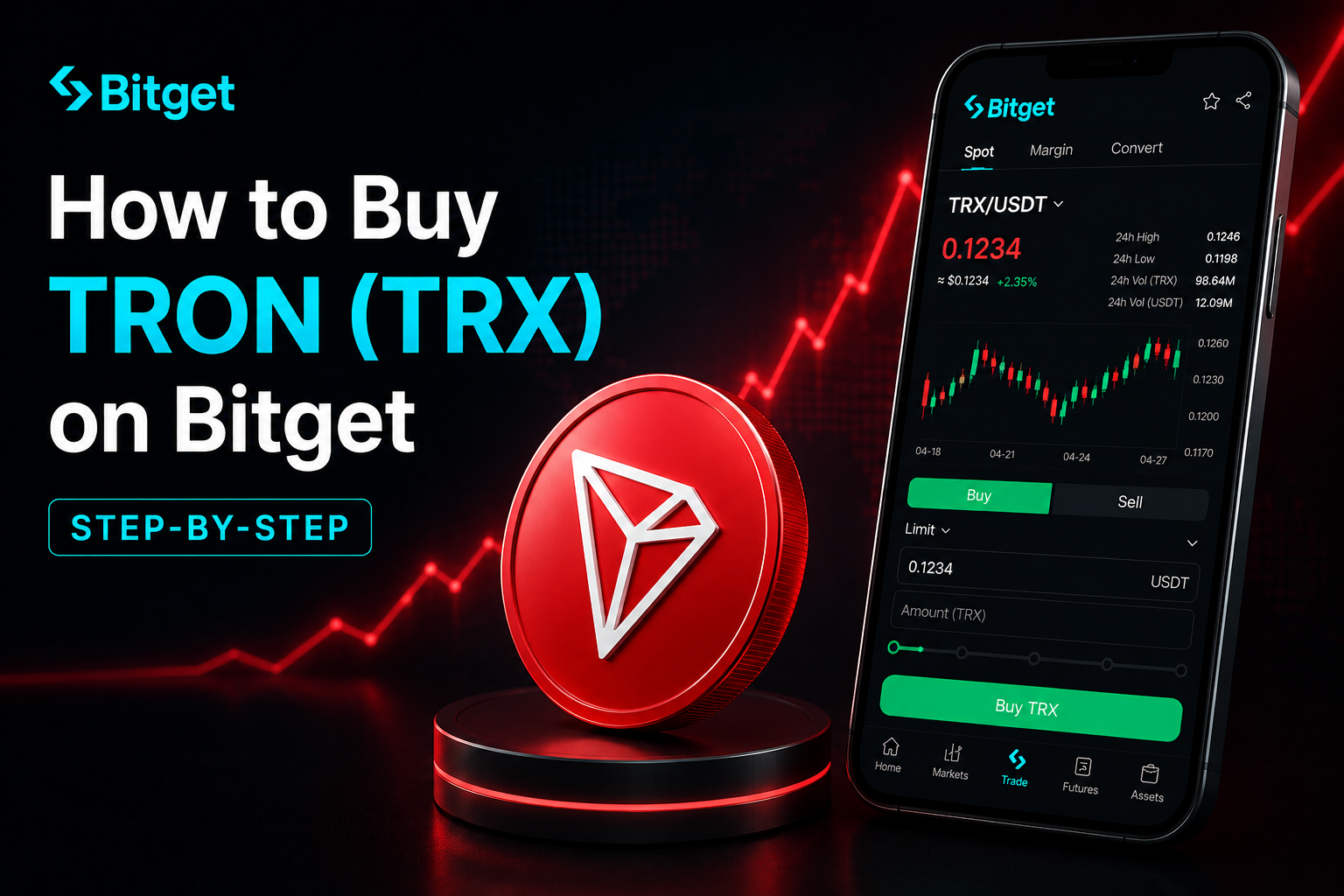
Placing your first TRX trade
USDT is in your spot account. Two ways to convert it to TRX.
Option A: Market order (fast, slightly worse fill)
- Open the BitGet app or web platform. Go to Spot Trading.
- Search TRX/USDT and select it.
- On the buy side, select Market.
- Enter the USDT amount you want to spend.
- Tap Buy TRX. The trade fills in seconds. TRX appears in your spot wallet.
You pay 0.10% in fees plus a small slippage cost.
Option B: Limit order (slower, better price)
- Open Spot Trading, select TRX/USDT.
- On the buy side, select Limit.
- Check the current price. Set your limit slightly below the current ask.
- Enter the USDT amount.
- Tap Buy TRX. The order sits in the book until TRX drops to your price.
For anything over $100, limit orders save the spread. Full breakdown in the BitGet spot trading guide and BitGet order types post.
TRON’s energy and bandwidth model (why transactions can be “free”)
This is the part of TRON most beginners don’t understand and it’s actually one of the more interesting bits of the design.
On Ethereum, you pay gas (in ETH) for every transaction. On TRON, you can pay a small TRX fee — or you can stake TRX to receive two on-chain resources: bandwidth and energy.
Bandwidth is what regular TRX transfers consume. Every account gets a small free daily allowance (currently about 600 bandwidth points). Most simple transfers use a few hundred. Result: ordinary users can send TRX for free, multiple times per day.
Energy is what smart contract interactions consume — including TRC-20 transfers like USDT. Energy is much more expensive than bandwidth. If you don’t have energy staked, the network burns TRX to pay for the transaction (which is why even “free” stablecoin transfers cost about $1 in burned TRX).
The smart move for active users: freeze (stake) a chunk of TRX to receive ongoing energy. This is called “Resource Staking” or, since the Stake 2.0 upgrade, just freezing TRX for resources. You earn voting rights and a small share of network rewards while your TRX is frozen. You can unfreeze with a 14-day cooldown.
For a buyer just holding TRX, this matters mainly if you plan to move TRC-20 USDT often. Stake 200–300 TRX for ongoing energy and your USDT transfers become effectively free instead of $1 each. The official TRON energy/bandwidth docs and CoinDesk’s TRON coverage are the sources I’d send people to for current parameters.
TRX staking and Super Representatives
TRX staking works through voting for Super Representatives — the 27 entities that produce blocks on TRON. You freeze TRX, you vote for SRs of your choice, and you earn a share of the rewards they receive.
Current returns sit around 4–5% APY. Not as high as DOT or Cosmos, but real yield with a 14-day unfreeze period instead of weeks-long unbonding. You stake from TronLink or any wallet that supports voting on TRON.
Returns vary by which SRs you vote for — some share more of their rewards with voters than others. Most wallets show recent payout rates to help you pick. There’s no slashing on TRON, so the validator-choice risk is purely about how much they share.
For more on staking as a general strategy, the crypto staking explained post covers the mechanics, and the passive income crypto guide compares different yield options across assets.
If you’d rather stake on the exchange for simplicity, BitGet’s Earn product offers TRX flexible savings — yields are typically lower than native staking but more convenient. Covered in the BitGet earn products post.
How much TRX to buy (position sizing)
The question every beginner asks. Three rules.
Rule one: TRX is medium-beta. When Bitcoin moves 5%, TRX often moves 6–10%. Less volatile than newer L1s, more volatile than BTC itself. If a 40% drawdown would change how you sleep, the position is too big.
Rule two: split your entry over weeks. Pick a target — say £1,000 of TRX over three months — and split into 12 weekly buys. You won’t hit the bottom. You won’t hit the top. You’ll get a reasonable average and learn the platform along the way.
Rule three: factor founder risk into sizing. TRX has higher headline risk than something like BTC or ETH because of the founder’s profile. A founder-related news cycle can move the price 15–20% in a day. Size your position so you can ride those out without panic-selling.
For a first-ever TRX buy, start with a coffee budget. Place the trade. Watch the price for two weeks. If you sleep fine, scale up.
Learning to size positions and read charts is a skill you can’t shortcut by reading blog posts. If you want to actually learn to trade — not just read about it — Trade Travel Chill (affiliate) is the community I’m part of and the one structured education source I trust. Optional. Useful when you’re ready.
Storing TRX: Ledger, TronLink, or exchange?
You bought the TRX. Where does it live?
Exchange (BitGet)
Fine for your active trading float. BitGet publishes Proof of Reserves monthly. You don’t hold the private keys. The crypto wallets explained post covers this in more depth.
Hot wallet (TronLink, Trust Wallet)
TronLink is the most widely used TRON-native wallet — browser extension and mobile app. Connects to most TRON DApps, supports voting for SRs, handles energy/bandwidth resource management cleanly. Trust Wallet is the general-purpose alternative that handles TRX alongside dozens of other chains.
A hot wallet is connected to the internet. Good for small balances you’ll spend or stake. Bad for long-term holding.
Cold wallet (Ledger Nano X)
A Ledger Nano X is a hardware wallet — a USB device storing your private keys offline. TRX is fully supported. You can connect the Ledger to TronLink to interact with the TRON network while keys stay on the device.
Ledger costs about £150. Cheaper than the lesson of an exchange failure. Order one from the Ledger store (affiliate). Set it up, write the 24-word seed on the card it ships with, store the card somewhere fireproof and away from your home computer. The hot vs cold wallet post covers the trade-off in detail.
The split I run for TRX
- Trading float on BitGet: 20% — for active trades and stablecoin movement.
- TronLink hot wallet: 10% — small balance for energy staking and DApp use.
- Ledger long-term: 70% — doesn’t move except to top up.
Full self-custody playbook in the how to store crypto safely guide.
Ready to buy your first TRX?
Sign-up takes 90 seconds, KYC usually clears same-day, and TRC-20 deposits are one of the cheapest ways to move USDT onto BitGet.
Affiliate link. I may earn a commission at no extra cost to you.
Using TRON for USDT transfers (the actual primary use case)
If you’re going to hold TRX, you’ll probably also use the TRON network for moving USDT around. Here’s what you need to know.
Always confirm the network. TRC-20 USDT and ERC-20 USDT and BEP-20 USDT are all “USDT” but they’re different tokens on different networks. Sending TRC-20 USDT to an ERC-20 address (or vice versa) can mean the funds are lost. Always match.
TRC-20 is the cheap rail. A USDT transfer on TRON costs about $1 if you have no energy staked, and effectively zero if you do. Compare to $5–20 on Ethereum mainnet. For frequent stablecoin movement, TRC-20 is the obvious choice.
Speed. TRC-20 transfers confirm in about 3 minutes (a few blocks for safety). Ethereum can be 5–15 minutes depending on gas you pay. TRC-20 wins for speed too.
Exchange support. Almost every major exchange supports TRC-20 USDT deposits and withdrawals. BitGet, Binance, KuCoin, OKX, all in. The handful that don’t (mostly US-focused exchanges) usually only support ERC-20.
Holding small TRX as a buffer. If you’re using TRC-20 USDT regularly, keep 50–100 TRX in the same wallet as a fuel buffer for transactions. Without TRX in the wallet, the network has nothing to charge for energy and the transaction will fail.
Common TRX beginner mistakes
The mistakes I see most often.
Sending USDT on the wrong network. The single biggest source of lost funds for TRON-adjacent users. Always confirm TRC-20 vs ERC-20 vs BEP-20 before clicking send.
Sending TRX to an Ethereum address. TRX addresses start with T. Ethereum addresses start with 0x. If you paste the wrong one, the funds are gone. Always double-check the first character.
Buying TRX during a Justin Sun media cycle. Whenever Sun makes headlines (banana art, Warren Buffett lunch, FTX backstop), TRX often pumps short-term. The pumps fade. Don’t chase.
Storing on the exchange forever. Trading float yes. Life savings no. Move long-term holdings to a Ledger.
Sharing the seed phrase. No legitimate company, no support agent, no platform will ever ask for your 24-word seed phrase. The crypto scams guide covers the most common attack patterns.
Ignoring 2FA. Set it up the second you create the account.
Jumping straight to leverage. TRX is volatile enough on spot. Six months of spot before you touch perps.
Confusing TRX network use with TRX investment thesis. The TRON network being widely used does not automatically mean TRX the token captures that value proportionally. Network use is fee burns and staking demand. Token price is supply/demand on exchanges, which is influenced by many other things.
Forgetting tax records. Selling TRX for a profit is a taxable event in most jurisdictions. Staking rewards may also be taxable as income. Keep records from day one.
One last thing.
If this walkthrough saved you a few hours of research, signing up through my affiliate link costs you nothing and helps keep the lights on.
Affiliate link.
One more thing: Buying a token doesn’t mean it will go up. Most altcoins underperform Bitcoin over long enough timeframes. Only buy what you can afford to lose, and never put your rent money in crypto. If a YouTuber tells you a coin will 100x — they’re guessing too.
Frequently asked questions
What is the minimum amount of TRON I can buy on BitGet?
You can buy fractional TRX from around $1 worth. TRX is divisible to six decimal places (each unit is called a SUN). Most people start with $50–$200 to learn the interface.
Do I need to verify my identity to buy TRX on BitGet?
Yes for full functionality. You can hold and trade limited amounts without KYC but withdrawal limits are tiny. KYC usually clears within 1–24 hours.
Can I buy TRON on BitGet with a credit card?
Yes, but I wouldn’t. Card on-ramps charge 1–3%, credit card providers often add a cash-advance fee on top. Use debit, bank transfer, or P2P instead.
What’s the cheapest way to buy TRX on BitGet?
P2P trading or depositing crypto from another wallet via TRC-20. P2P fees are usually zero with a small rate spread. TRC-20 deposits cost about 1 USDT in network fees — the cheapest stablecoin rail among major networks.
Should I keep my TRX on BitGet or move it to a wallet?
Move long-term holdings to a hardware wallet like the Ledger Nano X. TronLink for everyday use and SR voting. Keep an active trading float on the exchange.
Why is TRC-20 USDT so popular?
TRC-20 USDT is the largest stablecoin deployment globally because TRON transactions cost a fraction of a cent compared to $5–20 on Ethereum. For remittances, exchange transfers, and stablecoin movement in emerging markets, the economics make TRC-20 the default.
Can I stake TRX after buying it?
Yes. Freeze TRX to vote for Super Representatives. Returns sit around 4–5% APY. Unfreezing takes 14 days. You can stake from TronLink, Ledger Live, or via BitGet’s Earn product if you want the simpler path.
Final word
The first TRX buy teaches you the workflow for every TRX trade after. Sign up. KYC. Fund cheaply (TRC-20 is your friend here). Place a limit order. Move the long-term bag to a Ledger. Decide where you stand on the founder question and size accordingly.
That’s the short version. If you do those five things in that order, you’ve already avoided most of the mistakes new buyers make.
Right — over to you.
Related posts
- How to Buy XRP (XRP) on BitGet: Step-by-Step
- How to Buy Polkadot (DOT) on BitGet: Step-by-Step
- How to Store Crypto Safely: The Self-Custody Guide