For three years, XRP traded under a black cloud. The SEC was suing Ripple, the parent company, claiming XRP had been sold as an unregistered security. Major US exchanges delisted it. Holders couldn’t buy more if they wanted to. Then in July 2023, a federal court ruled that XRP itself was not a security when sold to retail investors on exchanges — and the price ran 70% in a week.
The legal cloud is mostly gone. What’s left is the asset itself — a fast, cheap settlement coin that the banking world keeps quietly experimenting with. This walkthrough is how to buy XRP on BitGet without the avoidable mistakes — including the one about the destination tag that costs new holders their first transfer. Two of the links are affiliate. I’ll flag them.
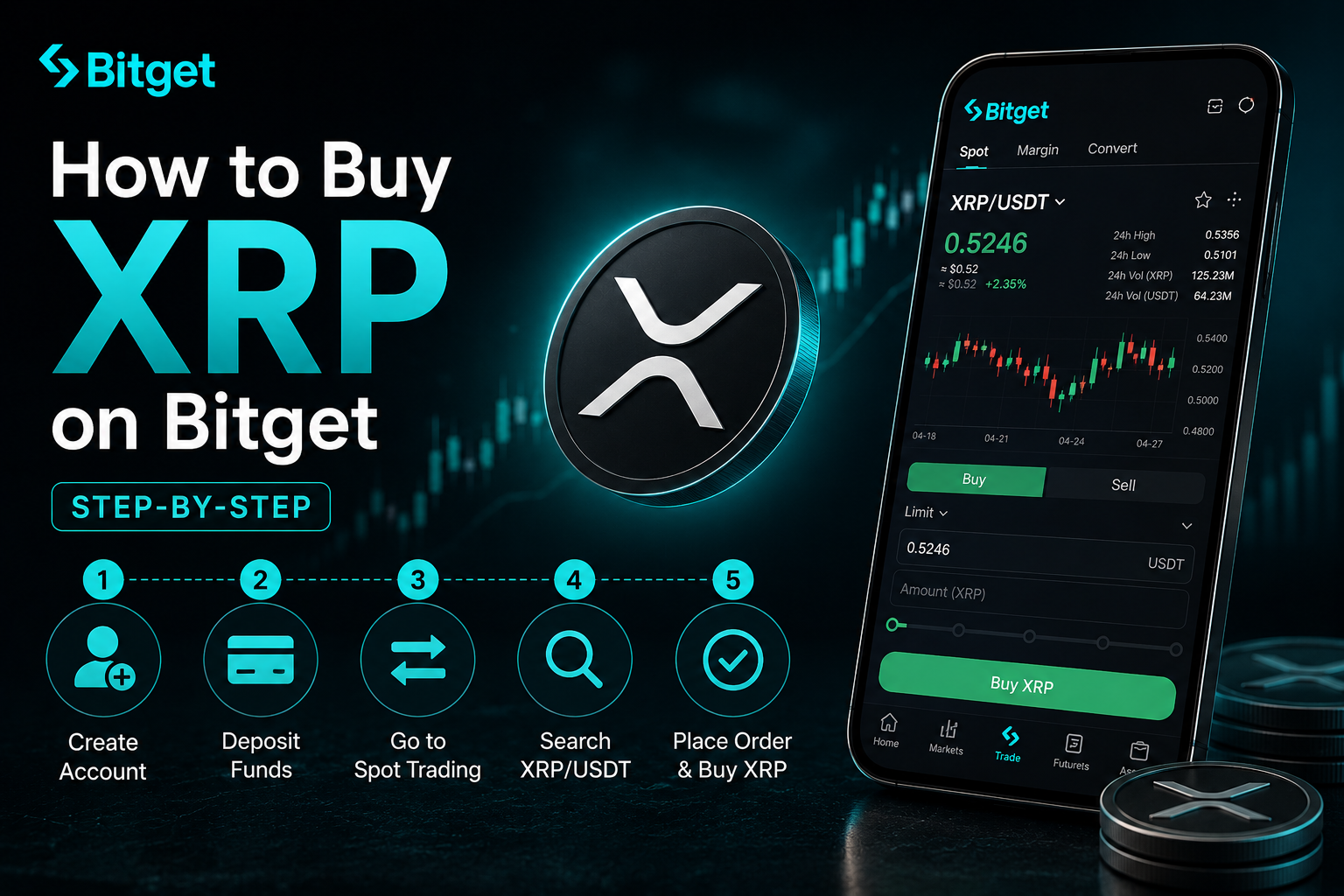
Short answer: To buy XRP on BitGet, sign up with email, enable 2FA, complete KYC (usually same-day), deposit funds via card, P2P, bank transfer, or crypto, then place a spot order on the XRP/USDT pair. Spot fees are 0.10%. Card on-ramp adds 1–3%. To activate an XRP wallet on the ledger you need a minimum 10 XRP reserve. For long-term holding, move XRP to a Ledger Nano X — and never forget the destination tag. Time from signup to XRP in your account: about 30 minutes.
Open a BitGet account → (affiliate)
Key takeaways
- The XRP Ledger settles transactions in 3–5 seconds at a cost of fractions of a cent.
- BitGet spot fees are 0.10% maker/taker. Card adds 1–3% on top.
- KYC usually clears within 1–24 hours. Passport or driving licence ready.
- XRP wallets need a minimum 10 XRP reserve to activate on the ledger — you can’t fully empty an XRP wallet.
- When you withdraw XRP, the destination tag is mandatory for exchange addresses. Wrong tag, lost funds.
What XRP is and why people care
XRP is the native asset of the XRP Ledger — a public blockchain launched in 2012 by the team that became Ripple Labs. It was designed specifically for fast, low-cost payment settlement between counterparties who don’t trust each other. Banks, payment processors, remittance providers.
The numbers stack up well for that use case. Transaction finality in 3–5 seconds. Cost in the fractions of a cent. Throughput of around 1,500 transactions per second on the base layer. No mining — it uses a consensus protocol with a list of trusted validators.
Ripple Labs — the company — has signed partnerships with hundreds of banks and financial institutions for cross-border payment services. Some use XRP directly. Many use the company’s RippleNet software without ever touching the token. The market keeps trying to figure out where exactly that line is and what it means for demand.
Then there’s the SEC story. In December 2020, the SEC sued Ripple Labs, claiming the company had sold $1.3 billion of XRP as an unregistered security. The price crashed. US exchanges delisted XRP. The case dragged on for nearly three years. In July 2023, Judge Analisa Torres ruled that XRP, when sold to retail on exchanges, was not a security — although institutional sales by Ripple were judged unregistered offerings. The remaining penalty was settled in 2024 and major US venues began relisting XRP.
What that means for buyers today: the legal cloud is mostly gone for retail. The asset trades freely on most major exchanges. Banks continue piloting XRP-based payment corridors. The market cap typically sits inside the top 10. You can check current numbers on CoinGecko and CoinMarketCap, and Reuters has been a good source on the legal coverage over the years.
For the wider context — what crypto is, how exchanges work, how to think about which token to start with — the how to buy crypto parent guide covers it.
The reserve requirement: why an XRP wallet costs 10 XRP
This catches almost every new XRP buyer at least once.
The XRP Ledger requires every account to hold a minimum reserve to prevent ledger spam. The base reserve is currently 10 XRP per account. You can deposit any amount into a wallet, but you can’t withdraw it down to zero — 10 XRP has to stay parked to keep the account active.
There’s also an owner reserve of 2 XRP for each item the account owns on-ledger (trust lines, offers, escrows). For the average buyer holding only XRP, that’s not a concern. For anyone setting up trust lines for tokens issued on the XRP Ledger, it adds up.
Practically, this means:
– Your first XRP withdrawal from BitGet to a self-custody wallet needs to be at least ~10–11 XRP to make any sense.
– If you withdraw the full balance, you’ll find about 10 XRP stuck as the reserve.
– On the Ripple official site and the XRPL.org developer docs the rule is explained in detail.
It’s not a tax. It’s not lost. It’s the cost of having an active address on a public ledger that doesn’t want to be flooded with empty wallets.
Why BitGet for buying XRP
Most major exchanges relisted XRP after the 2023 ruling. Here’s why I’d point a beginner at BitGet specifically.
Deep order book on XRP/USDT. BitGet runs heavy volume on the pair. Tight spreads, fast fills.
Honest 0.10% spot fees. Maker/taker drops further with BGB holdings or trading volume. Chart price is the trade price.
Multiple funding routes. Card, P2P, bank, crypto deposit. Pick the cheapest one that fits your timeline.
Withdrawal works. XRP withdrawals confirm in seconds once on-chain. Just remember the destination tag — covered below.
Not for US residents. BitGet is geo-blocked in the US. If that’s you, Coinbase Advanced or Kraken are the alternatives now that XRP is relisted there.
Full breakdown of the platform in the BitGet review.
Pre-signup checklist
Same prep as any account.
A photo ID. Passport or driving licence. In date, sharp photo.
An email you control. You’ll get codes and alerts here for years.
A strong password. 16+ characters. Password manager.
An authenticator app. Google Authenticator or Authy. Install before sign-up. Avoid SMS 2FA.
Your funding source. Debit card, bank account, or crypto in another wallet.
A storage plan. Trading float on BitGet, long-term holding on a hardware wallet. The Ledger Nano X supports XRP natively — order it now so it arrives by the time you’re done accumulating.
Step-by-step: BitGet signup
- Open the sign-up page. BitGet (affiliate — gives you a small fee discount). Email + strong password.
- Verify your email. Six-digit code, paste it in.
- Enable 2FA. Security Settings → Authenticator. Scan QR, save backup code offline.
- Complete KYC. Identity Verification → passport or driving licence + selfie. Usually clears in 1–24 hours.
- Add a payment method. Card now if you’re using it. P2P is configured in step 5.
About ten minutes if your documents are ready.
Funding the account
| Method | Fee | Speed | Best for |
|---|---|---|---|
| Crypto deposit | Network fee only | 1–60 min | Already hold USDT/USDC/XRP elsewhere |
| P2P (bank transfer) | 0% (small rate spread) | 5–30 min | Best rate, slightly more steps |
| Bank transfer (third-party) | 0.5–1.5% | 1–3 hours | Mid-size buys |
| Card on-ramp | 1–3% | Instant | First small buy, can’t wait |
Crypto deposit is the cheapest if you already hold USDT or USDC on another exchange. Send to your BitGet deposit address on the right network — TRC-20 for USDT is around 1 USDT in fees, ERC-20 is closer to 8.
P2P matches you with another user selling USDT for your currency. Bank transfer to them, BitGet escrows the USDT, they release on your bank confirmation. Rates usually within 0.5% of mid-market.
Card on-ramp is the fastest, most expensive option. 1.5–3% bundled into the quoted rate. Fine for a first $50 to learn the interface.
Placing your first XRP trade
USDT is in the spot account. Now you buy XRP.
Option A: Market order
- Spot Trading → search XRP/USDT → select it.
- Buy side → Market.
- Enter the USDT amount.
- Buy XRP. Fills in a second.
You pay 0.10% in fees plus a small slippage cost.
Option B: Limit order
- Spot Trading → XRP/USDT.
- Buy side → Limit.
- Check the current price. Set your limit slightly below the current ask — e.g. if XRP is at $0.52, set the limit at $0.518.
- Enter the USDT amount.
- Buy XRP. Order sits in the book until price hits.
For anything over $100, the limit order is the right call. Saves the spread, especially on XRP which can have wider spreads during quiet sessions. Full order-type breakdown in the BitGet spot trading guide.
How much XRP to buy (position sizing)
Three rules for a first XRP position.
Rule one: XRP is news-sensitive. The price has historically responded sharply to Ripple legal updates, banking partnership announcements, and regulatory commentary. Holding XRP means accepting headline-driven volatility. If a 30% drawdown on a single news cycle would change your sleep, the position is too big.
Rule two: split the entry. Pick a target — say £1,000 over three months — and split into 12 weekly buys of £80–£85. You won’t hit the bottom. You won’t hit the top. You’ll get a reasonable average and you’ll learn the workflow.
Rule three: hold a stablecoin reserve. XRP has seen 50%+ drawdowns. If you’re 100% in on day one, you’ve got nothing left to buy a real dip. Keep 30–40% as USDT.
This is the section where I’d point out that learning to trade — reading charts, sizing positions, building a strategy — is a skill you can’t shortcut by reading blog posts. If you want to actually learn it, Trade Travel Chill (affiliate) is the community I’m part of and the one structured education source I actually recommend. Optional. Useful when you’re ready.
Storing XRP: Ledger + the destination tag
This is the section that catches most new XRP holders out.
The destination tag — read this twice
Every XRP withdrawal from a hosted exchange (BitGet, Binance, anywhere) to another exchange requires a destination tag — a number that tells the receiving exchange which user’s account the deposit belongs to. Get it wrong, the funds are credited to the wrong user — sometimes recoverable through support, sometimes not.
For withdrawals to a self-custody wallet like a Ledger, the destination tag is not required (your wallet is exclusively yours, no shared address). Some exchanges still expect one — use 0 or any number if asked, but follow the receiving platform’s instructions exactly.
Rule: copy both the address and the destination tag from the destination platform. Don’t type either by hand. Don’t trust a screenshot — fresh-copy from the live page every time. Send a test transfer of 11 XRP first (10 reserve + 1 for the actual balance) before moving any real size.
Exchange (BitGet)
Fine for your active trading float. BitGet publishes Proof of Reserves. You don’t hold the keys, but you can withdraw at any time.
Cold storage (Ledger Nano X)
A Ledger Nano X is a hardware wallet — a USB device that stores private keys offline. XRP is supported natively in Ledger Live. Every transaction is confirmed physically on the device, so a compromised laptop can’t drain you.
Ledger costs about £150. Cheaper than the lesson of an exchange failure. Order from the Ledger store (affiliate). Set it up, write the 24-word seed on the card it ships with, store the card somewhere fireproof.
Hot wallet options
For everyday XRP movement — paying for services, interacting with XRP Ledger DApps — wallets like Xumm (now Xaman) and Trust Wallet support XRP with full destination-tag handling. Fine for small balances. Not for long-term holding.
The split I run
- Trading float on BitGet: 20%
- Hot wallet for any active use: 5%
- Ledger long-term: 75%
Full self-custody playbook in the how to store crypto safely guide.
Ready to buy your first XRP?
Sign-up takes 90 seconds, KYC usually clears same-day. XRP/USDT runs deep liquidity on BitGet.
Affiliate link. I may earn a commission at no extra cost to you.
Can you stake XRP?
Short answer: no — not in the proof-of-stake sense.
The XRP Ledger uses a consensus mechanism rather than proof of stake or proof of work. There’s no native validator-reward staking like you’d get on Cardano or Solana. You don’t earn yield by holding XRP in a wallet.
What you can do:
– Lend XRP through a CeFi product like BitGet Earn or similar. You’re handing custody to the platform for a yield — that’s lending, not staking. Returns are usually 2–4% APY for XRP. Comes with platform risk.
– Provide liquidity on the XRP Ledger’s native AMM (launched in 2024). You earn fees in exchange for liquidity, but you take impermanent-loss risk like any AMM position.
– Hold and wait for protocol updates. There’s been ongoing discussion in the XRP Ledger community about adding a native yield mechanism, but as of writing nothing has shipped that earns yield purely on holding XRP in a wallet.
If you see anyone advertising guaranteed 10%+ “XRP staking” — that’s a scam. Walk away.
Common XRP beginner mistakes
The mistakes I see most often when people start buying XRP.
Forgetting the destination tag. Mentioned this twice already. Will keep mentioning it. Always include the destination tag on exchange-to-exchange XRP transfers.
Withdrawing below the reserve. You can’t empty an XRP wallet below 10 XRP. New buyers withdraw 20 XRP from BitGet, transfer 18, can’t move the last 8 in the wallet, panic. It’s not lost — it’s the reserve. Either deposit more or accept that 10 XRP stays parked.
Believing the price prediction YouTubers. XRP attracts more fantasy price predictions than any other token — $500 XRP, $1,000 XRP, “any day now”. The actual price action follows liquidity and broader crypto cycles, not prophecy. Ignore the noise. Size accordingly.
Buying every XRP-adjacent token. There are dozens of forks, tribute tokens, and copycats. Most are zeros. Stick to XRP itself if you’re new.
Sending to the wrong network. When you withdraw XRP from BitGet, the network is the XRP Ledger. Not a wrapped XRP on another chain. Native XRP. Wrong network can mean funds gone forever.
Storing on the exchange forever. Trading float, yes. Life savings, no. Always move long-term to a Ledger.
Sharing the seed phrase. No legitimate company will ever ask for your 24-word seed phrase. Anyone who does is trying to rob you.
Ignoring 2FA. Set it up the moment you create the account. Authenticator app, not SMS.
Day-trading XRP off legal headlines. XRP can rip 15% on a Ripple win announcement, then give it all back the next week. New buyers chase the headline, get filled at the top. Don’t.
Jumping to leverage. XRP spot is volatile enough. Don’t touch BitGet futures for at least six months.
One last thing.
If this guide saved you research time, signing up through my affiliate link costs you nothing and helps keep the lights on.
Affiliate link.
Frequently asked questions
What is the minimum amount of XRP I can buy on BitGet?
You can buy fractional XRP from around $1 worth. XRP is divisible to six decimal places. Most people start with $50–$200 to learn the platform.
Do I need to verify my identity to buy XRP on BitGet?
Yes for full functionality. KYC usually clears within 1–24 hours and unlocks full deposit and withdrawal limits.
What is the destination tag and do I always need one?
A destination tag is a number that tells a receiving exchange which user account a deposit belongs to. It’s required on exchange-to-exchange transfers. For withdrawals to a self-custody wallet like a Ledger, it’s not needed — your wallet is exclusively yours.
Why is 10 XRP stuck in my wallet?
That’s the XRP Ledger base reserve. Every active account holds a minimum 10 XRP to prevent ledger spam. It’s not lost — it stays parked while the account is active.
Can I stake XRP for yield?
Not natively. There’s no proof-of-stake reward mechanism on the XRP Ledger. You can lend XRP through CeFi products like BitGet Earn for 2–4% APY, or provide liquidity on the XRPL AMM. Anyone advertising guaranteed 10%+ “XRP staking” is running a scam.
Should I keep my XRP on BitGet or move it to a wallet?
Move long-term holdings to a Ledger. Trading float can stay on the exchange. Just remember the destination tag if you ever transfer XRP between exchanges.
Is XRP a security?
The 2023 federal court ruling found XRP itself is not a security when sold to retail on exchanges. Institutional sales by Ripple Labs were judged unregistered offerings, which is a separate question. The case settled in 2024 and major US exchanges have relisted XRP.
Final word
XRP is a different kind of buy. Fast settlement, low fees, real banking integration, more news cycles per year than most tokens. Sign up. KYC. Fund cheaply. Place a limit order. Always include the destination tag on exchange transfers. Move long-term holdings to a Ledger.
That’s the short version. Do those things in that order and you avoid the mistakes that have lost more XRP than every hack in the history of the network combined.
Right — over to you.
One more thing: Buying a token doesn’t mean it will go up. Most altcoins underperform Bitcoin over long enough timeframes. Only buy what you can afford to lose, and never put your rent money in crypto. If a YouTuber tells you a coin will 100x — they’re guessing too.
Related posts
- How to Buy Bitcoin (BTC) on BitGet: Step-by-Step
- How to Buy Solana (SOL) on BitGet: Step-by-Step
- How to Store Crypto Safely: The Self-Custody Guide