Polygon is the chain that quietly does the work. While the headlines chase Solana memecoins and Ethereum L2 launches, Polygon processes millions of transactions a day for Starbucks loyalty points, Reddit collectible avatars, Nike’s Web3 experiments, and dozens of brands you’d never expect to find on-chain. Sub-cent fees. Familiar Ethereum tooling. Real users who don’t know or care they’re on a blockchain.
There’s a wrinkle. The token used to be called MATIC and is migrating to POL — same chain, new name, slightly different role in the ecosystem. I’ll explain the migration properly below. I’ve used Polygon since 2021 for DeFi when Ethereum gas was unbearable. This is the walkthrough I’d give a friend buying their first MATIC/POL today on BitGet. A couple of the links are affiliate.
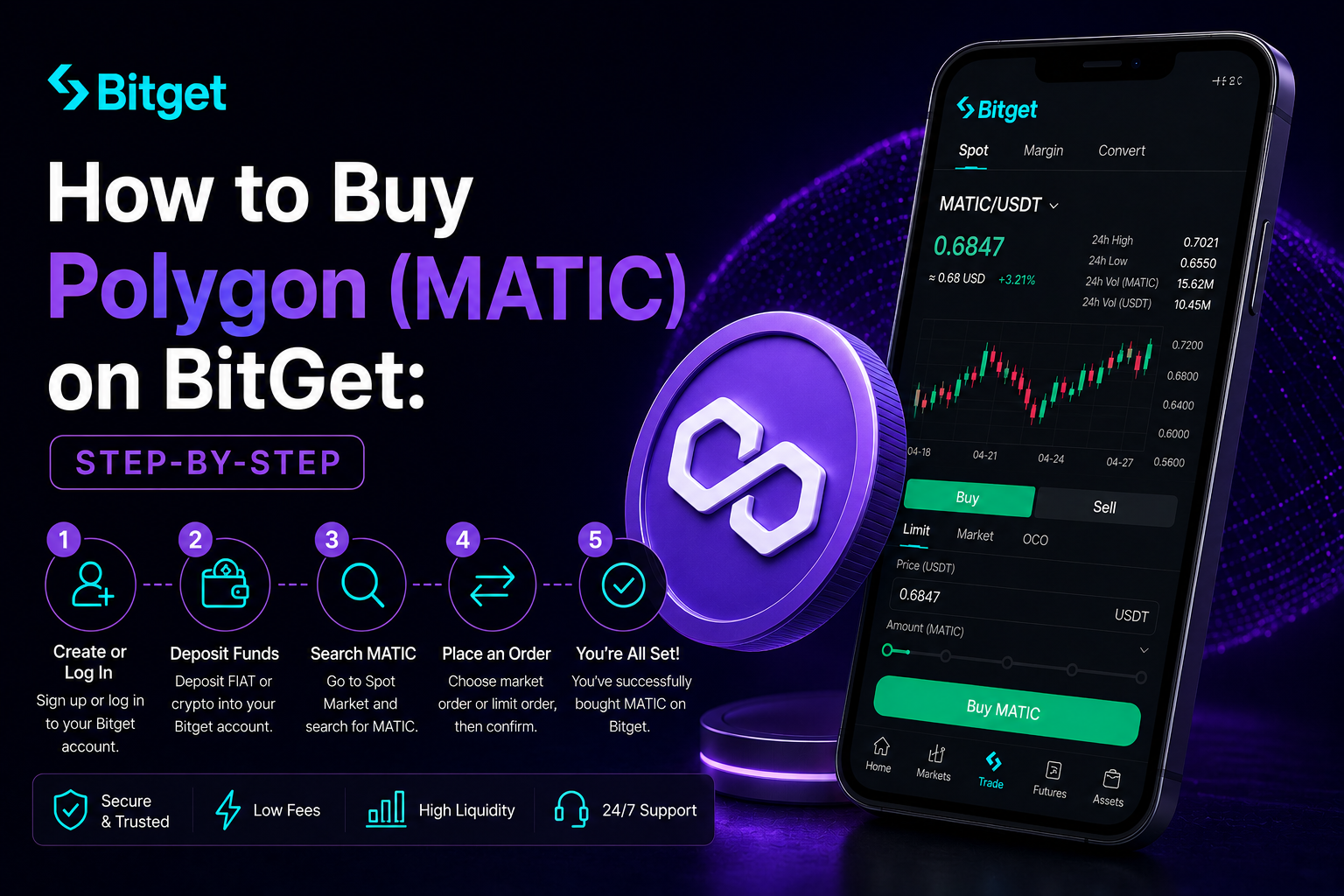
Short answer: To buy Polygon on BitGet, sign up with email, enable 2FA, complete KYC (usually clears same-day), deposit via card, P2P, bank transfer, or crypto, then place a spot order on the MATIC/USDT (or POL/USDT) pair. Spot fees are 0.10%. Card buys cost 1–3%. For long-term holding, move tokens to a Ledger Nano X. Time from signup to MATIC in your account: about 30 minutes.
Open a BitGet account → (affiliate)
Key takeaways
- Polygon is the largest Ethereum-aligned scaling network by daily users and transactions.
- MATIC is migrating to POL — a 1:1 token swap that’s been rolling out in phases. Most exchanges handle this automatically.
- BitGet spot fees are 0.10% maker/taker. Card on-ramps add 1–3%, so fund via bank or P2P if you can wait an hour.
- Polygon PoS transactions cost a fraction of a cent. Polygon zkEVM is the new rollup with full Ethereum equivalence.
- Long-term holdings belong on a Ledger, not on an exchange.
What Polygon actually is (and the MATIC→POL question)
Polygon started life as Matic Network in 2017 — a sidechain to Ethereum designed to handle transactions cheaply while still settling to Ethereum for security. The rebrand to Polygon happened in 2021, and since then the project has expanded from one sidechain into a whole stack of scaling tech.
Today “Polygon” really means several things:
- Polygon PoS — the original proof-of-stake sidechain. Sub-cent fees, blocks every couple of seconds, and the network where Starbucks Odyssey, Reddit avatars, and most enterprise pilots live.
- Polygon zkEVM — a zero-knowledge rollup with full Ethereum compatibility. This is the next-gen Polygon network, settled directly to Ethereum.
- Polygon CDK — a toolkit other projects use to launch their own Polygon-aligned chains.
- AggLayer — Polygon’s attempt to unify liquidity across all the chains built with CDK.
The token. MATIC was the original ticker. POL is the new ticker that replaces it. Same chain, same holders, same balances — you just receive POL where you previously received MATIC. The migration started rolling out in 2024 and most major exchanges, BitGet included, have handled the swap behind the scenes for users. If you bought MATIC last cycle, your balance is already POL or will become POL with no action from you.
Why the change? POL is designed to be a multi-chain staking token across the whole Polygon stack — one token securing PoS, zkEVM, and every CDK chain. MATIC was a single-chain token. The shift makes sense as Polygon evolves from “Ethereum sidechain” to “ecosystem of chains”.
Market cap puts the token regularly inside the top 25 by ranking. You can check current numbers on CoinGecko and CoinMarketCap before you trade. For the wider context on Ethereum and its scaling layers, L2Beat is the dashboard I check for total value locked and transaction counts.
For the full beginner walkthrough on exchanges and KYC, the how to buy crypto parent guide covers it. This post is Polygon-specific.
Why I recommend BitGet for buying MATIC/POL
A handful of major exchanges list Polygon. Here’s why BitGet is the one I’d point a beginner at.
Listed under both tickers during the migration. BitGet supports both MATIC and POL pairs, handles the swap automatically, and labels withdrawals clearly. Less chance of a confused deposit going to the wrong place than on smaller venues.
Deep order book. MATIC/USDT and POL/USDT are among the more actively traded altcoin pairs. Tight spreads, fast fills.
Honest fees. Spot maker/taker fees start at 0.10% and drop with BGB holdings or 30-day volume. No hidden mark-up baked into the quoted price. See the BitGet trading fees post for the full schedule.
Multiple on-ramp options. Card, bank transfer, P2P, or crypto deposit. Pick the route that fits your timeline and budget.
Withdrawals work. I move Polygon out of BitGet to my Ledger every few months. The Polygon PoS withdrawal clears in under a minute. Full breakdown of the platform in the BitGet review.
Not for US residents. BitGet is geo-blocked in the US. If that’s you, look at Coinbase Advanced or Kraken instead. Everywhere else, this is the workflow I’d use.
Pre-signup checklist (ID, bank, 2FA, storage)
Five minutes of prep before you open the sign-up page.
A photo ID. Passport or driving licence. KYC will ask for it and a selfie.
An email you control. Not a throwaway. You’ll get 2FA codes, withdrawal confirmations, and security alerts on this account for years.
A strong password. 16+ characters, never reused. A password manager makes this painless.
An authenticator app. Google Authenticator or Authy. Install it before sign-up. SMS 2FA is a security hole — SIM swap attacks have drained more crypto accounts than most beginners realise.
Your funding source. Debit card, bank account, or crypto in another wallet. UK Faster Payments and EU SEPA Instant make P2P near-instant.
A storage plan. Decide before you buy where the Polygon tokens are going. Trading float on BitGet, long-term holding on a hardware wallet. The Ledger Nano X supports both MATIC and POL.
Step-by-step: BitGet signup
Five steps. About ten minutes if your documents are ready.
- Open the sign-up page. Head to BitGet (affiliate — gives you a small fee discount). Enter your email and a strong password.
- Verify your email. A six-digit code arrives within 30 seconds. Paste it in.
- Enable 2FA. Security Settings → Authenticator. Scan the QR code, save the backup code somewhere offline.
- Complete KYC. Identity Verification → upload passport or driving licence, take a selfie. Most clear in 10 minutes to a few hours.
- Add a payment method. Card now if you’re going that route. P2P gets set up when you fund.
Account ready. Time to fund.
Funding: card vs P2P vs bank vs crypto deposit
Four ways to put money on the platform.
| Method | Fee | Speed | Best for |
|---|---|---|---|
| Crypto deposit | Network fee only | 1–60 min | Already hold USDT/USDC/MATIC elsewhere |
| P2P (bank transfer) | 0% (small rate spread) | 5–30 min | Best rate |
| Bank transfer (third-party) | 0.5–1.5% | 1–3 hours | Mid-size buys |
| Card on-ramp | 1–3% | Instant | First small buy |
Crypto deposit is the cheapest if you already hold USDT elsewhere. For USDT, TRC-20 costs about 1 USDT in fees, ERC-20 closer to 8 USDT. You can also deposit MATIC/POL on the Polygon PoS network for sub-cent fees if you already hold some.
P2P is the highest-effort, lowest-fee route. Matched with a seller in your local currency, BitGet escrows the trade. Rates within 0.5% of mid-market usually.
Bank transfer is the middle ground — fees visible upfront, clears in a few hours.
Card on-ramp is fastest, most expensive. Fee bundled into the quoted rate. Fine for a first $50 to test the workflow.
My rule for MATIC/POL: card for the first $50, then crypto deposit or P2P. Polygon’s own network is so cheap that depositing existing crypto via Polygon PoS is almost free.
Placing your first Polygon trade
USDT is in your spot account. Two ways to buy MATIC (or POL — same thing).
Option A: Market order (fast, slightly worse fill)
- Open the BitGet app or web platform. Go to Spot Trading.
- Search MATIC/USDT or POL/USDT and select it. The pair label depends on which ticker BitGet is currently using for the migration phase — both lead to the same asset.
- On the buy side, select Market.
- Enter the USDT amount you want to spend.
- Tap Buy. The trade fills in seconds.
You pay 0.10% in fees plus a small slippage cost.
Option B: Limit order (slower, better price)
- Open Spot Trading, select MATIC/USDT or POL/USDT.
- On the buy side, select Limit.
- Check the current price. Set your limit slightly below the current ask.
- Enter the USDT amount.
- Tap Buy. The order sits in the book until the market drops to your price.
For anything over $100, limit orders are the right move. Polygon spreads tighten through limit fills. Full breakdown in the BitGet spot trading guide and BitGet order types post.
How much MATIC/POL to buy (position sizing)
The question every beginner asks after the first sharp move. Three rules.
Rule one: MATIC/POL has higher beta than BTC. When Bitcoin moves 5%, Polygon usually moves 8–12% in the same direction. That cuts both ways. If a 40% drawdown would change how you sleep, the position is too big.
Rule two: split your entry over weeks. Pick a target — say £1,000 of Polygon over three months — and split into 12 weekly buys. You won’t hit the bottom. You won’t hit the top. You’ll get a reasonable average and learn the platform along the way.
Rule three: hold a stablecoin reserve. Polygon has done 80%+ drawdowns multiple times. If you go in 100% on day one and the price drops 50% in a month, you’ve got nothing left. Keep 30–40% of your budget as USDT.
For a first-ever Polygon buy, start with a coffee budget. Place the trade. Watch the price for two weeks. See how it feels when it drops 15% on no news. If you sleep fine, scale up.
Learning to size positions and read charts is a skill you can’t shortcut by reading blog posts. If you want to actually learn to trade — not just read about it — Trade Travel Chill (affiliate) is the community I’m part of and the one structured education source I trust. Optional. Useful when you’re ready.
For news and updates on Polygon’s roadmap, the Polygon blog and CoinDesk’s Polygon coverage are the sources I check.
Polygon staking and the POL upgrade
One of the better reasons to hold Polygon on a self-custody wallet — you can stake it for network rewards. Polygon PoS uses a delegated proof-of-stake model. You delegate your tokens to a validator, the validator includes your stake in block production, you earn a share of the rewards.
Returns sit around 3–5% APY in current cycles. Not as high as some Cosmos chains, lower than some Solana rates, but real yield from a network that processes serious volume. Unbonding takes a few days once you initiate it.
You can stake from the official Polygon Staking dashboard via MetaMask or Ledger. There’s no minimum amount and validator choice matters — pick a smaller, well-performing validator if you care about decentralisation; pick a brand-name one if you want the path of least resistance.
The POL upgrade adds a layer to this. POL is designed to let one staked balance secure multiple Polygon chains — PoS, zkEVM, and CDK chains as they come online. Stakers can opt into restaking across more networks and earn additional fees from each. It’s a similar shape to EigenLayer-style restaking on Ethereum, but native to the Polygon stack.
If you want a simpler path, BitGet’s Earn product sometimes lists Polygon flexible savings. Yields are typically lower than network staking but you keep the convenience of the exchange. Covered in the BitGet earn products post and the broader passive income crypto guide.
Storing Polygon: Ledger, MetaMask, or exchange?
You bought the tokens. Where do they live?
Exchange (BitGet)
Fine for your active trading float — the amount you’d be willing to lose without losing sleep. BitGet publishes Proof of Reserves monthly. But you don’t hold the private keys. The crypto wallets explained post covers the custody trade-off in more depth.
Hot wallet (MetaMask, Rabby)
MATIC/POL is the gas token on Polygon and an ERC-20 token on Ethereum. Any Ethereum-compatible wallet handles both. MetaMask is the default — add the Polygon network to MetaMask (which takes 30 seconds), and you can hold MATIC on both Ethereum and Polygon networks in one wallet.
A hot wallet is connected to the internet. Good for small balances you’ll spend in DeFi or use to interact with Polygon-native apps. Bad for long-term holding.
Cold wallet (Ledger Nano X)
A Ledger Nano X is a hardware wallet — a USB device storing your private keys offline. MATIC and POL are fully supported. You can connect Ledger to MetaMask to interact with the Polygon network while keys stay on the device.
Ledger costs about £150. Cheaper than the lesson of an exchange failure. Order one from the Ledger store (affiliate). Set it up, write the 24-word seed on the card it ships with, store the card somewhere fireproof and away from your home computer.
The split I run for Polygon
- Trading float on BitGet: 15% — for active trades.
- MetaMask hot wallet: 15% — for staking and Polygon DApp use.
- Ledger long-term: 70% — doesn’t move except to top up.
Full self-custody playbook in the how to store crypto safely guide.
Ready to buy your first MATIC/POL?
Sign-up takes 90 seconds, KYC usually clears same-day, and BitGet handles the MATIC→POL migration cleanly.
Affiliate link. I may earn a commission at no extra cost to you.
Polygon networks: PoS vs zkEVM vs Ethereum (when withdrawing)
This is the bit beginners get wrong, so pay attention.
When you withdraw your MATIC or POL from BitGet, you’ll be asked which network to send it on. There are three main options:
Ethereum (ERC-20). MATIC/POL exists as an ERC-20 token on Ethereum mainnet. This is where the token “officially” lives for accounting purposes — bridges and many smart contracts reference the Ethereum version. Withdrawal fees are real Ethereum gas (can be $5–30 depending on congestion). Use this if you specifically need ERC-20 tokens for a DeFi protocol that doesn’t yet support native Polygon.
Polygon PoS. The native Polygon proof-of-stake network. Sub-cent fees and confirmations in seconds. Use this for everyday wallet use, staking, or any DApp running on Polygon PoS. The vast majority of beginners should use this.
Polygon zkEVM. The new zero-knowledge rollup. Cheaper than Ethereum, more secure than PoS in some respects, full EVM equivalence. Smaller ecosystem currently. Don’t withdraw here unless you specifically need to use a zkEVM-native DApp.
Pick wrong and you might end up with tokens on a network where you can’t use them, or worse — sent to an address that doesn’t exist on that network. Always match the destination wallet’s network to your withdrawal selection. Read the blockchain explained post if any of this is confusing.
Common Polygon beginner mistakes
The mistakes I see most often.
Confusion over MATIC vs POL. They’re the same thing. The token rebrand from MATIC to POL is a 1:1 swap, same chain, same balance. Most exchanges handled it automatically. You don’t need to do anything special.
Sending to the wrong network. The classic. Polygon PoS, Polygon zkEVM, and Ethereum ERC-20 are different networks even though they all “support” MATIC/POL. Always match.
Using Ethereum mainnet for everything. People withdraw MATIC/POL on Ethereum out of habit, then complain about $20 gas. If you’re using Polygon, use Polygon PoS. That’s the whole point.
Storing on the exchange forever. Trading float yes. Life savings no. Move long-term holdings to a Ledger.
Sharing the seed phrase. No legitimate company, no support agent, no platform will ever ask for your 24-word seed phrase. The phrase stays on paper, in your home, nowhere else. The crypto scams guide covers the most common attack patterns.
Ignoring 2FA. Set it up the second you create the account.
Jumping straight to leverage. MATIC/POL is volatile enough on spot. Six months of spot before you touch perps.
Confusing Polygon with Polkadot. They sound similar, they’re completely different projects. Polygon is an Ethereum scaling stack. Polkadot is a separate Layer-1 ecosystem of parachains. If you meant Polkadot, the how to buy Polkadot guide is what you want.
Forgetting tax records. Selling MATIC/POL for a profit is a taxable event in most jurisdictions. Keep records of every trade from day one. The MATIC→POL swap itself shouldn’t be a taxable event in most places (it’s a same-asset swap, not a disposal), but verify with a local accountant.
One last thing.
If this walkthrough saved you a few hours of research, signing up through my affiliate link costs you nothing and helps keep the lights on.
Affiliate link.
One more thing: Buying a token doesn’t mean it will go up. Most altcoins underperform Bitcoin over long enough timeframes. Only buy what you can afford to lose, and never put your rent money in crypto. If a YouTuber tells you a coin will 100x — they’re guessing too.
Frequently asked questions
What is the minimum amount of Polygon I can buy on BitGet?
You can buy fractional MATIC/POL from around $1 worth. The token is divisible to 18 decimal places. Most people start with $50–$200 to learn the interface.
Do I need to verify my identity to buy Polygon on BitGet?
Yes for full functionality. You can hold and trade limited amounts without KYC, but withdrawal limits are tiny. KYC usually clears within 1–24 hours and unlocks full deposit and withdrawal limits.
Is MATIC the same as POL?
Yes. POL is the new name and ticker for the Polygon ecosystem token. MATIC is being phased out at a 1:1 ratio. Most exchanges handle the swap automatically for users — your balance stays the same. The change supports POL becoming a multi-chain staking token across the wider Polygon stack.
What’s the cheapest way to buy Polygon on BitGet?
P2P trading or depositing existing crypto from another wallet. P2P is bank-transfer-matched with usually zero fees and a small rate spread. Crypto deposit only costs the network fee — depositing on the Polygon PoS network is essentially free.
Should I keep my Polygon on BitGet or move it to a wallet?
Move long-term holdings to a hardware wallet like the Ledger Nano X. MetaMask or Rabby for DeFi use. Keep an active trading float on the exchange.
What network should I use when withdrawing Polygon from BitGet?
Polygon PoS for everyday use — sub-cent fees and seconds to confirm. Ethereum (ERC-20) only if a specific protocol requires it. Polygon zkEVM only if you specifically need to use a zkEVM-native DApp. Match the network to your destination wallet.
Can I stake Polygon after buying it?
Yes. Delegate MATIC/POL to a Polygon validator via the official Polygon staking dashboard or through Ledger. Returns sit around 3–5% APY. Unbonding takes a few days once initiated.
Final word
The first Polygon buy teaches you the workflow for every Polygon trade after. Sign up. KYC. Fund cheaply. Place a limit order. Move the long-term bag to a Ledger. Pick the right network on withdrawal.
That’s the short version. If you do those five things in that order, you’ve already avoided most of the mistakes new buyers make.
Right — over to you.
Related posts
- How to Buy Ethereum (ETH) on BitGet: Step-by-Step
- How to Buy Chainlink (LINK) on BitGet: Step-by-Step
- How to Store Crypto Safely: The Self-Custody Guide