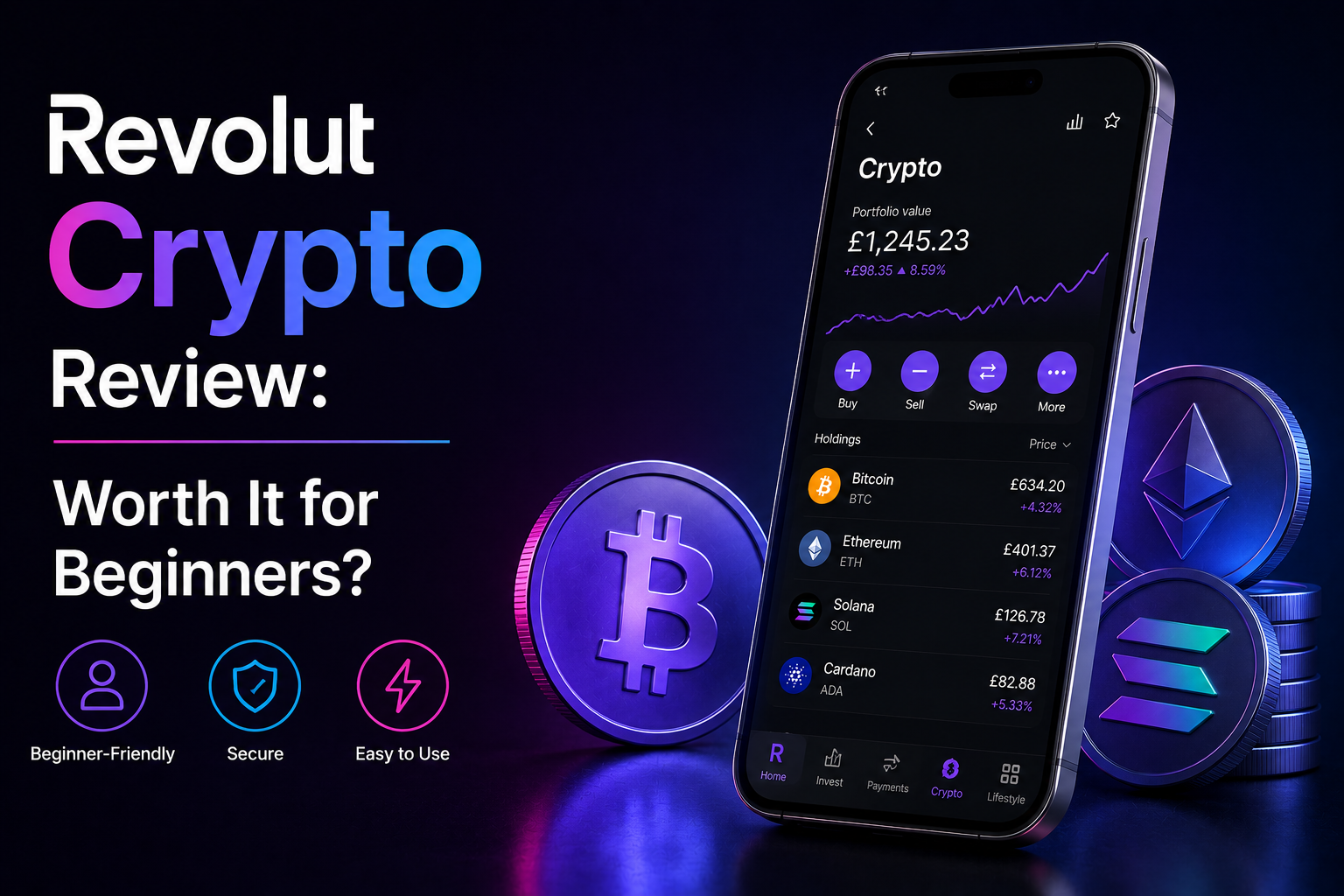
I bought my first Bitcoin on Revolut. Not because I researched it — because Revolut already had my fiver. I tapped a few buttons, paid more in fees than I realised, and held what turned out to be a synthetic IOU rather than actual on-chain Bitcoin. That was six years ago. Revolut has changed a lot since — proper withdrawals, more coins, an upgraded crypto product — but the basic question is still the same: is this a real way to own crypto, or just a friendly on-ramp with bigger fees than it should have? Here’s the honest take.
Short answer: Revolut crypto is a beginner-friendly way to buy crypto inside an app most people in the UK and EU already use for banking. It supports around 100 coins, charges a 1.99% spread by default (lower on paid tiers), and now lets users withdraw crypto to external wallets. It’s a fine on-ramp to test the waters with £50–£500. It is not a serious trading platform — fees are too high, the selection too limited, and there’s no futures, copy trading, or DeFi access. Best used as a fiat gateway, then upgrade to a real exchange like BitGet.
Try Revolut → (referral link)
Key takeaways
- Revolut is a digital bank with a crypto buy/sell feature, not a full exchange.
- Around 100 coins supported — covers the majors but misses most altcoins.
- Standard tier pays a 1.99% spread on each trade. Higher tiers pay less.
- External crypto withdrawals are now supported (a years-long gap that’s finally closed).
- For active trading or anything beyond the basics, you need an actual exchange. I use BitGet.
What Revolut crypto actually is (and what it isn’t)
Revolut is a digital bank. It started life as a multi-currency card for travellers, expanded into stock trading, and added a crypto buy/sell feature in 2017. The crypto product lives inside the main Revolut app — same login, same balance, same Verify Your Identity check.
What it is:
- A simple “buy and sell” interface for major cryptocurrencies
- Tied directly to your fiat balance — no separate top-up step
- Available in the UK, EU, and a few other regions where Revolut operates banking services
What it isn’t:
- A full exchange with order books, limit orders, or advanced order types
- A place to use leverage, futures, or margin
- A copy trading platform
- A wallet with full self-custody (although withdrawals are now possible)
- A place to interact with DeFi, NFTs, or on-chain apps directly
For an absolute beginner who wants to dip a toe in and own £100 of Bitcoin without learning what a Merkle tree is, Revolut is good. For anyone past that stage, the limitations bite quickly.
Supported coins (around 100)
The Revolut crypto selection covers the major top-100 coins by market cap plus a rotating set of mid-caps. The full live list is in the Revolut help centre — it updates regularly.
Coins typically available include:
- Bitcoin (BTC), Ethereum (ETH), Solana (SOL), XRP, Cardano (ADA)
- Polygon (MATIC/POL), Polkadot (DOT), Avalanche (AVAX), Litecoin (LTC)
- Major DeFi tokens like UNI, AAVE, LINK
- Popular memecoins like DOGE, SHIB
- Some Layer 2 tokens and select newer launches
What’s not on Revolut:
- Most pre-listing or newly launched tokens
- Many small and mid-cap altcoins
- Stablecoins other than the main ones
- Anything regulators have flagged for review in Revolut’s operating regions
For comparison, BitGet supports 800+ spot pairs and 660+ futures pairs. The gap is significant if you’re trading anything beyond the majors.
For a head-to-head exchange comparison, see best crypto exchanges.
Fees explained (the 1.99% spread + the small print)
This is the part most casual users miss. Revolut crypto fees come in two layers.
The headline spread
- Standard, Plus tier: 1.99% per trade
- Premium tier: 1.49% per trade
- Metal, Ultra tier: typically 0.99% per trade
That’s the per-trade fee, and it’s applied to both buying and selling. Trade £100 of Bitcoin, you pay £1.99 going in. Sell that £100, you pay another £1.99 going out. Round trip on a £100 trade: approximately £4, or 4% of your stake.
Compare to a real exchange. BitGet spot fees are 0.10% per trade (0.08% if you pay with BGB and qualify for the discount — full details in BitGet trading fees). So the same £100 round trip costs you £0.20, not £4.
Revolut’s spread is 20x what a competitive exchange charges.
The hidden bit — the FX and the network fee
A few other costs that don’t always make it into the headline number:
- FX conversion if you’re trading from a currency Revolut doesn’t natively hold (typically 0.5–1% margin)
- Out-of-market-hours surcharge Revolut adds at weekends on some accounts
- Network fee on crypto withdrawals (the on-chain gas fee, passed through to you)
The 1.99% spread is the headline number. The all-in cost of a buy-sell cycle on Revolut can hit 4–5% by the time everything’s accounted for.
Why the fees are this high
Revolut’s pitch isn’t “we’re the cheapest crypto exchange”. It’s “we’re already your bank, and buying crypto here is one tap”. You’re paying for the convenience and the integration. For someone buying £50 of Bitcoin once a year to learn, the spread doesn’t matter. For someone trading £500 a month, it adds up to hundreds of pounds a year in unnecessary fees.
This is why I treat Revolut as an on-ramp, not a trading platform.
Tiered accounts (Standard, Plus, Premium, Metal, Ultra)
Revolut runs five tiers, each with different fees, limits, and perks. The crypto product changes meaningfully across them.
| Tier | Monthly cost (UK, approx) | Crypto spread | Crypto monthly volume free |
|---|---|---|---|
| Standard | £0 | 1.99% | None — spread on every trade |
| Plus | £3.99 | 1.99% | Small allowance |
| Premium | £7.99 | 1.49% | Larger allowance |
| Metal | £14.99 | 0.99% | Larger again |
| Ultra | £45 | 0.99% | Highest allowance |
Whether the higher tier is worth it depends entirely on volume. If you’re buying £10,000 of crypto in a year, dropping from 1.99% to 0.99% saves you £100 — enough to justify Metal if you’d value the other perks too. If you’re buying £500 of crypto a year, the maths doesn’t work.
For most users in the “I want some crypto” bucket, the Standard tier with the 1.99% spread is fine for small one-off buys. Anything serious moves to a real exchange.
Check the latest tier breakdown at Revolut’s official site — they change them every so often.
The withdrawal issue — finally fixed
For years, the big complaint about Revolut crypto was simple: you couldn’t withdraw it. You could buy Bitcoin on Revolut, but the “Bitcoin” sat in your Revolut account and you couldn’t send it to your own wallet or another exchange. It was a synthetic IOU, not real crypto in any self-custody sense.
That changed. Revolut now supports crypto withdrawals to external wallets for most supported coins. You set up a withdrawal address, complete a small verification step, and you can move your crypto off Revolut.
There are still caveats:
- Withdrawal limits. Daily and monthly limits apply depending on your tier and verification level.
- Address whitelisting. You typically need to verify new withdrawal addresses with a small confirmation step before you can send.
- Network fees. You pay the on-chain gas/network fee on top.
- Some coins are withdrawal-restricted depending on regulatory status in your region.
This was a multi-year saga. Various coverage from Reuters and the Financial Times over the years covered the regulatory back-and-forth as Revolut worked through licensing in different jurisdictions. The current position is that withdrawals work for most users on most major coins, but check the live status in your country before assuming.
For a sense of how Revolut compares to crypto-native exchanges on this, best crypto exchanges puts the major players side by side.
Revolut crypto vs Coinbase vs BitGet
The three-way comparison.
| Revolut | Coinbase | BitGet | |
|---|---|---|---|
| Coins supported | ~100 | ~250 | 800+ spot |
| Spot fees | 1.99% (Standard) | ~1.49% via “Coinbase” UI / 0.6% on “Advanced” | 0.10% (0.08% with BGB) |
| Futures | No | Limited | 660+ pairs, up to 125x |
| Copy trading | No | No | Yes, largest in industry |
| Bots | No | No | Spot grid, futures grid, DCA, AI |
| External withdrawals | Yes (recently) | Yes | Yes |
| Self-custody integration | Limited | Coinbase Wallet | BitGet Wallet (Web3) |
| Beginner friendly | Very | Yes | Moderate |
| Active trader friendly | No | Moderate | Yes |
| Available in US | No (different US flow) | Yes | No |
For someone whose only goal is to own a small amount of Bitcoin or Ethereum, all three work. The fee gap between Revolut/Coinbase and BitGet is enormous if you’re actually trading.
For my full take on the exchange I use, see BitGet review.
Who Revolut is right for (absolute beginners)
Revolut crypto makes sense if:
- You already use Revolut as a bank
- You want to buy £50–£500 of crypto to understand what it feels like
- You don’t plan to trade actively
- You value the one-tap convenience over the fees
- You’re in the UK, EU, or another supported region
For that exact user, Revolut is fine. You’ll pay more in fees than you should, but the friction is so low you’ll actually do it — which beats opening an exchange account, completing KYC, and then never funding it because the process felt like work.
The first £100 of crypto you ever own probably should be on whatever platform you’ll actually use. If that’s Revolut, that’s Revolut.
Who Revolut is wrong for (anyone serious about crypto)
Revolut crypto is wrong for you if:
- You want to trade actively (the fees will eat you alive)
- You want exposure to altcoins beyond the top 100
- You want futures, leverage, or any derivatives
- You want to use copy trading or bots
- You want to participate in DeFi or NFTs
- You want to stake outside the few options Revolut offers
- You’re moving more than £500 in any single trade and care about price impact
For any of the above, you need a proper exchange. For most readers of this site, that’s BitGet. For comparisons, BitGet vs Binance, BitGet vs Bybit, BitGet vs OKX, and BitGet vs KuCoin cover the alternatives.
Upgrading from Revolut to BitGet (the migration path)
The natural progression for most people I know who started on Revolut is:
- Buy £50–£200 of BTC on Revolut to understand the basics
- Realise the fees are eating returns
- Open an account on a real exchange
- Migrate over
The migration is straightforward. Now that Revolut supports withdrawals:
- Open a BitGet account and complete KYC
- Generate a Bitcoin (or other coin) deposit address on BitGet
- In Revolut, set up that BitGet address as a withdrawal destination
- Withdraw your crypto from Revolut to BitGet
- Trade with proper fees from there on
The withdrawal will incur a network fee (a few dollars for BTC, often cents on cheaper networks). Once it’s done, your crypto is on a platform with 800+ pairs and 0.10% fees instead of ~100 coins and 1.99% fees.
For the detailed buy-and-store flow, see how to buy crypto and how to store crypto safely.
Revolut as a fiat on-ramp to BitGet
This is how I actually use Revolut now. Not as a crypto buying app, but as the fiat gateway.
The flow:
- Money sits in my Revolut account (because that’s where I get paid into)
- When I want to buy crypto, I transfer GBP from Revolut to BitGet via bank transfer or via Revolut’s Faster Payments
- I buy on BitGet at 0.08% fees instead of 1.99% on Revolut
- If I’m going to hold long-term, I withdraw to a Ledger Nano X
That setup keeps Revolut in its lane (everyday banking, currency exchange for travel) and BitGet in its lane (the actual crypto trading and storage).
For UK users specifically, this flow works well because Faster Payments to BitGet typically arrives within minutes and costs nothing. Some users go via Revolut > P2P on BitGet for slightly better rates, but it’s a small difference.
A quick note on security: I use NordVPN on any device I trade from, especially on public WiFi. Public networks are where account takeovers happen, and an extra layer between me and a hotel router has caught issues more than once.
Want to try Revolut?
If you don’t already have a Revolut account, the referral link below opens one. Fair warning — only use it for the on-ramp. The trading fees aren’t competitive.
Referral link. I may earn a commission at no extra cost to you.
Pros and cons
Pros
- Built into an app most UK/EU users already have
- Fast onboarding — no separate KYC if you’re already a Revolut user
- Around 100 coins (covers majors comfortably)
- Buy/sell interface is easy
- External withdrawals now supported
- Some staking options for major coins
- 24/7 trading (no market hours restriction)
Cons
- 1.99% spread on Standard tier is 20x what a real exchange charges
- Limited to ~100 coins
- No futures, leverage, copy trading, or bots
- No order book or limit orders in the traditional sense
- No DeFi or NFT integration
- Some regional restrictions on coins and withdrawals
- Coin selection skips many mid-caps and almost all new launches
A note on learning to trade
If you’re using Revolut to dip a toe in and you find you actually like trading, the next step is learning to do it well — not just buying and hoping. The community I’m part of is Trade Travel Chill, and it’s the one structured education source I’d point retail traders at. The wider comparison is in best crypto trading courses.
Frequently asked questions
Is Revolut a good way to buy Bitcoin?
For an absolute beginner buying a small amount once or twice, yes — the convenience is hard to beat. For anyone trading more than a few hundred pounds, the 1.99% spread on Standard tier costs significantly more than a real exchange.
Can I withdraw crypto from Revolut?
Yes. Revolut now supports external crypto withdrawals on most supported coins. There are tier-based limits and you typically need to verify new withdrawal addresses.
What are Revolut’s crypto fees?
The headline spread is 1.99% on the Standard tier, 1.49% on Premium, and 0.99% on Metal and Ultra. There can be additional FX, weekend, and network fees depending on the trade.
Is Revolut safe for crypto?
Revolut is a regulated financial institution in its main markets. Funds held with Revolut are subject to specific protections that vary by jurisdiction — check the latest position in your country. As with any custodial platform, the exchange controls the keys, so it’s not the same as self-custody.
Revolut vs Coinbase — which is better?
Both are beginner-friendly. Coinbase has more coins and lower fees on its Advanced UI but a steeper learning curve. Revolut is easier if you already use the app. Neither is competitive with a real trading exchange like BitGet on fees.
Can I move Revolut crypto to a Ledger?
Yes, now that withdrawals work. You generate a deposit address on your Ledger via Ledger Live, set it as a withdrawal destination in Revolut, and send. See Ledger Nano X review for the wallet setup.
Is Revolut available in the US?
Revolut operates in the US but the crypto product flow is different from the UK/EU version. Check the live status in your state before assuming.
Final word
Revolut crypto is fine for what it is: a low-friction way to buy your first Bitcoin inside an app you already use. The fees are too high for active trading, the coin selection is too narrow for serious portfolios, and the absence of futures, copy trading, and bots makes it a non-starter for anyone past the beginner stage.
If I were starting again today:
- Open a Revolut account (referral) if I didn’t already have one
- Buy £50 of Bitcoin to understand what owning crypto feels like
- Open a BitGet account and migrate the bag over once the fee maths starts to bite
- Buy a Ledger Nano X before my balance grows past the price of the wallet
- Use Revolut as the fiat on-ramp to BitGet from then on
That’s the path most people I know took. The convenience gets you in. The fees push you out. And the end state — fiat on Revolut, trading on BitGet, long-term storage on Ledger — is the sensible setup for a UK or EU retail crypto user.
Right — over to you.
Related posts
- BitGet Review: The Exchange I Actually Use
- How to Buy Crypto: The Beginner’s Walkthrough
- Best Crypto Exchanges Tested and Ranked