I paid for dinner in Lisbon last month with USDT off my BitGet account. The waiter didn’t know. The card said Visa, the receipt said euros, and the conversion happened in the background. That’s the whole pitch for a crypto debit card — spending the bag without selling it first, or at least without you having to think about the sale.
The reality is messier than the pitch. There are real costs. There are countries where it doesn’t work yet. And there’s a specific way to use it that makes sense, plus three ways that quietly cost you money. Here’s the honest write-up after eight months of using mine.
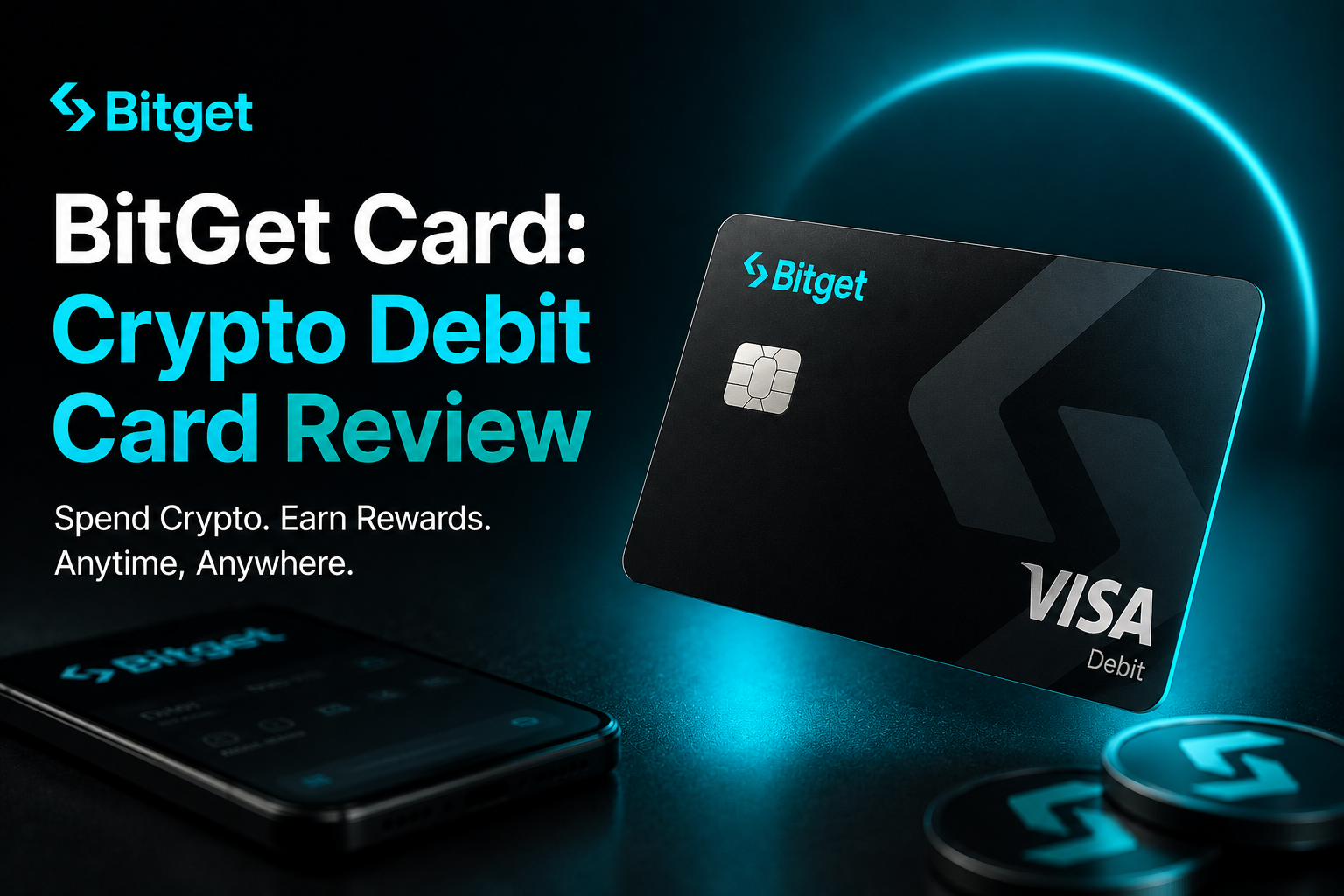
Short answer: The BitGet Card is a Visa-issued crypto debit card linked to your BitGet exchange account. You preload it from your spot wallet (USDT, USDC, BTC, ETH, BGB), spend in fiat anywhere Visa is accepted, and earn up to 8% cashback on selected categories. Card issuance is free for most users. FX spread is the real cost — around 1% on top of the network rate. Useful for travel and big-ticket items. Not the right tool for daily groceries.
Sign up to BitGet to access the card → (affiliate)
Key takeaways
- BitGet Card is a Visa debit card funded directly from your BitGet spot wallet — no separate bank account required.
- Card issuance and monthly fees are zero for the standard tier. ATM withdrawals and FX spreads are where the real costs sit.
- Cashback ranges from 1% to 8% depending on category and your BGB holdings.
- Available across Europe, parts of LATAM, and select Asian markets. Not available in the US, UK, or Canada at time of writing.
- The card is best used for travel, online purchases in non-home currencies, and large one-off spends. Daily coffee is the wrong job for it.
What is the BitGet Card?
The BitGet Card is a Visa-branded debit card issued through a regulated card programme partner and linked directly to your BitGet exchange account. When you swipe it, BitGet converts the loaded crypto into fiat at the point of sale and settles the transaction with the merchant in their local currency.
You don’t need a bank account at the issuer. You don’t need a separate top-up app. The card pulls from your spot wallet directly, and you can hold the float in stablecoins (USDT, USDC), BTC, ETH, or BGB. Most people use USDT because the conversion is one-step and the spread is smaller.
Visa’s global merchant network covers over 130 million locations, so the card works essentially anywhere a normal debit card works. That includes contactless terminals, online checkouts, and ATMs.
The card competes with the Crypto.com Card, Binance Card (where available), and Revolut’s metal tiers that offer crypto on-card. The angle for BitGet is that you don’t move funds to a separate product — your trading wallet is your spending wallet.
Card tiers and requirements
BitGet’s card programme uses a tier system tied to your BGB holdings and 30-day trading volume on the platform. The tiers reshape three things: cashback rate, ATM allowances, and the FX spread you pay.
Standard tier (free)
- No card issuance fee
- No monthly maintenance fee
- 1% cashback on selected categories
- €200 / month free ATM allowance, then 2% per withdrawal
- 1.0% FX spread on non-home-currency transactions
This is the default tier. Anyone who completes KYC on BitGet can apply.
Premium tier (BGB holding required)
- Requires holding 1,000+ BGB or 30-day volume above $50,000
- Up to 3% cashback on select categories
- €500 / month free ATM allowance
- 0.5% FX spread
Most active traders sit in this tier without trying — the BGB held for fee discounts often covers the threshold by itself.
VIP tier (BGB holding + activity required)
- Requires 5,000+ BGB held continuously plus consistent trading volume
- Up to 8% cashback on a rotating “boosted” category
- Higher ATM limits
- Standard FX spread waived on the first $5,000 / month
The cashback headline number gets all the attention but it’s tied to specific categories that rotate monthly. Read the small print before you assume the headline applies to all spend.
Applying for the card
Once you have an active BitGet account with KYC complete, you’ll see a “Card” tab in the main menu. The application takes about three minutes — you confirm your shipping address, choose physical or virtual, and pay the issuance fee if your tier requires one. Standard cards arrive in 5–10 business days. Virtual cards activate instantly.
BitGet Card fees explained
Fee structures on crypto cards are designed to look free at the top of the page and quietly recoup the cost across the user’s spending. Here are the actual line items.
Issuance and monthly fees
| Fee | Standard | Premium | VIP |
|---|---|---|---|
| Card issuance | Free | Free | Free |
| Monthly maintenance | $0 | $0 | $0 |
| Replacement card | $10 | $10 | Free (1/year) |
| Virtual card | Free | Free | Free |
This is the honest part. There is no monthly fee. There is no annual fee. The pricing model relies on FX spread and ATM fees, not subscriptions.
Top-up fees
Loading USDT, USDC, BTC, ETH, or BGB from your BitGet spot wallet to your card is free. The conversion happens at the swipe, not the top-up. If you load BTC and spend in EUR, the rate locks at the moment of the transaction.
FX spread (the real cost)
This is where the money goes. On Standard tier, transactions in a currency other than your card’s base currency incur a 1.0% spread on top of the network FX rate. On Premium that drops to 0.5%. On VIP, the first $5,000 / month is waived.
A 1% spread on a €100 dinner is €1. Hardly catastrophic. A 1% spread on a €4,000 flight booking is €40 — and at that level it’s worth comparing against Revolut’s interbank-rate model (when it’s written) which is closer to zero on the rate but charges a small markup outside business hours.
ATM fees
- First €200 / month: free (Standard), €500 / month (Premium), €1,000 / month (VIP)
- Above the free allowance: 2% per withdrawal, minimum €1.50
- ATM operator fees (charged by the bank running the machine) are separate and outside BitGet’s control
For travel, the free allowance is usually enough. If you’re pulling cash regularly, you’ll outgrow it on Standard tier.
Card decline / chargeback fees
No fee for a decline. Chargebacks are processed via the Visa dispute network and are free for the cardholder — though BitGet reserves the right to claw back cashback paid on disputed transactions.
Cashback explained (real rates, not the marketing number)
The cashback figure on the BitGet Card marketing page reads “up to 8%”. The word “up to” is doing a lot of work.
Here’s how the actual rates break down on real spend:
| Category | Standard | Premium | VIP |
|---|---|---|---|
| Groceries | 1% | 2% | 3% |
| Dining | 1% | 3% | 5% |
| Travel (airlines, hotels) | 1% | 3% | 5% |
| Streaming / subscriptions | 1% | 2% | 3% |
| Boosted category (rotating) | 2% | 5% | 8% |
| Everything else | 0.5% | 1% | 2% |
Cashback is paid in BGB and credited to your spot wallet within 24 hours of the transaction settling. The BGB price moves, so the dollar value of your cashback floats with the market.
On a typical month of €2,000 spend across groceries, dining, and one flight, my Premium-tier cashback works out to roughly €35–€45 in BGB. That’s around 1.7% effective — well below the headline number but better than most fiat debit cards in Europe.
The 8% boosted category is real but narrow. It might be “fuel stations” one month, “movie streaming” the next. If your spend happens to fall in the boosted category, you get a windfall. If it doesn’t, you don’t.
Supported currencies and crypto top-up
The card supports payments in all major fiat currencies — EUR, GBP, USD, JPY, AUD, and many others. Your card has a base currency you choose at issuance, and that’s the currency it shows on your statement. Transactions in any other currency get the FX spread.
For top-up, the supported assets are:
- USDT — the smoothest. Stablecoin in, fiat out, minimal spread risk.
- USDC — same as USDT, slightly thinner book on the BitGet side.
- BTC — works but introduces price-move risk between the time you load and the time you spend.
- ETH — same risk as BTC.
- BGB — works, and stacks with the cashback for high-spend users.
I keep my card loaded with USDT only. The point of the card is convenience — adding price exposure between load and spend defeats it. If I wanted BTC exposure, I’d hold BTC on the BitGet spot side and convert to USDT before topping up.
Real spend example: a €100 dinner
The most honest way to compare cards is on a concrete transaction. Here’s what happens when I pay a €100 bill in Lisbon on my Premium-tier BitGet Card, with USDT loaded.
- The merchant terminal requests €100 in EUR.
- BitGet quotes the USDT/EUR rate at the moment of swipe — say 0.92 EUR per USDT.
- The card pulls 108.70 USDT from my spot wallet (€100 ÷ 0.92).
- BitGet adds the 0.5% FX spread — final pull is 109.24 USDT.
- Approximately 36 hours later, my cashback credit lands: 3% of €100 = €3 in BGB, credited at the BGB price at that moment.
Net cost: €100 dinner cost me €100.54 effectively, and I got €3 back in BGB. So I’m net up €2.46.
That’s a fair deal — better than most fiat debit cards in the eurozone, slightly worse than the best metal-tier travel cards on FX rate alone but better on cashback for crypto spend.
BitGet Card vs Revolut
For most European readers, Revolut is the obvious comparison. Here’s the head-to-head on the things that actually matter. The dedicated Revolut crypto review goes deeper.
| BitGet Card | Revolut Standard | Revolut Metal | |
|---|---|---|---|
| Issuance fee | Free | Free (digital) | £14.99/month |
| Monthly fee | $0 | $0 | ~£14.99 |
| FX spread (weekdays) | 0.5–1.0% | 0% | 0% |
| FX spread (weekends) | 0.5–1.0% | 1% | 0% |
| ATM free allowance | €200–€1,000 / mo | £200 / mo | £800 / mo |
| Cashback on regular spend | 1–3% | None | 1% (in metal coupons) |
| Cashback paid in | BGB | N/A | Metal points |
| Crypto top-up | Native (spot wallet) | Buy crypto via Revolut app, then card-link | Same |
| Best for | Crypto spenders, BitGet users | Travel, FX weekday spend | Daily premium spender |
The honest answer: Revolut Standard wins on FX rate for weekday spend. BitGet Card wins on cashback and on the convenience of not needing to move funds between apps. Revolut Metal stacks cashback but you pay £15/month for the privilege.
I use both. Revolut for weekday FX spend under €500. BitGet Card for travel weekends, online purchases I want to pay for in crypto, and big-ticket items where cashback matters more than spread.
BitGet Card vs Crypto.com Card
The Crypto.com Card was the original “you can spend your crypto” card. It built the category and is the headline competitor.
| BitGet Card | Crypto.com Card | |
|---|---|---|
| Issuance | Free | Free at lower tiers, $400+ at higher tiers |
| Cashback | 1–8% (category-based) | 1–5% (CRO staking-based) |
| Staking required | BGB optional | CRO required for higher tiers |
| ATM free allowance | €200–€1,000 / mo | $200–$1,000 / mo (tier-based) |
| Subscription cashback | Yes | Yes (Netflix, Spotify, Amazon Prime) |
| Card delivery | 5–10 days | 5–14 days |
| Discontinued? | No | Some tiers have been cut/restructured |
The Crypto.com Card had a rough run after CRO crashed in 2022 and they cut several headline benefits. The product still works but the trust hit was real. BitGet’s card came later and has a more modest pitch — no “free Spotify forever” gimmicks, just transparent category cashback.
If you already hold CRO and use it on Crypto.com’s ecosystem, their card still makes sense. If you’re starting fresh, BitGet’s card has a cleaner fee model.
Travel use case (and a note on hotel WiFi)
This is the use case the card is actually built for.
When I travel, I load USDT onto the card before leaving home, use it for hotels, restaurants, taxis, and the occasional shop. The 0.5% spread beats the 2–4% spread my UK bank charges on debit transactions abroad. The cashback is a small bonus on top.
One thing that matters more than people realise: when you’re using the BitGet app or the card portal on hotel WiFi, your traffic is going through whatever pipe the hotel has set up. That includes login sessions, KYC pages, and the BitGet account that’s holding your trading float.
I use NordVPN on every device I trade or check my exchange on when I’m travelling. Hotel WiFi, café WiFi, airport WiFi — all of it. It’s not paranoia, it’s just basic hygiene for an account that holds money. NordVPN (affiliate) is the one I pay for. Cheap, reliable, runs on phone and laptop, and stops a hotel network seeing what I’m logging into.
You don’t need to be doing anything wrong to want privacy on a public network. The threat isn’t governments, it’s the kid in the lobby running a packet sniffer for kicks.
What to avoid: don’t treat it as a savings account
The biggest mistake I see people make with the BitGet Card is loading a lot of crypto onto it for “convenience” and treating the balance as their float.
Three reasons not to:
One. Funds on the card are no longer in your spot wallet. They don’t earn yield, they don’t show up in your trade history, and they don’t benefit from any Earn or staking position.
Two. Card balance is harder to withdraw than spot balance. You can sweep it back, but it adds steps and can take a few hours.
Three. If the card programme’s regulatory situation changes (issuers do change), card balances can become inaccessible for the period it takes to switch providers. Spot wallet balances are not affected.
The right way to use the card: top up what you need for the week ahead, spend it, top up again. Treat it as a wallet, not a vault.
Want to use the card yourself?
You need a BitGet account with KYC complete. Takes about 15 minutes start to finish. Card application takes another three minutes once you’re in.
Affiliate link. I may earn a commission at no extra cost to you.
BitGet Card pros and cons
| Pros | Cons |
|---|---|
| No issuance or monthly fee | Not available in US, UK, Canada at time of writing |
| Cashback up to 8% on boosted categories | Boosted category rotates — your spend may not match |
| Direct top-up from spot wallet | FX spread of 0.5–1.0% on weekend / out-of-base spend |
| USDT, USDC, BTC, ETH, BGB supported | Cashback paid in BGB — value floats with the market |
| Free virtual card for online use | Premium and VIP tiers require BGB holdings or volume |
| Stacks with BitGet’s Earn and trading ecosystem | Card balance doesn’t earn yield like spot balance does |
Pairing the card with the rest of the BitGet stack
If you already trade on BitGet, the card slots in without disrupting anything. I use mine alongside:
- A small grid bot on BTC/USDT that runs in the background.
- Flexible savings in BitGet Earn for the float that isn’t on the card.
- Long-term holdings on a Ledger Nano X that I never touch with a card.
- BGB held in spot for fee discounts and Premium card tier qualification — covered in detail in BGB token explained.
The pattern: trading float on the exchange, weekly spend on the card, mid-term yield in Earn, long-term bag in cold storage. The card is one piece of a four-piece stack, not the foundation.
If you want the foundation, start with how to buy crypto and how to store crypto safely before you start optimising for cashback.
Where the card falls down
Three honest weaknesses.
Regional availability. US, UK, and Canada are not supported at time of writing. The list of supported countries shifts as the card programme adds partners — check the official page before you assume your country is in. If you’re in a restricted country and trying to access via VPN, BitGet will block the card application at KYC.
BGB cashback volatility. Your cashback is paid in BGB. The BGB price has moved 40%+ in single weeks. If you treat the cashback as cash, the value can drop materially before you swap it. I convert mine to USDT weekly to lock in the value.
Customer support on card issues is slower than trading support. Card disputes route through the card programme partner, not directly to BitGet’s main support. Resolution times stretch — my one chargeback dispute took 22 days to resolve, compared to a median 4-hour response on trading tickets.
How the card fits the bigger BitGet picture
If you’re new to BitGet and reading this as an early step, the card is not where you start. The order I’d suggest:
- Sign up. Complete KYC. Read the BitGet review for the full overview.
- Deposit a small amount and learn the spot interface.
- Add a small position in BGB (covered in BGB token explained) — both for fee discounts and card tier qualification.
- If you want passive yield, look at BitGet Savings and BitGet Launchpool.
- Once your account is active and you’ve got float on the platform, the card becomes a useful add-on.
If you’re already trading on BitGet and looking for ways to use your stable balance without selling, the card is one of the cleaner solutions in the market. If you’re brand new, get the trading side working first.
Ready to apply for the card?
Open the account first, complete KYC, then the card tab is in your dashboard. Whole flow takes about 20 minutes.
Affiliate link.
Frequently asked questions
Is the BitGet Card a Visa or Mastercard?
The BitGet Card is a Visa-issued debit card. It works at any merchant that accepts Visa — over 130 million locations worldwide — including contactless terminals and ATMs.
Is the BitGet Card available in the US, UK or Canada?
At time of writing, the BitGet Card is not available in the United States, United Kingdom, or Canada. Availability is rolling out market by market. Check the official BitGet Card page for the current country list before applying.
What are BitGet Card fees?
Card issuance and monthly maintenance are free. The main costs are the FX spread (0.5–1.0% depending on your tier) and ATM fees above the free monthly allowance (2% per withdrawal). Replacement cards cost around $10.
What is the BitGet Card cashback rate?
Cashback ranges from 1% on standard purchases to 8% on a rotating boosted category for VIP-tier users. Most active users average 1.7–3% effective cashback depending on spend mix. Cashback is paid in BGB.
Can I withdraw cash from an ATM with the BitGet Card?
Yes. The first €200 per month is free on Standard tier (€500 on Premium, €1,000 on VIP). Above the free allowance, ATM withdrawals cost 2% per transaction with a €1.50 minimum.
What crypto can I load onto the BitGet Card?
USDT, USDC, BTC, ETH, and BGB. Most people load USDT to avoid price-move risk between top-up and spend.
How long does the BitGet Card take to arrive?
Virtual cards activate instantly inside the BitGet app. Physical cards take 5–10 business days to arrive depending on shipping address.
Is the BitGet Card better than Revolut?
For weekday FX spend under €500, Revolut Standard usually has a tighter FX rate. For cashback, travel, weekend spend, and direct crypto top-up, the BitGet Card has the edge. I use both for different jobs.
Final word
The BitGet Card is a useful piece of the puzzle if you already trade on BitGet. It’s not the reason to sign up — that’s the spot trading, the copy trading, or the bots. The card is the convenience layer that sits on top of the float you already keep on the platform.
What I’d avoid: treating the card as a primary current account. Card balances don’t earn yield, can’t be easily traded, and add a step between you and your money if anything goes wrong with the programme. Top up weekly, spend it, top up again.
What I’d recommend: load USDT only, keep your home currency as the base, and convert BGB cashback to stable on the day it credits.
Right — over to you.
Related posts
- BitGet Review: The Crypto Exchange I Actually Use
- BGB Token Explained: Use Cases and Burn Schedule
- BitGet Wallet (Web3): Setup and Use Guide