The first time I tried to buy $80,000 of an altcoin on a regular spot order book, the trade moved the price 2.4% before I was filled. I ate the slippage. I then learned the hard way that real money does not trade through the order book — it trades through an OTC desk, off the chart, at a quoted price.
BitGet Block Trade is BitGet’s OTC desk for orders too big for the public order book. It is not a tool for retail. But understanding how it works changes how you think about every trade above $20,000 or so, and it explains a lot about why the chart sometimes moves in ways that make no sense.
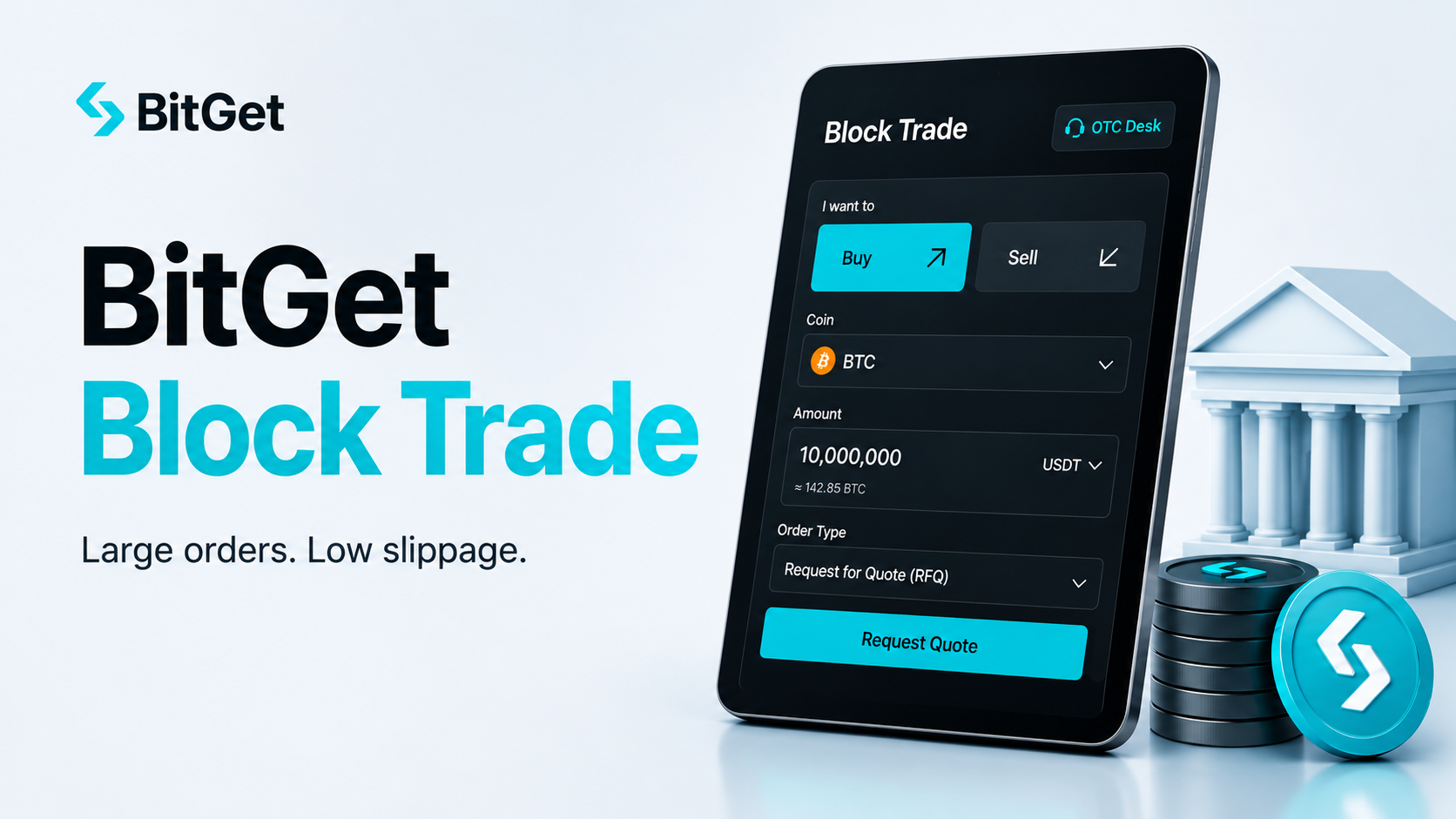
Short answer: BitGet Block Trade is an over-the-counter (OTC) trading desk built into the BitGet platform. You request a quote for a large order, an OTC counterparty (BitGet or an external market-maker) responds with a fixed price, and you execute off the public order book. Minimum trade size is typically $30,000 equivalent (varies by asset). The benefit is zero slippage and no market impact. The cost is a wider spread vs the order book mid-price. Block trade makes sense above roughly $100,000 in liquid pairs and at much lower thresholds in less liquid alts.
Open BitGet to explore the OTC desk → (affiliate link)
Key takeaways
- A block trade is a single large transaction executed off the public order book at a pre-negotiated price.
- BitGet Block Trade minimums start around $30,000 USDT-equivalent and scale up for some assets.
- Slippage on a large order through the order book can be 1-5% or more in illiquid pairs — sometimes worse than the OTC spread.
- OTC settles to your BitGet account in seconds, just like a spot trade.
- Block trade is for institutions, OTC desks, treasury managers, and retail traders with positions above $100,000 or so.
What block trade actually is
A block trade is a single large transaction that is too big to be filled efficiently on the public order book. Instead of placing one or many orders that walk through the book and move the price against you, you request a quote from an OTC counterparty.
The process:
- You tell the desk what you want — e.g., buy 2 BTC, or sell 50,000 SOL
- The desk quotes a price — usually a small premium to the current mid-market price
- You accept or decline within a short window (typically 5-30 seconds)
- If you accept, the trade settles to your account immediately
The price you pay is locked the moment you accept. No slippage. No partial fills. No movement on the public chart.
Why it exists
The public order book is great for small to medium orders. It is terrible for big ones because every dollar of buying pressure consumes orderbook depth and moves the price up. By the time a large market buy is filled, the average fill price is much worse than the visible price when the order started.
OTC desks solve this by sourcing liquidity off-exchange — from market makers, from other large traders, from the exchange’s own inventory. The desk takes the price risk and charges a spread for the service.
This is not a crypto invention. Every major asset class has an OTC market. Forex, fixed income, equities — institutional flows go through OTC desks routinely. Crypto built it later because exchanges started retail-first and only added institutional plumbing once large players showed up.
Why orderbook slippage hurts big trades
The single concept to understand here is order book depth.
The order book is a stack of resting limit orders at different prices. The first 100 units of buying pressure are filled at the best ask. The next 100 might be filled 0.1% higher. The next 100, another 0.2% higher. The deeper your market order goes into the book, the worse the average price.
A concrete example
Imagine BTC/USDT at $60,000. The order book on the ask side might look like:
| Price | Size (BTC) | Cumulative cost |
|---|---|---|
| 60,000 | 0.5 | $30,000 |
| 60,005 | 0.8 | $78,004 |
| 60,015 | 1.2 | $150,022 |
| 60,030 | 2.5 | $300,097 |
| 60,055 | 5.0 | $600,372 |
A $100,000 market buy gets filled across the first three levels at an average price of roughly $60,009 — only 0.015% slippage. Manageable.
A $1,000,000 market buy walks through several more levels. By the time it is filled, the average might be $60,180. That is 0.3% slippage on a single trade — $3,000 in cost on a $1m order.
A $10,000,000 market buy in the same book? The order would not even fill at sensible prices. You would be eating 1-3% just to get the size on, depending on how thin the book runs.
The OTC alternative
For that $10m order, an OTC desk might quote you 60,150 — a 0.25% premium to the mid-price. You pay $15,000 in spread instead of $100,000-300,000 in slippage. The desk hedges its risk by sourcing the size from other counterparties over the next few hours.
That is the trade. You pay a fixed, predictable spread. The desk takes the execution risk.
BitGet Block Trade minimums
Minimums vary by asset and change with market conditions. The typical floor at time of writing:
| Asset | Minimum trade size (USD equivalent) |
|---|---|
| BTC | ~$30,000 |
| ETH | ~$30,000 |
| USDT / USDC | ~$50,000 |
| Major alts (SOL, XRP, ADA) | ~$30,000 |
| Smaller alts | $50,000+ |
| New listings | Often unavailable for OTC initially |
If your trade is below the minimum, you cannot use Block Trade — you would just place a normal order on the spot or futures book. The BitGet spot trading guide covers the standard order flow.
For a trade that is between the OTC minimum and the size where the order book starts to hurt (roughly $30,000 to $100,000 in most pairs), it is honestly a judgement call. Sometimes the order book absorbs it without much slippage. Sometimes the spread is tighter than the orderbook walk. You learn by testing both on a few similar-sized orders.
Step-by-step: requesting a quote
The mechanics inside BitGet are simpler than you might expect.
- Navigate to Block Trade. It lives under the Trade menu in the BitGet web interface. On mobile it sits under the Spot tab as a sub-option.
- Select the asset and side. Choose what you want to buy or sell.
- Enter the quantity. In base asset (e.g., 2 BTC) or quote asset (e.g., $120,000 USDT). The interface confirms it meets the minimum.
- Request a quote. The desk responds within a few seconds — typically 2-10 seconds.
- Review the quote. You see the all-in price, including the OTC spread. Compare it to the spot price you can see on the order book in the same window.
- Accept or decline within the time window. Most quotes are good for 5-30 seconds. After that they expire and you request again.
- Settlement. Accepted trades settle to your BitGet spot account immediately. The trade does not appear on the public chart or order book.
The whole flow takes under a minute from open to settled.
What gets shown
The OTC quote will display:
- The unit price quoted
- The total quote currency cost (or proceeds, if selling)
- The mid-market reference price at quote time
- The spread you are paying (often hidden but inferable)
- The quote expiry time
If the spread looks too wide, you walk away. If it looks fair vs the slippage you would otherwise eat, you accept.
Spread and counterparty risk
Two costs you do not see on the public order book apply here.
The spread
The OTC desk quotes a price that is a premium to mid-market for buys (or a discount for sells). That spread is the desk’s compensation for taking on the position and hedging it over time.
Typical spreads:
- Major pairs (BTC, ETH) in normal conditions: 0.05-0.20%
- Major pairs in volatile conditions: 0.20-0.50%
- Mid-cap alts: 0.30-1.00%
- Small alts or thin pairs: 1-3% or higher
The spread is wider when:
- Market volatility is high
- The pair is illiquid on public markets
- Your trade size is large relative to typical daily volume
- It is outside main trading hours (Asia close, weekend)
Compare the spread to the expected order book slippage. If the spread is smaller, OTC wins. If the spread is larger, run the trade through the order book in smaller chunks.
Counterparty risk
On a public order book, your counterparty is anonymous and the exchange clears the trade. On an OTC trade, you have a specific counterparty (BitGet or an external market maker) that takes the other side. Settlement is still through the exchange so default risk is functionally similar — but the counterparty knows your flow.
For institutional traders this matters because flow information is valuable. For retail traders making a one-off large transaction, it does not affect the actual settlement experience.
Block trade vs Convert vs Spot order
BitGet has three different ways to execute a trade. Picking the right one for the size matters.
| Tool | Best for | Mechanic | Slippage / spread |
|---|---|---|---|
| Spot order | Small to medium trades | Public order book | Variable, can be high on big orders |
| Convert / Swap | Small trades, simple UI | Fixed quote from BitGet | Wider spread than spot, no slippage |
| Block Trade | Large trades ($30k+) | OTC quote | Negotiated spread, no slippage |
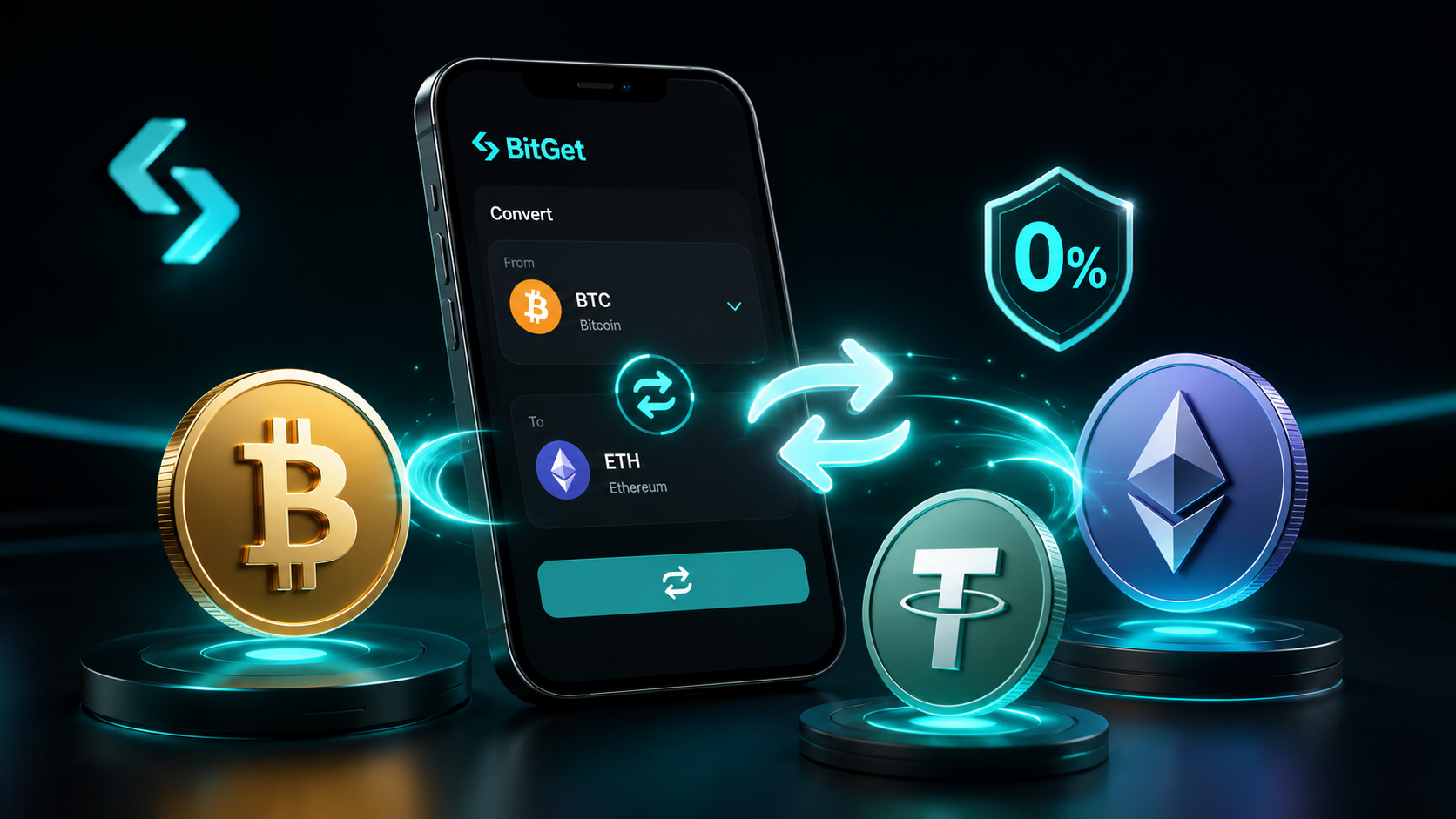
The BitGet convert / swap feature is essentially a mini-OTC for tiny trades — you get a fixed quote and zero slippage, but with a wider spread than the order book. It is great for instant conversions of $50-$10,000. Above that, the spread starts to matter and the order book or Block Trade become preferable.
Block Trade is the institutional version of Convert — same concept, much higher minimum, tighter spreads on the very large sizes because the desk has more incentive to win the trade.
When OTC makes sense (the $100k+ rule of thumb)
A rough heuristic for when to use Block Trade:
- Under $30,000: use the regular spot order book. Slippage will be negligible on any reasonably liquid pair.
- $30,000 to $100,000: judgement call. Major pairs (BTC, ETH, SOL) absorb this easily on the book. Smaller alts might warrant a quote.
- $100,000 to $1,000,000: OTC starts to make clear sense in most pairs. The spread is usually tighter than the orderbook walk.
- $1,000,000+: almost always OTC. Public order books will move significantly on any trade this size and the market will see the flow.
These thresholds shift with market conditions. In a low-volatility, deep-liquidity environment, the order book can handle larger sizes. In thin markets (weekends, post-crash low-volume periods), even $30,000 orders can move illiquid pairs noticeably.
The discipline I have built over time is: for any trade above $25,000, I check the order book depth first. If the first 5 levels of the book absorb the trade with under 0.2% impact, I trade on the book. If not, I get an OTC quote and compare.
Who actually uses block trade
This is not retail’s tool. The user base is roughly:
Institutional traders
Hedge funds, prop desks, family offices. They have positions large enough that public-book execution costs them basis points on every trade. They run OTC for everything above a certain size threshold and have dedicated execution traders who manage the relationships.
OTC desks
Other OTC desks use exchange OTC liquidity to hedge their own positions. If a desk has just sold $5m of BTC to a corporate treasury, they may immediately buy the same size on BitGet OTC to rebalance.
Treasury and corporate buyers
Companies that hold crypto on the balance sheet (a small but growing group) use OTC desks to acquire positions without telegraphing the buy to the market. MicroStrategy-style accumulation programs almost always run through OTC.
High-net-worth retail
Individual traders managing positions in the $100k+ range. Rare in absolute numbers but not vanishingly so. If you have built up a six-figure crypto portfolio over a long bull run, OTC is a tool worth knowing about.
Why most retail will never need it
The vast majority of retail traders are running positions of $500 to $20,000. Public order books on liquid pairs handle these without measurable slippage. Block Trade is not relevant to that flow.
If you are growing a position over time, DCA bots handle accumulation in small chunks at zero slippage cost. That covers most retail accumulation needs.
Tax and reporting on OTC fills
For tax purposes, an OTC trade is the same as any other spot trade. The cost basis is the price you paid (including the spread). The disposal price is the price you sold at. Capital gains tax applies in the same way.
BitGet exports OTC trade history in the standard trade history CSV. Block Trade fills appear alongside spot fills with a transaction type marker. Tax tools like Koinly and CoinTracker import them correctly.
One thing to flag: the price on the OTC trade will not match the public chart price at the same timestamp. Your auditor or tax tool may flag this as anomalous. It is fine — it is OTC by definition. Keep a note in your records explaining the methodology if the discrepancy is large.
The HMRC, IRS, and equivalents treat OTC trades and order book trades identically. There is no special tax treatment either way.
Learning advanced execution
If you are at the stage where Block Trade is relevant to you, you are probably also thinking about other elements of execution quality — timing entries around volatility windows, splitting orders, managing slippage on derivatives.
This is where structured learning starts to pay off vs YouTube videos. The Trade Travel Chill (affiliate link) community has experienced traders who execute size routinely and can walk you through their workflow. It is the community I am part of and the one I recommend when traders ask about going from retail intuition to professional execution discipline.
If you have not yet read the BitGet futures USDT-M guide, some of the same execution principles apply to derivatives. Larger positions on perpetuals also benefit from staggered entry rather than single market orders.
Want OTC access?
BitGet Block Trade is available on every fully-verified BitGet account. KYC must be complete.
Affiliate link. I may earn a commission at no extra cost to you.
Common gotchas on Block Trade
A few things that catch first-time OTC users out.
Quote expiry is short
Most quotes are valid for 5-30 seconds. If you are accustomed to thinking about a trade for minutes, you will lose quotes constantly. Have your decision made before you request — what is your max acceptable spread? If the quote comes in under that, accept immediately.
The spread can widen mid-day
OTC spreads are wider during low-liquidity periods. Friday evenings, weekends, public holidays. If you are doing a non-urgent trade, time it for Tuesday-Thursday during European or US trading hours.
Settlement is in spot wallet
OTC trades settle to your BitGet spot account, not your futures account. If you need the funds in futures for collateral, you do an internal transfer afterwards. The transfer is instant and free but it is an extra step.
No slippage protection slippage
There is no slippage parameter to set. The price you see is the price you get. If you want a different price, you walk away and request a new quote.
Counterparty visibility
For trades above certain sizes, BitGet may identify the OTC counterparty (themselves vs a specific market maker). For most retail-sized OTC trades, this is not disclosed.
FAQ
What is BitGet Block Trade?
BitGet Block Trade is the platform’s OTC desk for large orders. Instead of executing on the public order book, you request a quote from an OTC counterparty and execute the full size at one pre-agreed price, off-chart.
What is the minimum trade size on BitGet Block Trade?
Typically $30,000 USDT-equivalent for major pairs. Some pairs have higher minimums, and minimums change. Check the current floor in the Block Trade interface for the asset you want to trade.
Is BitGet Block Trade cheaper than the order book?
For large trades, often yes — the OTC spread is usually smaller than the slippage you would eat walking through the order book. For small trades, no — the order book is cheaper.
How fast does an OTC trade settle on BitGet?
Settlement is immediate. The asset appears in your spot wallet within seconds of accepting the quote.
Does Block Trade affect the public BTC price chart?
No. OTC trades execute off the public order book and do not appear on the chart. That is part of why institutional traders use them — no market impact.
Can retail traders use BitGet Block Trade?
Yes, as long as the trade meets the minimum size. Most retail traders do not need it, but it is open to any verified BitGet account.
Is OTC trading taxed differently from spot trading?
No. OTC trades are treated the same as spot trades for tax purposes in most jurisdictions. Cost basis and disposal price apply normally.
What is the spread on BitGet Block Trade?
It varies — typically 0.05-0.20% on major pairs in calm markets, wider in volatility or thin liquidity. The quote you receive includes the spread.
Final word
Block Trade is not a tool most readers of this site will need today. But if your position size grows over time, the moment you start eating real slippage is the moment to understand OTC.
The mental model: the order book is for trades small enough that the market does not notice. OTC is for trades big enough that the market would notice. Everything else is judgement — and like all execution, it gets better with reps.
Right — over to you.
Need OTC for a bigger order?
BitGet Block Trade is in the Trade menu on every verified account. Same KYC, same fees structure.
Affiliate link.
External references
- Official BitGet Block Trade page
- CoinDesk on crypto OTC market growth
- The Block research on OTC volumes
- CoinGecko exchange depth data
Related posts