The first time I tried to buy crypto on a new exchange, I tapped the big blue “Buy with Card” button, paid a 3.5% fee, and watched my $200 turn into $193 of USDT before I’d done anything. That was the lesson. There are five ways onto BitGet from a normal bank account, and the one the app pushes hardest is rarely the cheapest.
This post is the full map. Card, bank, P2P, third-party providers. What each one costs, how long each takes, and which one I actually use depending on the amount.
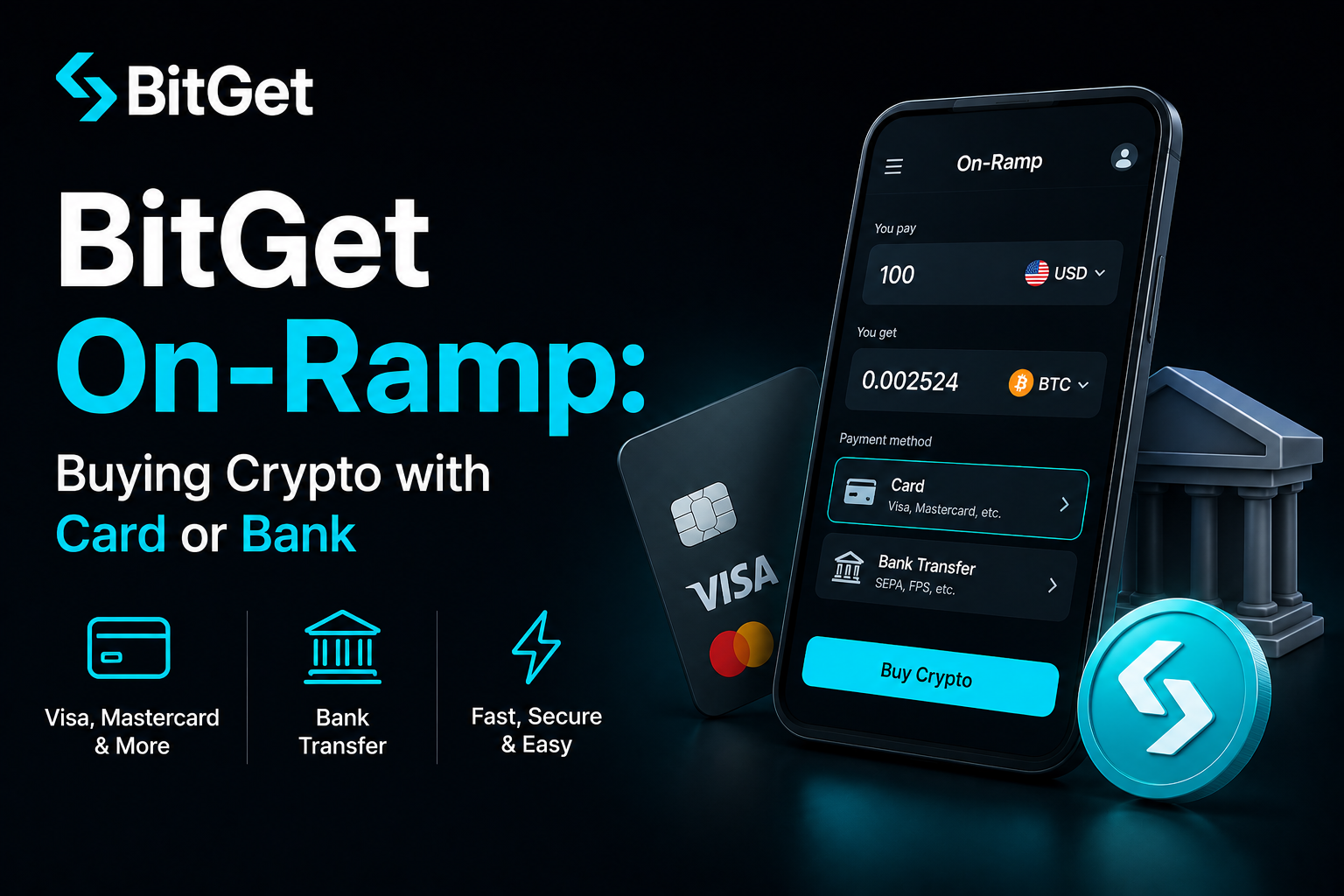
Short answer: BitGet’s on-ramp lets you turn fiat (GBP, EUR, USD and 50+ others) into crypto using a Visa or Mastercard, a bank transfer (SEPA, Faster Payments, ACH), or P2P trades with other users. Card is fastest (5 minutes) but most expensive (1.5–3.5% fee). Bank transfer is cheaper (often free) but takes a few hours. P2P usually gets the best rate but takes longer to learn. For amounts under $500, card is fine. Above that, bank or P2P is worth the extra friction.
Open a BitGet account → (affiliate)
Key takeaways
- BitGet supports card payments (Visa, Mastercard) via third-party providers like Simplex, Mercuryo, and MoonPay.
- SEPA bank transfers in Europe usually settle in 2 hours for free; UK Faster Payments often clears in under 60 minutes.
- P2P fees on BitGet are 0% for the buyer in most markets — you pay the spread, not a fee.
- Card fees range from 1.5% (Mercuryo on USDT) to 3.5% (Simplex on BTC) depending on provider and token.
- Around 90 countries are supported for fiat on-ramp; availability varies by payment method.
What “on-ramp” actually means
On-ramp is the bridge between your normal bank money and the crypto on an exchange. If you’ve got £500 in a Monzo or Revolut account and you want $500 of USDT on BitGet, the on-ramp is whatever route gets you there.
There are three routes on any major exchange:
- Direct fiat deposit — you push pounds, euros, or dollars into BitGet, then trade them for crypto. SEPA, Faster Payments, ACH, wire transfer.
- Card on-ramp — third-party processors take your card details and deliver crypto to your BitGet wallet. Fast, expensive.
- P2P — you buy crypto from another BitGet user, paying them in fiat through a method you both agree on. Cheapest, slowest learning curve.
Each has tradeoffs. The choice depends on how much you’re moving, how fast you need it, and how much friction you can stomach.
If this is your first ever crypto purchase, the how to buy crypto guide covers the absolute basics first. Come back here when you’re ready for the BitGet-specific path.
BitGet on-ramp options at a glance
Here’s every route from fiat to crypto on BitGet, ranked by what I actually use.
1. Bank transfer (SEPA, Faster Payments, ACH)
The cheapest route for any amount over about $200. You deposit fiat directly into BitGet’s banking partner, the balance shows up in your fiat wallet, then you trade for any token.
- Fee: Usually free. Some providers charge a flat €1.
- Speed: SEPA Instant settles in seconds. Standard SEPA in 1–4 hours. UK Faster Payments in 15–90 minutes. US ACH in 1–3 business days.
- Limit: Often €50,000+ per transaction once verified.
This is what I use for any deposit over $500.
2. P2P (peer-to-peer)
You buy USDT or BTC directly from another BitGet user. They send you crypto via escrow, you send them fiat via bank transfer or local payment app. Full breakdown in the BitGet P2P guide.
- Fee: 0% for buyers in most markets. You pay the spread.
- Speed: 10–30 minutes for the first trade, faster once you know the flow.
- Limit: Depends on the seller and your verification tier.
Best rates I’ve seen. Worth learning if you’re moving meaningful amounts regularly.
3. Card on-ramp (Visa, Mastercard via third-party)
You enter card details on a third-party processor’s page (Simplex, Mercuryo, MoonPay, Banxa). They charge your card, then deliver crypto to your BitGet account a few minutes later.
- Fee: 1.5–3.5% depending on provider and token.
- Speed: 2–10 minutes including 3D Secure check.
- Limit: Usually $20,000 per day per card after KYC.
Convenient. Expensive. Use it for small amounts when you want to skip the bank flow.
4. Apple Pay / Google Pay
Routed through the same third-party providers as card, with the same fees but slightly faster checkout (no card number to type).
- Fee: Same as card — 1.5–3.5%.
- Speed: Fastest of the lot — 60 seconds if your face ID is working.
5. Direct BitGet Pay (some regions)
A native BitGet fiat purchase flow that skips third-party processors entirely. Available in fewer countries but cheaper when it is.
- Fee: 0.5–1.5%.
- Speed: 2–5 minutes.
- Limit: Lower than card or bank.
Fees compared: card vs bank vs P2P
This is the bit most posts skip. Real numbers, no estimates.
| Method | Fee | Settlement time | Best for |
|---|---|---|---|
| SEPA bank transfer | Free–€1 flat | 1–4 hours (instant SEPA: seconds) | EU users, €500+ |
| UK Faster Payments | Free | 15–90 mins | UK users, £200+ |
| US ACH | Free | 1–3 business days | US users (note: BitGet not available US-side) |
| P2P (buyer) | 0% (spread only) | 10–30 mins | Any amount, learners-friendly once you’ve done it once |
| Card (Simplex) | 3.5% | 2–10 mins | Small purchases under $200 |
| Card (Mercuryo) | 1.5–2.5% | 2–10 mins | Small to mid purchases |
| Card (MoonPay) | 2.5–3.5% | 2–10 mins | When other providers reject your card |
| BitGet Pay direct | 0.5–1.5% | 2–5 mins | Where available |
A worked example. You want $1,000 of USDT.
- Via bank (SEPA Instant): $1,000 in, $1,000 of USDT out. Fee: maybe €0.50. Time: 30 seconds.
- Via card (Simplex): $1,000 in, $965 of USDT out. Fee: $35. Time: 5 minutes.
- Via P2P (buying from a verified merchant): $1,000 in via bank transfer to the merchant, $1,000 worth at a 0.2% spread = $998 of USDT. Time: 15 minutes.
The cost of “convenient” is real. If you’re going to be on the platform for years, learn the bank or P2P flow once and save the card route for emergencies.
For a wider breakdown of every charge on the platform, the BitGet fees post has the full table.
Supported countries
BitGet’s on-ramp covers around 90 countries. Coverage varies by payment method. A rough map of what’s available where:
Card on-ramp (Simplex / Mercuryo / MoonPay)
Available in most of Europe, the UK, Latin America, Southeast Asia, parts of Africa. Not available in the US (BitGet is geo-blocked there entirely), mainland China, Iran, North Korea, Syria, Cuba, and a handful of sanctioned jurisdictions.
SEPA bank transfer
Available across the 36 SEPA-zone countries: all 27 EU member states plus the UK, Norway, Switzerland, Iceland, Liechtenstein, San Marino, Andorra, Monaco, Vatican City. Currency: EUR.
UK Faster Payments
Available for UK users with a GBP bank account. Same-day settlement, free of charge.
P2P
Available in 90+ countries with the widest currency coverage of any on-ramp method: GBP, EUR, USD, AUD, INR, BRL, NGN, KES, TRY, IDR, VND, PHP, COP, MXN, and 40+ others.
Always confirm on the official BitGet on-ramp page before you start — coverage moves as regulations shift.
What about the US?
BitGet is not available in the United States. Full stop. US residents using a VPN to bypass that violates the terms of service and can result in a frozen account with funds stuck on the wrong side of compliance. If you’re in the US, the best crypto exchanges tested and ranked post covers Coinbase, Kraken, and Gemini — three platforms that actually serve your market.
Step-by-step: card purchase
This is the path most beginners take. Here’s how it goes.
- Log into BitGet and tap “Buy Crypto” in the top menu.
- Pick “Card Payment” as the method. You’ll see a list of supported tokens. Pick USDT for the lowest fees (BTC and ETH are routed through more expensive processors).
- Enter the amount. A box shows you the fiat-to-crypto conversion including all fees. This is the only number that matters — if it says you’ll receive 487.50 USDT for $500, that’s your final number.
- Select a provider. Simplex, Mercuryo, or MoonPay depending on which is cheapest for your token and region. Mercuryo is usually the lowest for USDT in Europe; MoonPay tends to win for EUR-funded BTC purchases.
- Enter card details. The processor will ask for card number, expiry, CVC, and your billing address. This is on the processor’s domain, not BitGet’s — the URL changes.
- Pass 3D Secure. Your bank pushes a notification to your banking app. Approve the transaction.
- Wait for confirmation. Crypto lands in your BitGet spot wallet within 2–10 minutes. You’ll get an email when it arrives.
If the transaction is declined, it’s almost always your bank flagging the merchant code as “crypto purchase” and blocking it. Call your bank, tell them you’re expecting a crypto purchase, ask them to whitelist Simplex/Mercuryo/MoonPay. Try again.
If you’d rather see the full walkthrough with screenshots, the BitGet app walkthrough covers the mobile flow end to end.
Step-by-step: bank transfer (SEPA, ACH, Faster Payments)
The cheap route. Slightly more steps, but worth it for any amount you’ll regret paying 3% on.
- Complete KYC first. Bank transfer requires verified identity. Five-minute job — covered in the BitGet KYC post.
- Open the Fiat Deposit menu. From the top nav, “Buy Crypto” → “Bank Transfer” or “Fiat Deposit”.
- Select your currency. EUR for SEPA, GBP for Faster Payments. The interface will show the bank account details you need to send to.
- Copy the IBAN and reference code. This is critical. The reference code is how BitGet’s banking partner matches your incoming payment to your account. Get it wrong and your money sits in limbo until support resolves it manually.
- Initiate the transfer from your bank app. Most banks let you copy the IBAN, paste the reference exactly as shown, send the amount. UK banks may show a “new payee” warning. Confirm.
- Wait. SEPA Instant: 30 seconds. Standard SEPA: 1–4 hours. Faster Payments: usually under 90 minutes.
- Trade your fiat balance for crypto. Once the deposit shows, go to spot and trade EUR/USDT or GBP/USDT. The conversion fee is the normal spot trading fee (0.10% maker/taker).
The total cost of a bank route from fiat to USDT is usually 0.10–0.30% all-in. That’s a tenth of what card costs you.
Why card is convenient but expensive
The card flow exists because beginners click “buy crypto” and want it to feel like Amazon. Type number, tap, done. The processors make their money on the spread.
Three things drive the fee:
Card networks charge crypto merchant codes more. Visa and Mastercard treat “crypto purchase” as a high-risk merchant category and charge the processor higher interchange. That gets passed to you.
The processor takes a markup. Simplex, Mercuryo and MoonPay aren’t charities. They build the on-ramp, take the regulatory risk, and book a 1.5–2.5% spread on every trade.
3D Secure failures cost money. Roughly 15% of card on-ramp transactions fail 3D Secure. The processors price the losses into the survivors.
Bank transfer routes around all three. SEPA and Faster Payments are settlement rails the banks run anyway, so the marginal cost is near zero. P2P sidesteps the rails entirely by matching buyers and sellers directly.
If you’re going to buy crypto more than twice in your life, the 10 minutes to set up a bank transfer pays for itself on the first trade.
The Revolut + BitGet hybrid path
This is the route I’d actually recommend to a UK or EU beginner who wants the easiest possible flow with reasonable fees.
The setup:
- Open a Revolut account (referral). It’s a banking app — free Standard tier is fine.
- Top up Revolut from your normal bank by Faster Payments or SEPA. Free, instant.
- Send GBP or EUR from Revolut to your BitGet bank deposit details using SEPA Instant or Faster Payments. Free, settles in seconds to minutes.
- Trade fiat for crypto on BitGet spot. 0.10% fee.
Total cost: pretty much nothing. Total time: under 10 minutes once both accounts exist.
The full breakdown is in the Revolut crypto review — there are also reasons to buy small amounts directly in the Revolut app, but for anything over £200 the BitGet route gives you more tokens, lower fees, and access to bots and Earn products.
I use this exact flow. Revolut is the buffer between my main bank and crypto. It keeps the audit trail clean and lets me move money fast without my bank panic-blocking the transfer.
Verification and limits at each KYC tier
What you can do on BitGet depends on your KYC tier. The full breakdown is in the BitGet KYC post but here’s the on-ramp summary.
| Tier | Card daily limit | Bank deposit limit | P2P limit |
|---|---|---|---|
| Unverified | $0 (card on-ramp blocked) | N/A | Very low |
| Basic (passport or ID) | $5,000/day | €50,000/month | $50,000/month |
| Intermediate (selfie + address proof) | $20,000/day | €200,000/month | $200,000/month |
| Advanced (source of funds) | $50,000/day | $1M+/month | $1M+/month |
For most people, Basic KYC is enough — it covers the card and bank routes for any sensible deposit amount. Advanced is for traders moving institutional volume.
KYC clears in 10 minutes to 24 hours depending on the queue. Mine cleared in 11 minutes. The BitGet KYC post has the document list and common rejection reasons.
A note on privacy and public networks
If you’re on a public WiFi (coffee shop, airport, hotel) when you make your first card deposit, you’re giving every other device on that network a chance to sniff what you’re doing. Modern HTTPS protects the actual transaction. It doesn’t protect the metadata — which sites you’re hitting, when, from where.
I use NordVPN (affiliate) on every device I trade from. Two reasons: encrypts the metadata so my ISP and any random network operator can’t profile my exchange activity, and lets me trade from countries where my home IP might trigger a fraud flag on the card processor.
It’s a $4/month habit. The first time it stops a card decline because the processor matched your billing country to your VPN exit, it pays for the year. The 2FA for crypto and crypto scams guide posts cover the wider account-security stack.
Want to skip the comparison?
BitGet is the exchange I actually use for the on-ramp flow above. Sign-up takes 90 seconds. KYC usually clears the same day.
Affiliate link. I may earn a commission at no extra cost to you.
The third-party providers, ranked
Most BitGet card purchases route through one of three processors. Here’s the honest tier list.
Mercuryo
Cheapest of the three for USDT and most stablecoin purchases. 1.5–2.5% fee depending on token and region. Card support is broad across Europe. UI is clean. My default when buying USDT under $500.
Simplex
The oldest of the three. Highest fee at 3.5% for most pairs. Card acceptance is the widest — if Mercuryo rejects your card, Simplex usually goes through. Use as a fallback.
MoonPay
Mid-tier on fees (2.5–3.5%). Strong on BTC and ETH purchases, weaker on alts. Apple Pay support is the best of the three. UK and EU support is solid; US is geo-blocked the same as BitGet.
The provider gets picked automatically based on your region and the token you’re buying. You can sometimes force a specific provider in the dropdown if the default fee looks high.
Common on-ramp problems
I’ve hit most of these. Here’s how to deal with them.
Card declined
Your bank flagged a crypto merchant code. Call the bank, get crypto purchases whitelisted, try again. Worst case, try a different card or a different provider.
Funds sent but balance not showing (bank transfer)
You forgot the reference code or got it wrong. Open a support ticket with the transaction reference. BitGet’s banking partner usually resolves within 24 hours. Don’t send another payment until the first one is fixed.
Card payment succeeded but no crypto arrives
Rare but happens. The processor may be holding the trade for a manual review. Check your email — there’s usually a verification request waiting. Reply with the requested info and crypto lands within an hour.
Higher fee than displayed
Always check the exchange rate on top of the displayed fee. Processors hide a 0.5–1% spread inside the “rate”. The real cost is the difference between what you put in and what you can sell for at the current market price. Mercuryo is best on this; some providers are not.
On-ramp vs other ways onto BitGet
There are three entry points to BitGet for someone with no crypto yet.
| Route | Speed | Cost | Best for |
|---|---|---|---|
| Fiat on-ramp (card or bank) | Minutes to hours | 0.1–3.5% | Most users |
| P2P trading | 15–60 min | 0% + spread | Best rates, larger amounts |
| Crypto transfer from another exchange | Minutes | Network fee only | If you already hold crypto elsewhere |
If you already have BTC or USDT somewhere else, the cheapest move onto BitGet is a crypto withdrawal from that exchange to your BitGet deposit address. Use TRC-20 USDT if both ends support it — about $1 in network fees regardless of size.
If you’re starting from scratch with fiat, the on-ramp methods above are the only routes in.
Ready to skip the trial and error?
The Revolut + BitGet bank-transfer combo is my actual setup. Both free to open.
Affiliate link.
Frequently asked questions
What is the cheapest way to buy crypto on BitGet?
P2P or SEPA bank transfer. Both come in well under 0.5% all-in cost. Card on-ramp is the most expensive at 1.5–3.5%.
How long does a card purchase take on BitGet?
Usually 2–10 minutes including the 3D Secure check. If your bank flags the transaction, it can take longer or get blocked entirely.
Can I buy crypto on BitGet without KYC?
You can do small P2P trades with no exchange-level KYC, but card on-ramp and bank deposits require verified identity. Full breakdown in the BitGet KYC guide.
Does BitGet accept Mastercard?
Yes. Both Visa and Mastercard are accepted through all three on-ramp providers (Simplex, Mercuryo, MoonPay). Debit and credit both work, though some banks block credit-card crypto purchases entirely.
What is the minimum amount I can buy on BitGet?
Card on-ramp minimum is usually $10 equivalent. Bank transfer minimum is set by the bank (often €1). P2P minimum depends on the seller — some accept $5, others want $100+.
Is the BitGet on-ramp available in my country?
Around 90 countries are supported. Check the official BitGet supported countries page for current coverage. The US is not supported.
Do I pay tax on on-ramp purchases?
Buying crypto with fiat is not usually a taxable event in itself — you’re swapping one form of value for another. The taxable event happens when you later sell, swap, or spend the crypto. Always check your local rules.
What’s the difference between BitGet on-ramp and BitGet P2P?
On-ramp goes through a regulated third-party processor (Simplex, Mercuryo) that takes a fee. P2P matches you with another individual user, with BitGet holding the crypto in escrow. P2P is usually cheaper, on-ramp is usually faster and easier first time.
Final word
The on-ramp is the friction layer. Get past it once and the rest of the platform is yours.
If I were starting today, this is the order I’d run:
- Sign up to BitGet and complete Basic KYC.
- Open a Revolut account as the fiat buffer.
- Make one $50 card purchase to test the flow end-to-end.
- Set up a Revolut → BitGet SEPA Instant or Faster Payments transfer for the real deposits.
- Save card purchases for emergencies and small top-ups.
That’s the playbook. Anything else and you’re paying the convenience tax.
Right — over to you.
Related posts
- BitGet Review: The Crypto Exchange I Actually Use
- BitGet P2P: Buying Without Bank Friction
- Revolut Crypto Review