The first time someone showed me a P2P trade I thought it was either a scam or a back-room market. Both wrong. It’s the cheapest, fastest way to get fiat into crypto in most countries — and the most underused feature on BitGet for anyone outside the US.
The trick is the escrow. The crypto never moves directly between you and a stranger. The platform holds it. Once you confirm payment, it releases. Get the mechanics and the counterparty filter right, P2P is the closest thing to a free on-ramp you’ll find.
Short answer: BitGet P2P is peer-to-peer crypto trading where buyers and sellers transact directly using any payment method (bank transfer, PayPal, local apps, cash). The exchange holds the crypto in escrow until fiat is confirmed received. There’s no buyer fee in most markets, the rates beat card on-ramp by 1–3%, and 50+ fiat currencies are supported. The risk is scams against careless users — they’re avoidable with five basic checks.
Open a BitGet account → (affiliate)
Key takeaways
- BitGet P2P supports 50+ fiat currencies and 100+ payment methods, including SEPA, Faster Payments, PayPal, Wise, and dozens of regional apps.
- Buyers pay 0% trading fee in most markets — your only cost is the spread merchants build into their price.
- Crypto sits in BitGet escrow from the moment a trade opens until you confirm payment, then it releases to you.
- The most common scam is chargeback fraud — the buyer pays then reverses the bank transfer days later. Sellers carry the risk, not buyers.
- Verified Merchants are vetted by BitGet, post security deposits, and have higher trade volume — start there if it’s your first P2P trade.
What P2P trading actually is
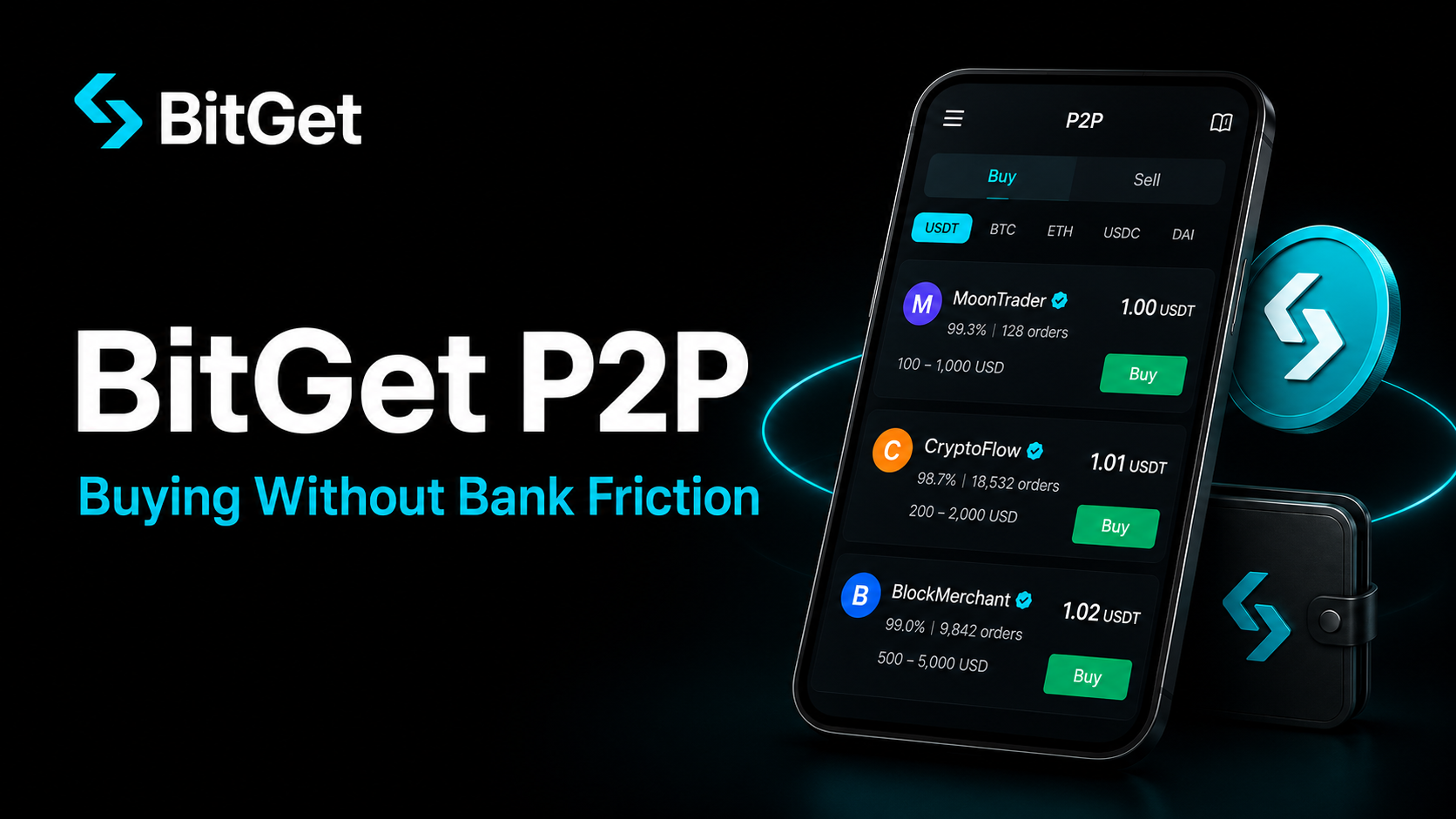
P2P stands for peer-to-peer. Instead of buying crypto from the exchange’s order book or a third-party processor, you’re trading directly with another individual user. The exchange is the referee, not the counterparty.
A standard P2P trade looks like this:
- Seller posts an offer — “I’ll sell 1,000 USDT at 0.918 EUR per USDT, payment by SEPA transfer”.
- Buyer opens the offer — agrees the price, kicks off the trade.
- BitGet locks the seller’s USDT in escrow — the seller can’t withdraw it or trade it while the trade is open.
- Buyer sends fiat to the seller — using whatever payment method they agreed (SEPA, Wise, PayPal, etc).
- Buyer marks “paid” in the trade window — and uploads proof if needed.
- Seller confirms payment received in their bank app.
- Seller releases the crypto — escrow unlocks, USDT lands in the buyer’s BitGet spot wallet.
That’s the whole flow. The escrow is the protection. The crypto never moves until both sides confirm.
In countries where the banking system is hostile to crypto on-ramps (India, Nigeria, Argentina, Turkey, Vietnam), P2P is often the only viable route. In countries where on-ramp is fine but expensive (UK, EU, Australia), P2P is the cheaper alternative for anyone willing to learn the flow.
The BitGet on-ramp post covers the card and bank routes. This post is the cheaper sibling.
How BitGet P2P escrow protects both sides
Escrow is the only thing that makes P2P safe. Without it, you’d be sending money to a stranger and hoping. The mechanism is simple but worth understanding because it tells you who carries which risk.
What the buyer is protected from
- The seller can’t run off with your fiat and keep the crypto — their USDT is locked the second the trade opens.
- The seller can’t change the price mid-trade.
- If the seller refuses to release after you’ve paid, you open a dispute. BitGet support reviews payment proof and releases the escrow.
What the seller is protected from
- A buyer can’t claim payment they didn’t send — the seller has to confirm receipt in their own bank.
- If a buyer disputes after the seller has released crypto, BitGet can review chat logs and bank screenshots.
- Verified Merchants post a security deposit that compensates customers in the rare case of seller default.
What escrow does NOT protect against
- Chargeback fraud. A buyer pays the seller by bank transfer, the seller releases the crypto, the buyer disputes the bank transfer days later as “unauthorised”. The bank reverses the fiat. The crypto is gone. This is the single biggest risk in P2P — and it falls on sellers. Buyers don’t carry this risk.
- Account takeover. If your BitGet account is compromised, an attacker can post offers in your name. Use 2FA without exception — see 2FA for crypto for the setup.
- External scams that work around the platform. A buyer asks you to chat outside the BitGet messenger, then runs a phishing play. Always keep the conversation inside the BitGet trade window. If a counterparty insists on moving to WhatsApp or Telegram, end the trade.
Supported fiat currencies and payment methods
BitGet P2P covers more currencies and methods than any other on-ramp route on the platform. The full list moves but the core coverage is solid.
Currencies (sample)
EUR · GBP · USD · AUD · BRL · INR · NGN · KES · TRY · IDR · VND · PHP · COP · MXN · ARS · ZAR · UAH · RUB · CNY · JPY · THB · MYR · SGD · HKD · AED · SAR · PKR · BDT · LKR · EGP
50+ in total. If your country has a working banking system, your currency is probably listed.
Payment methods (sample)
- Bank transfers: SEPA, SEPA Instant, Faster Payments, ACH, wire, IMPS, NEFT, RTGS, PIX, Interac
- Digital wallets: PayPal, Wise, Revolut, Skrill, Neteller
- Regional apps: Alipay, WeChat Pay, M-Pesa, Paytm, GCash, MoMo, OPay, Vodafone Cash
- Cards: Bank cards directly via P2P (rare, region-specific)
- Cash: Cash-in-person and cash-by-mail in some regions (use with caution)
The mix you see depends on the currency you pick. In the UK most offers are Faster Payments or Revolut. In India it’s UPI, IMPS, and Paytm. In Brazil it’s PIX, which settles in seconds.
Picking a counterparty (the filter I use)
This is where people get it right or wrong. The leaderboard of P2P sellers looks busy. Most offers are fine; a small minority are traps. Five checks before you click “buy”.
1. Completion rate
Filter out anyone below 95%. Trustworthy merchants run 98–100%. A 90% completion rate means roughly 1 in 10 trades fail — that’s not someone you want as your first counterparty.
2. Number of trades
Look for accounts with 1,000+ completed trades. New accounts can be legitimate but you can’t tell from outside. Established merchants have a reputation to protect.
3. Verified Merchant badge
BitGet runs a Verified Merchant programme. Merchants in it have posted a security deposit, been KYC’d to a higher tier, and committed to faster response times. The badge appears next to their name. For your first few P2P trades, only use Verified Merchants.
4. Average release time
Listed on the merchant’s profile — usually under 5 minutes for the top accounts. Above 30 minutes and you’re going to be sitting waiting. Sometimes it’s fine, sometimes it’s the merchant slow-walking a release while they decide whether to scam.
5. Reviews
Click into the merchant’s recent reviews. One or two negatives in 500 trades is normal. A cluster of recent “didn’t release” or “asked for more details” reviews is a red flag — skip them.
The filter takes 30 seconds. It eliminates 99% of the risk.
Step-by-step: buy USDT via P2P
This is the most common P2P trade — buying USDT with your local currency to use as trading capital on BitGet. Here’s the flow end to end.
- Open the P2P menu from the top nav. Switch to “Buy” mode.
- Pick your currency. Pick the token you’re buying — USDT for trading capital, BTC if you’re stacking sats, BGB if you’re stocking up on fee-discount tokens.
- Pick a payment method. Filter to the method you actually have — Faster Payments, SEPA, Revolut, whatever your bank supports.
- Sort by price ascending. The top offer is the cheapest. Run the five-point counterparty filter on the top three. Pick the highest-rated of those.
- Enter the amount in fiat. The interface shows the USDT you’ll receive.
- Open the trade. A trade window pops up with a timer (usually 15 minutes). The merchant’s bank details appear.
- Pay from your bank app. Copy the bank account exactly. Use the reference code the merchant gives you (if any). Send the exact amount.
- Mark “I have paid” in the trade window. Upload a screenshot of the payment confirmation if requested.
- Wait for the merchant to confirm. Usually 2–10 minutes. They check their bank, confirm the amount, release the escrow.
- USDT lands in your spot wallet. Done.
The first time it feels weird. After the second time it’s routine. By the fifth time you’ll wonder why you ever paid 3% on a card on-ramp.
Step-by-step: sell USDT via P2P
Selling is the reverse flow. The escrow direction flips — your USDT is locked the second you accept a buyer’s offer, and you release it once you’ve confirmed the fiat in your bank.
- Open the P2P menu. Switch to “Sell” mode.
- Post your offer OR accept a buyer’s existing buy offer.
- Your USDT is locked in escrow. You can’t withdraw or trade it while the trade is open.
- Wait for the buyer to send fiat. They’ll mark “paid” and upload proof.
- Check your bank. Don’t rely on the buyer’s screenshot. Open your real banking app and confirm the amount has actually landed.
- Release the escrow. USDT goes to the buyer.
Critical rule for sellers: never release before you’ve confirmed the money in your own bank account. Screenshots can be faked. SMS notifications can be spoofed. Open your bank app, see the real amount in the real balance, then release. This is where 99% of P2P seller losses happen — premature release.
If the buyer hasn’t paid within the time limit (usually 15 minutes), open a dispute. BitGet support reviews and cancels the trade, returning your USDT.
Common P2P scams (and how to dodge them)
Most scams hit sellers, not buyers. But there are a few that work on buyers too. Worth knowing all of them.
Chargeback fraud (sellers)
Buyer pays you by bank transfer. You release the crypto. Three days later the buyer disputes the bank transfer as “unauthorised” or “fraud”. Their bank reverses it. The crypto is gone, the fiat is gone, you eat the loss.
Defence: Only sell to Verified Merchants and counterparties with 500+ completed trades. Take the time to read recent reviews. Some sellers refuse to accept PayPal entirely because of chargeback risk — PayPal allows disputes for 180 days. Bank transfers (SEPA, Faster Payments) are technically reversible but much harder to reverse than PayPal.
Premature release (sellers)
Buyer claims to have paid, sends a fake screenshot or SMS notification. Inexperienced seller releases without checking the bank balance. Crypto gone.
Defence: Check the bank balance in your real banking app. Every single time. No exceptions.
Wrong amount sent (buyers and sellers)
Buyer sends slightly less than agreed, hoping the seller doesn’t notice. Or the buyer sends the right amount in the wrong currency. Or the buyer sends from an account with a different name than their BitGet ID.
Defence: Confirm the exact amount and sender name. If anything is off, open a dispute, don’t release.
Off-platform contact (mostly affects buyers)
Counterparty asks you to chat on WhatsApp or Telegram. They send a fake support link or ask you to “verify” by clicking somewhere. It’s a phishing play.
Defence: Keep everything inside the BitGet trade window. End any trade where the counterparty insists on external chat. The crypto scams guide covers the wider pattern.
Fake support DMs
Someone messages you on Telegram claiming to be BitGet support, asks for your password or 2FA code. Real support never asks for these.
Defence: BitGet support only operates through the official help centre and in-app chat. Never share your password, seed phrase, or 2FA code with anyone.
Best practices (the rules I follow)
After more P2P trades than I want to count, this is the checklist that’s saved me.
- Use Verified Merchants for the first five trades. Reputation is the cheap insurance.
- Stay inside the BitGet messenger. No WhatsApp, no Telegram, no email outside the trade.
- Check the bank balance, not the screenshot. Always.
- Match exact amounts. Any deviation, open a dispute.
- Mark “paid” only when you’ve actually paid. Don’t mark early hoping to speed the seller up.
- Release only when funds are confirmed in your bank (sellers).
- Use 2FA on your BitGet account. Account takeover is the meta-risk on all P2P trades. The 2FA for crypto post has the setup.
- Keep proof. Screenshots of the trade window, the chat, the bank confirmation. If a dispute opens, you’ll need them.
BitGet P2P fees
The fee structure on BitGet P2P is one of the most user-friendly in the market.
| Role | Fee |
|---|---|
| Buyer | 0% in most markets |
| Seller | 0% on standard listings |
| Verified Merchant | 0% (offset by security deposit cost) |
| Advertiser (posting offers) | 0% to post |
You pay the spread the merchant builds into their price, not a fee to the platform. That spread is usually 0.1–0.5% on USDT for established markets, wider on illiquid currencies.
The full fee breakdown across spot, futures, and on-ramp is in the BitGet fees post.
P2P vs Convert vs Spot — which to use when
BitGet has three ways to swap one asset for another. Each has a use case.
| Method | Fee | Speed | Best for |
|---|---|---|---|
| Spot order book | 0.10% maker/taker | Instant | Crypto-to-crypto trades, BTC/USDT, ETH/USDT, etc. |
| Convert (swap) | 0% (spread only) | Instant | Quick small swaps, fewer than 50 supported pairs |
| P2P | 0% buyer (spread only) | 10–30 min | Fiat to crypto and crypto to fiat |
P2P is for the fiat-crypto bridge. Convert is for crypto-crypto swaps where you want simplicity. Spot is for crypto-crypto trades with a proper order book and chart.
For most active traders the routine looks like: P2P or bank transfer to load fiat → spot trading for active position-building → Convert for small swaps between trades → P2P again to cash out.
When P2P isn’t the right route
P2P is brilliant for most use cases. It has weak spots.
- Very small amounts. Under $50, the spread and the time cost don’t justify it. Use the card on-ramp.
- Urgent transactions. P2P takes 10–30 minutes. If you need to be in a trade in 90 seconds, card or bank is faster.
- Strict KYC requirements. P2P can be done with lower KYC but the counterparty might require your verified name to match the bank account. If you want full anonymity, P2P is not it.
- Sellers without strong nerves. Chargeback risk is real for sellers. If you can’t stomach the worst-case loss, only sell to Verified Merchants and stick to non-reversible payment methods (bank transfers, not PayPal).
For most fiat-in, fiat-out needs, P2P beats every alternative on cost.
A note on privacy
P2P leaves a trail. Your bank sees the transfer to a stranger. The merchant sees your name on the bank transfer. BitGet sees the trade. None of this is necessarily a problem, but it’s worth being aware of.
I use NordVPN (affiliate) on every device I trade from. It encrypts the connection so the metadata around the trade — which exchange, which time, from which IP — isn’t sitting in a log somewhere on a coffee-shop WiFi. It also keeps my home IP off the BitGet logs in markets where that matters.
For the wider security stack — 2FA, withdrawal whitelists, hardware wallets — see is BitGet safe and how to store crypto safely.
Want to start using P2P?
P2P is available the moment KYC clears. Sign-up takes 90 seconds.
Affiliate link.
P2P in countries with hostile banking
This is where P2P stops being a nice-to-have and starts being the only way in.
In India, banks routinely block crypto on-ramp transactions. P2P with UPI is essentially the entire retail crypto market. In Nigeria, official banking channels are tightly restricted; M-Pesa-style P2P trades are how most users get on-chain. In Argentina and Turkey, where inflation eats fiat savings, P2P USDT trades are the practical equivalent of buying dollars on the black market — except legal and traceable.
In all of these markets, BitGet’s P2P liquidity is strong because it’s the route most users take. Spreads are wider than in EUR or GBP markets but still cheaper than the alternatives.
If you live in a market where the bank route is blocked, P2P isn’t a workaround — it’s the main road.
Rates I actually see
Real numbers from the markets I check. These move daily but the patterns hold.
- EUR → USDT (Europe): Top offers 0.10–0.20% above the spot rate. Verified Merchants on SEPA Instant: usually under 0.15%.
- GBP → USDT (UK): Top offers 0.10–0.30% above spot. Revolut and Faster Payments are the cleanest methods.
- INR → USDT (India): Top offers 0.30–0.80% above spot. UPI clears fastest.
- BRL → USDT (Brazil): Top offers 0.20–0.50% above spot. PIX is essentially instant.
- NGN → USDT (Nigeria): Top offers 1–3% above spot due to fiat scarcity. Wider but unavoidable.
For comparison, the cheapest card on-ramp (Mercuryo) charges 1.5–2.5%. The most expensive (Simplex BTC) charges 3.5%. P2P beats both in most markets.
Skip the card fees.
Once you’ve done one P2P trade, the rest are routine. Costs you nothing to set up.
Affiliate link.
Frequently asked questions
Is BitGet P2P safe?
Yes, if you stick to Verified Merchants and follow the standard checks (confirm payment in your bank app, keep chat inside the BitGet messenger, never release before funds are confirmed). The escrow mechanism protects both sides from most scenarios except chargeback fraud on bank-reversible payment methods.
How long does a BitGet P2P trade take?
Typically 10–30 minutes end to end. Instant payment methods (PIX in Brazil, UPI in India, SEPA Instant in Europe) shorten this to 5–10 minutes once the counterparty confirms.
Does BitGet P2P charge a fee?
No buyer fee in most markets. Sellers pay 0% on standard listings. You pay only the spread the merchant builds into their price, usually 0.1–0.5% on USDT in major markets.
What payment methods does BitGet P2P support?
100+ methods including SEPA, Faster Payments, ACH, PIX, UPI, PayPal, Wise, Revolut, M-Pesa, Alipay, WeChat Pay, GCash, and dozens of regional apps. Coverage depends on your country.
What is a Verified Merchant on BitGet P2P?
A merchant who has posted a security deposit, completed higher KYC, and committed to fast response times and high completion rates. Use Verified Merchants for your first few trades — they’re the safest counterparties.
Can I use BitGet P2P without KYC?
You can trade small amounts with basic KYC. Higher limits require the next KYC tier. Full breakdown in the BitGet KYC post.
What is the difference between BitGet P2P and on-ramp?
On-ramp goes through a regulated third-party processor (Simplex, Mercuryo) that takes a 1.5–3.5% fee. P2P matches you with another user, with BitGet holding crypto in escrow, at 0% fee plus a small spread. P2P is cheaper; on-ramp is faster first time.
How do I dispute a BitGet P2P trade?
Click “Open Dispute” in the trade window if the counterparty isn’t responding or has acted in bad faith. BitGet support reviews the chat log, payment proof, and bank screenshots, then resolves usually within 24 hours.
Final word
P2P is the feature that pays for itself the first time you skip a 3% card fee on a serious deposit. The five-step counterparty filter is the only thing standing between a clean trade and a bad story.
If I were starting today: KYC up, set up a Verified Merchant filter, do one small P2P trade with EUR or GBP into USDT just to learn the flow. Once it’s routine, switch to it as your default on-ramp for any deposit over £200.
That’s the playbook. Right — over to you.
Related posts
- BitGet On-Ramp: Buying Crypto with Card or Bank
- BitGet KYC: What’s Required and How Long It Takes
- Crypto Scams Guide