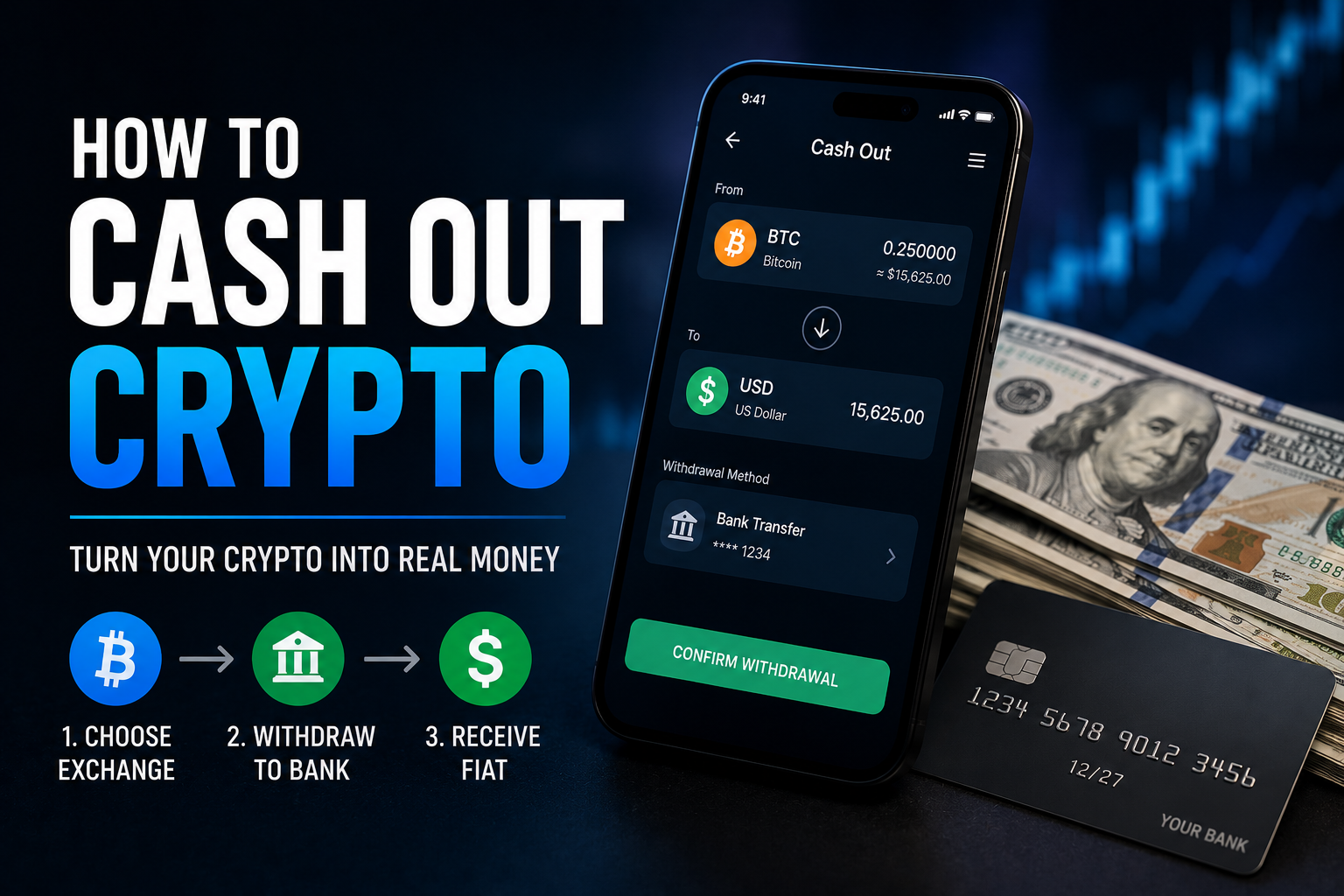
The first time I tried to cash out crypto profits I spent half a day clicking around an exchange that didn’t support my country’s banking system, then ended up paying a 4% spread on a card on-ramp going the wrong direction. After six years of moving money between crypto and fiat, I’ve made every mistake. Cashing out is the part nobody teaches because every YouTuber wants you to keep buying. This is the post I wish I’d had in 2020 — the actual paths, the actual fees, the actual tax implications.
Short answer: To cash out crypto to your bank account, the cheapest path for most people is: convert your crypto to a stablecoin like USDT, then sell that USDT through BitGet P2P or Revolut to fiat, then withdraw the fiat to your bank. Total cost: typically 0.5–2% in fees and spread. Bank wires and exchange direct-sell paths also work but usually cost more. Selling crypto is a taxable event in most jurisdictions — keep records.
Open BitGet to start → (referral link)
Key takeaways
- There are four main ways to cash out: P2P on an exchange, bank wire (SEPA/ACH/Faster Payments), bridging through Revolut, and crypto debit card spending.
- BitGet P2P is usually the cheapest path — fees often under 0.5% versus 1–3% for direct bank rails.
- Cash-out speed varies from instant (P2P with quick payment methods) to 1–5 business days (international wire).
- Selling crypto for fiat is a taxable disposal in most countries. Track every sale. Use tools like Koinly to file.
- Withdrawal limits, KYC requirements, and bank-side scrutiny vary by jurisdiction. Always check before you commit to a path.
The 4 ways to cash out crypto
There are essentially four practical paths to get crypto back to fiat in your bank account. Each has trade-offs.
Path 1: Exchange P2P
You sell crypto directly to another user on a peer-to-peer marketplace inside an exchange. They send you fiat via local bank transfer; the exchange releases the crypto to them. This is usually the cheapest path with the best exchange rate.
Path 2: Exchange direct withdrawal (bank wire)
You sell your crypto for fiat on the exchange, then withdraw that fiat to your bank via SEPA (EU), ACH (US), Faster Payments (UK), or international wire. Slower than P2P but more institutional.
Path 3: Revolut bridge
You send a stablecoin (usually USDT) to Revolut, sell it for your local currency inside Revolut, then withdraw to your bank. Useful when your primary exchange’s banking rails are weak in your country.
Path 4: Crypto debit card
You preload a crypto-backed debit card from your exchange and spend it like a normal Visa/Mastercard. You’re not really “cashing out” to a bank account — you’re spending the crypto directly. Useful for travel or daily spending.
We’ll cover all four below with real fee numbers and walkthrough steps.
The wider context — how to actually buy crypto in the first place — is in the how to buy crypto guide.
Step 1 — convert your crypto to a stablecoin first
Before you pick a path, do this first. Convert whatever crypto you’re cashing out into a stablecoin — usually USDT or USDC.
Why convert first
- Price stability. Crypto markets move fast. If you start the cash-out process holding BTC and the price drops 8% during the 90 minutes it takes to complete the P2P trade, you’ve effectively sold lower than the screen showed. Stablecoin lets you lock in the exit price.
- Better fees and pairs. Stablecoin-to-fiat trades on P2P and bank rails have tighter spreads than crypto-to-fiat. The market for USDT/your-currency is far deeper than for SOL/your-currency.
- Network choice. You can choose which chain to receive the stablecoin on, optimising for low fees (TRC-20 USDT is the cheapest).
- Hedge against panic. If you need a few hours to think before fully cashing out, a stablecoin holds value while you decide.
How to convert on BitGet
The fastest way is BitGet Convert (sometimes called BitGet Swap). It’s a zero-fee swap tool with a small spread baked into the rate.
- Open the Convert page in BitGet.
- Select the crypto you want to sell (e.g. BTC).
- Select USDT as the target.
- Enter the amount.
- Click “Get Quote”. You have 6 seconds to accept.
- Accept. Done.
The trade settles instantly. No fees beyond the spread (which is typically 0.05–0.1%).
For larger trades, spot trading the BTC/USDT pair gives tighter pricing — set a limit order at the price you want and wait for it to fill. The BitGet Convert/Swap guide covers the trade-offs.
If your crypto is on a wallet (not on BitGet), you’ll need to deposit it first. Send it to your BitGet deposit address on the cheapest chain that both ends support. Then convert.
For the deeper picture on USDT vs USDC, see the USDT vs USDC comparison. For day-to-day cash-out, USDT is usually the better choice because P2P liquidity is deeper.
Path 1 — BitGet P2P direct to bank (the cheapest path)
This is my default path for cashing out. The fees are the lowest, the speed is fast, and the user experience has improved significantly over the past two years.
How BitGet P2P works
You list (or take) an offer to sell USDT in exchange for your local currency via bank transfer. The exchange holds the USDT in escrow during the trade. When the buyer confirms they’ve sent the bank transfer (and you confirm receipt), the exchange releases the USDT to them.
The whole process is structured to protect both sides:
- The seller’s USDT is held in escrow before any fiat moves.
- The buyer must transfer fiat via the agreed payment method within a set time window (usually 15–30 minutes).
- The seller confirms receipt before clicking “Release crypto”.
- If there’s a dispute, BitGet support arbitrates.
Fees
BitGet P2P is free for retail trades. The exchange doesn’t charge a transaction fee on top of the rate.
The “cost” comes from the spread. Sellers list USDT at a slight premium to the market rate (typically 0.3–1% above mid-market). When you’re selling, you’re the maker setting the price, so you can choose your spread. When you’re taking an existing buyer’s offer, you accept their rate.
For practical purposes, expect to clear about 0.3–1% below mid-market when selling USDT for fiat on P2P. That’s significantly cheaper than the 1–3% you’d pay on most other paths.
Walkthrough
- Open the P2P page in BitGet (mobile app or web).
- Select “Sell” and choose USDT.
- Select your currency (GBP, EUR, USD, INR, etc.) and your payment method (UK bank, SEPA, Wise, Revolut, local bank).
- Browse offers or post your own. Browse first if you want speed — there are usually 50+ buyer offers active at any time for major currencies.
- Pick a counterparty based on completion rate (aim for 95%+), trade volume (higher = more established), and price.
- Place the trade. Specify amount. The buyer has a window to send fiat.
- Receive the bank transfer. Verify in your bank app that the money has actually landed.
- Click “Release crypto” in BitGet.
Done. Fiat is in your bank, USDT is gone.
The full step-by-step is in the BitGet P2P post.
Tips that save money
- Pick payment methods with low bank-side friction. Faster Payments (UK), SEPA Instant (EU), Zelle (US) all settle in minutes. Wire transfer is slower.
- Avoid buyers with payment methods your bank flags. Some banks will freeze the transfer if it triggers AML scrutiny (large round-number transfers, repeated small transfers from unrelated names). Use established payment rails to avoid this.
- Trade in moderate sizes. A single $50,000 trade is more likely to trigger bank questions than five $10,000 trades over a week.
- Build a reputation. Your completion rate on P2P matters. Take small trades first, build to 99%+ completion, then trade larger sizes.
KYC requirements
Selling USDT on P2P requires KYC on BitGet. The BitGet KYC post covers the process. Typically clears within hours.
Some buyers may also ask you to verify your identity for their own AML compliance (especially for larger trades). This is normal. Don’t trade with anyone asking for unusual information like your social security number or bank password — those are scams.
Path 2 — BitGet bank wire (SEPA, ACH, Faster Payments)
If P2P doesn’t work for your jurisdiction or you want to skip the counterparty matching, BitGet supports direct fiat withdrawal via several bank rails.
Available rails
- SEPA (Europe). Free to €0.50 per withdrawal. Settles in 1–2 business days. SEPA Instant settles in 10 seconds.
- Faster Payments (UK). Free to £0.50. Settles in minutes during banking hours.
- ACH (US). Not directly supported by BitGet for US users (BitGet is geo-blocked in the US). Use a different exchange.
- International wire. Available for some currencies. Fees of $15–25 per wire. Settles in 1–5 business days.
- Local bank rails for various non-Western currencies. Coverage varies — check before relying on it.
How to withdraw fiat from BitGet
- Sell USDT to fiat in the spot market. Use a USDT/EUR, USDT/GBP, or similar pair.
- Open the fiat withdrawal page in your BitGet account.
- Add your bank account as a withdrawal destination. You’ll need to verify it (small deposit, micro-debit, or document-based verification depending on jurisdiction).
- Initiate withdrawal. Specify amount. Confirm.
- Wait for settlement. Time varies by rail. Track in your bank app.
Pros and cons vs P2P
| P2P | Bank wire | |
|---|---|---|
| Fee | 0.3–1% (spread) | Free to 0.5 unit |
| Speed | Minutes to hours | Minutes to 5 days |
| Limits | Counterparty-dependent | Account-tier-dependent |
| Privacy | Direct user-to-user | Bank reports |
| Friction | Have to find counterparty | No matching needed |
| Bank scrutiny | Some risk | Lower (clean exchange origination) |
The trade-off: P2P is cheaper but requires you to manage a counterparty. Bank wire is more institutional but limited by where the rails reach.
For UK/EU users with established bank accounts, both work. For other jurisdictions, P2P is usually the only practical path.
The BitGet withdrawals post covers the limits and rails in more detail.
Path 3 — Revolut bridge
This path works particularly well for users in countries where their primary exchange’s direct banking rails are weak, or for users who already have a Revolut account they use heavily.
How it works
- Sell your crypto for USDT on your exchange.
- Send USDT to your Revolut account (Revolut supports USDT on multiple chains including TRC-20, ERC-20, Solana).
- Sell USDT for your local currency inside Revolut.
- Transfer the fiat from your Revolut account to your bank account (or just spend it directly from Revolut).
Fees
Revolut charges its own fees on crypto-to-fiat conversion. Standard accounts pay 1.49% spread on most conversions; Premium and higher tiers get tighter rates.
Bank transfer from Revolut to your linked bank is free for most users via Faster Payments / SEPA / similar local rails.
Total cost on the bridge: typically 1.5–2% — higher than BitGet P2P but lower than card on-ramps.
Pros
- Familiar interface. If you already use Revolut for banking, the cash-out experience is in the same app.
- Multi-currency. Revolut supports 30+ fiat currencies, so you can convert to whichever is cheapest for your end-point.
- Fast local transfers. Once the money is in Revolut, getting it to your bank is fast.
- Tax records. Revolut keeps transaction history that’s easy to export.
Cons
- Higher cost than P2P. The 1.49% spread adds up on larger amounts.
- Account-level scrutiny. Revolut has been known to freeze accounts when large crypto-to-fiat flows hit. Stage your withdrawals.
- Limited crypto support. Revolut supports the major coins but not every altcoin.
Walkthrough
- Open a Revolut account if you don’t have one. Sign-up link here (referral).
- Verify your identity with Revolut. Standard KYC.
- Send USDT to Revolut from BitGet. Use the Revolut wallet address for the chain you’re sending on.
- Convert USDT to your fiat in the Revolut crypto interface.
- Withdraw to your linked bank via local transfer.
The Revolut crypto review covers the full Revolut feature set and the pros and cons in detail.
Path 4 — BitGet Card spend
This isn’t strictly cashing out to your bank, but it functions similarly. You preload a crypto-backed debit card from your exchange and spend it like a normal Visa.
How it works
The BitGet Card is a Visa-backed debit card that draws balance from your BitGet account. You load it with USDT (or other supported assets) and spend in fiat — the conversion happens at point of sale.
Fees
The card itself is free for most tiers. Spending fees:
- In-country spending: ~0.5–1% FX spread.
- International spending: ~1–2% FX spread.
- ATM withdrawals: $2–5 fee plus FX spread.
For most users, the spread on card spending is broadly similar to the spread you’d pay through P2P plus the friction of withdrawing to a bank. If you want to spend the crypto rather than hold it in fiat, the card path saves the bank-transfer step.
When it makes sense
- Travel spending. Convert crypto profits into spending money during a trip without the bank-transfer step.
- Daily small spending. Coffee, lunches, groceries.
- Emergency cash. ATM withdrawal in fiat when you need it.
When it doesn’t
- Large lump-sum cash-outs. The card limits and ATM caps make this impractical for size.
- Recurring bill payments. Your direct debits run on your bank account, not a debit card. You’ll still need a bank-funded balance for utilities, rent, etc.
The BitGet Card review covers the full feature set.
Fees compared
Real numbers, rounded to give you a sense of magnitude. Actual fees vary by amount, currency, and account tier.
| Path | Typical fee | Speed | Best for |
|---|---|---|---|
| BitGet P2P | 0.3–1% (spread) | Minutes to hours | Most cash-outs |
| BitGet SEPA/Faster Payments | Free to €0.50 | Minutes to 1 day | EU/UK direct withdrawal |
| BitGet international wire | $15–25 + spread | 1–5 business days | Cross-border |
| Revolut bridge | ~1.5–2% total | Hours | Familiar UI, multi-currency |
| BitGet Card spend | ~0.5–2% FX spread | Instant | Daily spending |
| Card on-ramp reverse | 2–4% (often) | Days | Almost never the right choice |
The pattern: P2P is cheapest, bank wire is cheapest for institutional flows, Revolut is convenient for moderate amounts, the card is best for spending rather than banking.
For a single retail cash-out under $50,000, BitGet P2P will usually save you the most money.
For amounts above $100,000, talk to BitGet VIP support — they can sometimes arrange direct OTC settlements with tighter spreads.
KYC requirements
You can’t cash out meaningful amounts without KYC. Here’s what to expect.
BitGet
Full KYC is required for fiat withdrawals and P2P trading at scale. Standard KYC requires:
- Government-issued ID (passport, driver’s licence, national ID)
- Selfie verification
- Proof of address (for higher tiers)
Verification typically clears within hours. Mine cleared in 11 minutes. The BitGet KYC post covers the steps.
Revolut
Revolut KYC is mandatory for all account types and is built into account opening. Standard KYC plus address verification.
Bank-side scrutiny
Even after exchange-level KYC, your bank may apply its own scrutiny to large crypto-to-fiat flows. Some banks are crypto-friendly. Others freeze accounts at the first sign of large crypto inflows.
What banks ask for
If your bank queries a transfer:
- Source of funds documentation (where did the crypto come from — purchased on exchange, mined, earned, received as gift)
- Tax compliance confirmation (have you reported the gains)
- Identity and address verification
Have records ready. If you bought BTC on Coinbase in 2020, sold it for USDT on BitGet in 2026, and withdrew the USDT to your bank — you should have the trade history exports from both exchanges to show that chain of custody.
The Chainalysis Crypto Crime Report consistently shows that legitimate crypto users vastly outnumber the illicit ones, but banks still apply blanket scrutiny. Be patient, be polite, provide what they ask for.
Withdrawal limits
Each exchange and each path has its own limits.
BitGet withdrawal limits
Crypto withdrawal limits depend on KYC tier:
- Basic KYC: lower daily limits, typically $20,000–50,000 equivalent.
- Advanced KYC: higher limits, typically $200,000–1M+ daily.
- VIP tiers: custom limits for higher-volume traders.
Fiat withdrawal limits are usually lower than crypto withdrawal limits and depend on the banking rail.
P2P limits depend on the counterparty’s listed maximum and your own trading history on the platform.
Full breakdown in the BitGet withdrawals post.
Revolut limits
Revolut applies its own limits on crypto-to-fiat conversions per day, varying by account tier. Premium and Metal tiers have higher caps than Standard.
Bank limits
Your own bank may apply daily incoming-transfer limits or trigger reviews on large incoming amounts. UK banks commonly review transfers above £5,000–10,000.
How to plan around limits
If you’re cashing out a large position:
- Spread it across days. Withdraw $20,000 a day for a week rather than $140,000 in one go. Less likely to trigger reviews.
- Use multiple paths. A mix of P2P, bank wire, and Revolut splits the flow across rails.
- Tell your bank in advance. A phone call to your bank manager before a large incoming crypto transfer often heads off the freeze. Boring but effective.
- Keep records. Bank questions are almost always resolvable with documentation.
NordVPN — protecting your account during withdrawal
Withdrawal is when your account is most exposed. Attackers who’ve compromised accounts wait for the moment a user initiates a withdrawal to social-engineer or phish the verification step.
I run NordVPN (affiliate) on every device I use for crypto withdrawals. The benefits:
- Encrypted traffic. Even on hotel WiFi or a coworking space, your login and 2FA codes are encrypted.
- Static IP option. Set your withdrawal whitelist to require a specific IP — extra layer of account protection.
- DNS protection. Reduces the risk of being routed to a phishing clone of your exchange.
A VPN is not a magic shield. It’s one layer. The rest of the security stack — hardware-based 2FA, withdrawal address whitelists, cold storage for size — matters more. The how to store crypto safely post covers the full security playbook.
The other practical use of NordVPN during withdrawal: if your bank routinely flags transactions from “unusual” IP locations, a VPN configured to your home country eliminates that variable.
Tax events — selling = disposal
This is the section people skip. Don’t.
In most countries, selling crypto for fiat is a taxable disposal. The gain (or loss) is calculated as:
Gain = Sale price – cost basis
Where:
– Sale price = the fiat value you receive when you sell.
– Cost basis = what you originally paid for the crypto (including any fees).
If you held the crypto for less than a year (in jurisdictions that distinguish short-term vs long-term), the gain is usually taxed at your income tax rate. If you held longer, it may be taxed at a reduced capital gains rate.
Quick rules by jurisdiction
- UK. Crypto is treated as property by HMRC. Selling = disposal. Capital gains tax applies above the annual exemption (currently £3,000). Income tax applies to crypto received as payment, mining, or some staking rewards. The dedicated crypto tax UK post will cover the full rules.
- US. IRS treats crypto as property. Every sale, swap, or use of crypto as payment is a taxable event. Short-term (<1 year) taxed as ordinary income; long-term taxed at capital gains rates. The crypto tax USA post covers the rules.
- EU. Varies by country. Germany has a 1-year holding period that exempts long-term gains. France and Italy treat as capital gains. Portugal historically tax-free but the rules have tightened.
- UAE, Singapore, Switzerland. Various favourable treatments. Check current rules — they change.
What counts as a disposal
- Selling crypto for fiat ← obvious
- Swapping one crypto for another ← often missed
- Using crypto to pay for goods or services
- Gifting crypto (in some jurisdictions)
- Earning crypto through staking or yield (income at receipt + disposal when sold)
That “swapping one crypto for another” line catches a lot of people. If you bought BTC for $20,000 and swapped it to ETH when BTC was worth $50,000, you have a $30,000 disposal — even though you never touched fiat. Same applies to swapping to USDT before cashing out. Track every conversion.
How to track and file
Three options:
- Manual tracking in a spreadsheet. Works for small numbers of trades. Painful at scale.
- Crypto tax software like Koinly, CoinTracker, or Crypto.com Tax. Imports CSV from your exchanges, calculates gains automatically. The simplest path for most users. Pricing usually $50–300/year depending on transaction volume.
- Accountant. Useful for complex situations or large amounts. Hire one who actually understands crypto, not one who’ll bill you to learn.
I export BitGet trade history quarterly and import to Koinly. The whole process takes about 30 minutes a quarter.
What if you don’t report
In the UK, HMRC has been actively chasing crypto disposals since 2021 using data shared by exchanges. In the US, the IRS asks about crypto on the Form 1040 since 2019 — answering “no” when you should have answered “yes” is perjury. EU tax authorities are catching up.
The view that “they can’t track me” is no longer accurate. Exchanges share data with tax authorities. Bank transfers are obviously visible. Reporting accurately is the only sustainable plan.
Common mistakes when cashing out
The patterns I see repeated across years of helping friends and readers figure this out.
Sending crypto on the wrong network
The single most expensive mistake. You send USDT TRC-20 to an address that only supports ERC-20. The money lands on a chain where neither you nor the recipient has key control. Gone.
Fix: always confirm the network on both sides before clicking send. The exchange interface flashes a warning if the network doesn’t match the address. Read the warning. Pause.
Cashing out at a market top, FOMOing back in at a higher top
The emotional pattern. You cash out at $100,000 BTC, see the price rise to $130,000, panic-buy back in. Then the market drops 30% and you’re underwater again.
Fix: decide your cash-out targets in advance. Stick to them. Don’t re-enter on emotion.
Triggering bank-side reviews with size
You wire $200,000 of crypto-origin money into an account that’s never seen more than $5,000. The bank reviews. The account is frozen for two weeks pending source-of-funds documentation.
Fix: stage withdrawals. Call your bank in advance for large amounts. Have documentation ready.
Forgetting the tax bill
You cash out $50,000 in profits. You spend it on a deposit for a house. Tax season comes and you owe $12,000 in capital gains tax with no liquid funds to pay it.
Fix: budget for tax the week the trade closes. Set aside 20–40% of every realised gain (your actual rate depends on jurisdiction and total income) in a separate stablecoin position or cash account.
Cashing out at peak fees
You decide to cash out during a market frenzy when network fees on Ethereum are $50 per transaction. You pay $200 in gas across the conversion chain.
Fix: use cheap chains. TRC-20 USDT is the default for cross-exchange transfers. Solana USDC is the alternative.
Cashing out from cold storage during a panic
You’re in cold storage, the market is dropping fast, you rush to move funds to an exchange to sell. In the rush, you make a network mistake or miss a verification step.
Fix: practice the withdrawal flow before you need it. Move a small test amount from cold storage to your exchange quarterly. Make sure the process is muscle memory before the day you need to act fast.
Trusting a P2P counterparty with no track record
You take an offer from a P2P buyer with a 50% completion rate and 12 total trades. They pay, you release crypto, the payment turns out to be fraudulent. Your bank reverses it. You’re out the crypto and the cash.
Fix: only trade with counterparties showing 95%+ completion rate and 100+ completed trades. Use the payment methods the platform recommends. Verify the bank transfer has actually landed (not just shows as “pending”) before releasing crypto.
TTC mention — having a cash-out plan
The traders who survive the long bear markets are the ones who took profits on the way up. Not all at once at the top — methodically, in tranches, with discipline.
If you want to actually learn this — not just read another blog post but get drilled on profit-taking strategy by people doing it for a living — Trade Travel Chill (affiliate) is the trader community I’m part of. They run the actual playbook for cash-out targets, profit-taking schedules, and re-entry rules. Not free, but it pays for itself the first time it stops you cashing out wrong.
Ready to cash out?
BitGet P2P is my default cash-out path. Sign-up takes 90 seconds. KYC usually clears the same day.
Affiliate link.
My actual cash-out routine
For context, here’s how I actually do it.
Quarterly, I review my realised profit-and-loss across the past three months. Anything sitting in profit above 50% gets a partial trim. Anything sitting at break-even or below stays put.
For the portion I want to cash out:
- Convert to USDT on BitGet via Convert or spot.
- Sit on the USDT for 24 hours. Sleep on it. Sometimes I change my mind on amount.
- Sell USDT via BitGet P2P in chunks of £5,000–10,000 at a time, using Faster Payments to my main bank.
- Receive bank transfer within minutes. Verify in bank app before releasing crypto.
- Set aside the tax portion in a separate savings account (or back into USDC on Earn). Roughly 20% of the realised gain for UK CGT plus a buffer.
- The remaining fiat goes to whatever it’s earmarked for — house, ISA, holiday, reinvestment elsewhere.
That’s the whole routine. Takes maybe an hour total per quarter. Total fees usually under 0.5% of the cashed-out amount.
If I needed to cash out larger amounts faster — say, an emergency — I’d run P2P plus a SEPA wire in parallel to split the flow. I’d also call my bank to flag the incoming transfer.
If I were cashing out in a country with weak BitGet banking integration, I’d run the Revolut bridge.
The order matters less than the discipline of having a routine. If you’re not cashing out periodically, you don’t actually have a trading strategy — you have a HODL position you might be too emotional to ever sell.
Right — over to you.
Time to start?
If this post saved you a week of trial-and-error, signing up through my referral is the easiest way to say thanks.
Affiliate link.
Frequently asked questions
What’s the cheapest way to cash out crypto?
BitGet P2P is usually the cheapest path for retail amounts. Typical total cost is 0.3–1% (the spread you accept when selling USDT to a P2P buyer). Bank wires can be cheaper for very large amounts but slower. Card spending and Revolut bridge usually cost more.
How long does it take to cash out crypto?
Speed varies by path. BitGet P2P with Faster Payments or SEPA Instant takes minutes. SEPA bank wire takes 1–2 business days. International wire takes 1–5 business days. Revolut bridge takes a few hours end to end.
Do I pay tax when I cash out crypto?
Yes, in most jurisdictions. Selling crypto for fiat is a disposal that triggers capital gains tax (UK, US, most EU countries). Even swapping crypto for crypto is usually a taxable event. Use a tool like Koinly to track and file.
Can I cash out crypto without KYC?
Limited amounts only. Small P2P trades may go through without exchange-level KYC, but the counterparty may still verify you. For anything above a few hundred dollars, KYC is effectively required at some step in the chain (exchange, P2P platform, or your bank).
What’s the safest way to cash out a large amount?
For amounts above $100,000, contact BitGet VIP support for OTC settlement. This gives you a single-trade execution at a negotiated spread with managed settlement. For amounts under $100,000, stage the cash-out across multiple P2P trades or bank wires over a week to avoid bank-side review delays.
Why is my bank blocking my crypto cash-out?
Banks apply AML scrutiny to crypto-related transfers. Common triggers: large incoming amount with no historical pattern, transfers from exchanges the bank has flagged, round-number amounts. The fix is documentation — provide trade history from the exchange, KYC records, and (if asked) tax compliance status.
Can I cash out crypto on a weekend?
P2P paths work 24/7 because they rely on user-to-user bank transfers via instant payment rails. SEPA Instant and Faster Payments work weekends. Standard SEPA and US ACH only settle on business days.
Should I cash out all at once or gradually?
Almost always gradually. Spreading the cash-out across days or weeks reduces bank-side scrutiny and reduces the chance of one large adverse price move impacting the average rate. The exception is a true emergency where speed matters more than rate.
What’s the difference between cashing out via BitGet vs Revolut?
BitGet P2P is cheaper (~0.3–1% spread). Revolut is more convenient if you already use Revolut for banking but costs more (~1.5–2% total). For most users, BitGet P2P first; Revolut as a backup.
Can I cash out crypto from a hardware wallet?
You can’t sell directly from a hardware wallet — exchanges don’t have a direct integration. The path is: connect wallet to exchange (some support this), or transfer crypto from the hardware wallet to an exchange wallet first, then sell via the exchange. For Ledger, the path is to send crypto to your exchange deposit address.
Related posts
- USDT vs USDC: Honest Stablecoin Comparison
- What is USDT? Tether Explained
- How to Buy Crypto: The Beginner’s Walkthrough