The first time I paid for a coffee with Bitcoin, the receipt printed before I’d put my phone back in my pocket. No 10-minute confirmation wait. No $4 fee on a $3 drink. Just a chirp from the till, a green tick on my screen, and a barista who’d already moved on to the next customer.
That was Lightning. And once you’ve used it once, the idea that Bitcoin is “too slow for payments” stops making sense.
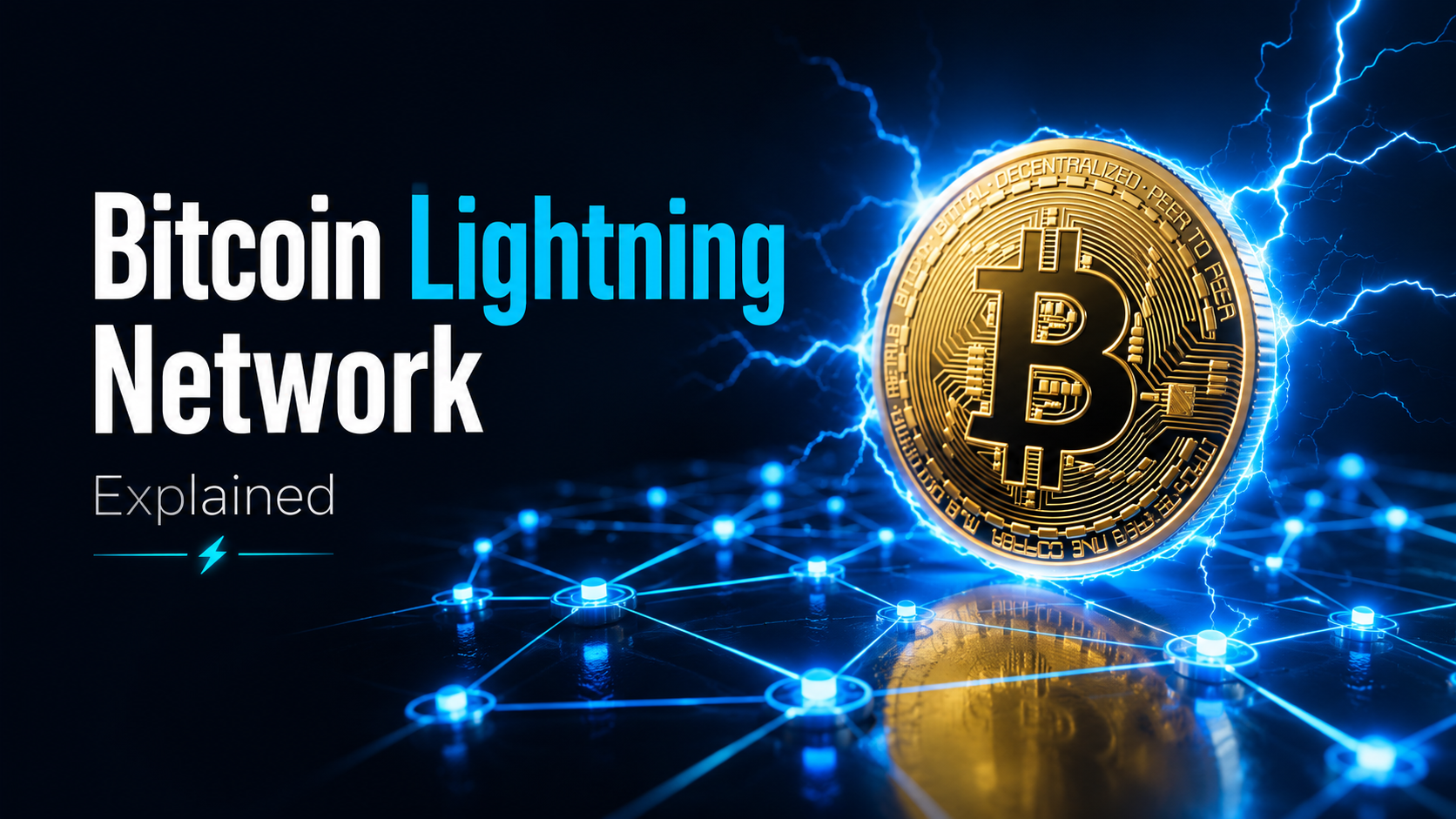
Short answer: The Bitcoin Lightning Network is a Layer 2 payment protocol built on top of Bitcoin. It moves transactions off the main chain into private payment channels between users, settling instantly with sub-cent fees. It currently has around 5,200 BTC of public capacity and 12,000+ nodes, powers payments in El Salvador, and runs inside apps like Cash App, Strike, Wallet of Satoshi, and Phoenix. Bitcoin’s main chain settles value. Lightning moves it.
Buy Bitcoin on BitGet to load a Lightning wallet → (affiliate)
Key takeaways
- Bitcoin’s main chain handles 3–7 transactions per second. Lightning theoretically handles millions.
- Lightning payments settle in under a second with fees usually under one cent.
- Public capacity sits around 5,200 BTC across 12,000+ nodes — and that’s only what’s visible.
- Cash App, Strike, Phoenix, Muun, and Wallet of Satoshi all run Lightning under the hood.
- El Salvador uses Lightning as a national payment rail through the Chivo wallet.
What Lightning Network actually is
The Lightning Network is a Layer 2 payment protocol that sits on top of Bitcoin. The Bitcoin blockchain — Layer 1 — is the settlement layer. It’s slow, secure, and final. Lightning is the speed layer. It moves Bitcoin around quickly and cheaply between users, then occasionally writes a final balance back to the main chain.
Think of Bitcoin’s main chain like the international bank wire system. Slow, expensive per transaction, but settles huge amounts reliably. Lightning is like the bar tab the bartender keeps. You can buy 30 drinks, settle once at the end of the night. The bank gets one transaction. The bartender gets paid every time.
That’s the architecture in one paragraph. The rest of this post is how it actually works, what wallets to use, and where it breaks.
Why Lightning had to exist
Bitcoin’s main chain was never designed to scale to global retail payments. Satoshi capped the block size at 1MB, which means roughly 3–7 transactions per second across the entire network. Visa processes around 65,000 transactions per second at peak. PayPal does around 200 per second on average.
If Bitcoin ever became the dominant global payment rail at Layer 1, the fee market would price out anything under $1,000. We saw a preview during the 2021 bull run, when average fees crossed $60 and a coffee payment would have cost more than the coffee.
Lightning is the answer to that problem. It doesn’t change Bitcoin’s rules. It builds a faster road on top of them.
The official Lightning Network whitepaper, published in 2016 by Joseph Poon and Thaddeus Dryja, lays out the maths if you want the deep version. It’s on the Lightning Network site.
Why Bitcoin Layer 1 needs Lightning
Bitcoin’s main chain is brilliant at being a settlement layer. It’s terrible at being a payment rail.
The throughput problem
The main chain produces one block every ten minutes on average. Each block can fit a few thousand transactions if they’re small. That’s the source of the 3–7 TPS limit. The number doesn’t move because the protocol doesn’t change.
Visa peaks at 65,000+ TPS during Black Friday. Mastercard runs similar numbers. AliPay and WeChat Pay sit higher still. Bitcoin Layer 1 can’t compete with that and was never meant to.
The fee problem
When demand for block space spikes, fees go up. That’s the design. The 2017 bull run pushed average fees to $30. The 2021 cycle pushed them to $62. Even during quiet periods, fees rarely drop below $1.
For a savings deposit or a real estate purchase, $1–$60 is fine. For a $3 coffee or a $5 tip, it’s a non-starter.
The confirmation problem
Even if fees were free, you’d still wait. Standard advice is six confirmations for a payment to be considered final — that’s roughly one hour. Merchants accept one confirmation in low-value cases, which is still 10 minutes on average. Neither is a checkout experience.
Lightning solves all three: throughput, fees, and confirmation time. Payments move in under a second, fees are usually fractions of a cent, and the network scales horizontally with the number of channels rather than blocks.
If you want a deeper background on how Bitcoin itself works, what is Bitcoin covers the basics before you start layering on top.
How payment channels actually work
This is the bit most explainers skip. Lightning’s magic is the payment channel — a private, two-party ledger that lives off-chain.
Opening a channel
Two parties — say, you and a merchant — open a Lightning channel by creating a single Bitcoin on-chain transaction. That transaction locks a chunk of BTC into a 2-of-2 multisig address. Both parties need to sign to move the funds.
Let’s say you and the merchant each commit 0.01 BTC. The channel now has 0.02 BTC of total capacity. Your side starts with 0.01 BTC of “outbound” capacity (you can send up to 0.01). The merchant’s side has 0.01 BTC of “inbound” capacity (they can receive up to 0.01 from you).
That on-chain transaction is the only one that hits the Bitcoin blockchain at this stage. It pays normal Bitcoin fees and takes the usual confirmation time.
Transacting off-chain
Once the channel is open, you and the merchant can exchange thousands of payments without touching the main chain. Each payment updates the channel’s internal balance sheet. Both parties sign each update. Neither party can cheat because if they try to broadcast an old, favourable channel state, the other party can broadcast the newer state and claim all the funds.
Send 0.001 BTC for a coffee. Channel balance updates. Send another 0.0005 BTC for a tip. Updates again. Receive 0.0002 BTC as change from a refund. Updates again. None of these hit the blockchain. None of them pay miner fees. Each one settles in under a second.
Closing the channel
When you’re done — could be a week, a year, or never — either party can close the channel. The final balances get written to the Bitcoin blockchain as a single closing transaction. That’s two on-chain transactions total (one to open, one to close) for potentially thousands of off-chain payments.
That’s the maths. Two on-chain footprints. Unlimited off-chain throughput in between.
What this means in practice
You don’t open a channel with every merchant you ever pay. That would be slow and expensive. Instead, you open a channel with a well-connected Lightning node — usually your wallet provider — and route payments through it to the rest of the network. Which brings us to routing.
Routing — how a Lightning payment finds its destination
Here’s where most people’s mental model breaks. You don’t need a direct channel to the person you’re paying. Lightning routes payments through chains of intermediate channels.
A simple example
You have a channel with Alice. Alice has a channel with Bob. Bob has a channel with Carol. You want to pay Carol.
Lightning finds the route: you → Alice → Bob → Carol. Each hop takes a tiny fee (usually a few satoshis) to keep their channels balanced. The payment is atomic — it either completes end-to-end or fails entirely. There’s no halfway state where Alice gets paid but Carol doesn’t.
The technical trick that makes this work is called a Hashed Time-Locked Contract (HTLC). The full mechanics are in the Bitcoin Optech newsletter, which is the best technical resource I’ve found.
What the user sees
You scan a QR code. You see the amount. You hit pay. A second later it’s done. You never see the routing. You never pick the path. The wallet handles all of it.
Why this scales
Once a node has a few well-connected channels, it can reach most of the network in three or four hops. That’s the small-world property — and it’s why Lightning scales without every user needing channels to every other user.
Lightning capacity stats
The numbers matter because they tell you whether Lightning is a toy or a real network.
Public capacity
As of writing, the public Lightning Network holds around 5,200 BTC across roughly 12,000 nodes and 50,000+ channels. At current BTC prices that’s well over $300 million in liquidity actively routing payments. The data is live on 1ML and Amboss, the two main Lightning network explorers.
That’s only the public portion. Private channels — opened by wallets like Phoenix or by Lightning Service Providers — don’t show up in those stats. Industry estimates put total capacity at 2–4x the public number.
Node growth
Node count has grown roughly 4x in three years. Channel count has grown faster. The network has been stable through multiple Bitcoin bear markets, including the 2022 collapse cycle, without any major routing failures.
Payment volume
Public Lightning payment volume sits in the hundreds of millions of USD per year. Off-the-record numbers from Strike and Cash App suggest the real number is an order of magnitude higher when you include private channels and custodial wallet traffic.
For perspective: Lightning currently handles less daily volume than a mid-sized Visa processor. But it’s grown every year, and the throughput ceiling is theoretically millions of TPS.
Custodial vs non-custodial Lightning wallets
This is the choice that matters most for new users. The answer depends on what you’re optimising for.
Custodial Lightning wallets
A custodial wallet (Wallet of Satoshi, Strike, Cash App) holds your Bitcoin and your Lightning channels for you. You sign up with an email or phone number. You don’t manage seed phrases. You don’t manage channels. You don’t manage liquidity.
The trade-off: it’s not your Bitcoin. The provider controls the keys. If they get hacked, sued, or shut down, your funds can go with them. Same risk profile as keeping money on an exchange.
For day-to-day payments under a few hundred dollars, custodial is fine. For storage or large balances, it’s not. Same rule as exchanges — see crypto wallets explained for the wider picture.
Non-custodial Lightning wallets
A non-custodial wallet (Phoenix, Muun, Breez, Zeus) gives you control of your keys and your channels. You hold a seed phrase. You can move funds without permission. You can also lose them if you mess up a backup.
The trade-off: you handle some complexity. Most modern non-custodial Lightning wallets hide it well — Phoenix in particular feels indistinguishable from a custodial wallet at first use. But under the hood you’re managing channels, liquidity, and backups.
For anything more than pocket money, I use non-custodial. The line I draw is the same line I’d draw with any wallet. See hot vs cold wallet for how I split balances across categories.
What about self-running a node?
You can run your own Lightning node — Umbrel, RaspiBlitz, Start9 — and route payments through your own infrastructure. It’s powerful, it earns you a tiny amount of routing fees, and it’s overkill for 99% of users. Worth doing if you’re technical and you care about decentralisation. Skip it if you just want to pay for coffee.
The best Lightning wallets — what I actually use
I’ve tested about a dozen Lightning wallets across iOS and Android. Here are the four I keep coming back to.
Phoenix (non-custodial, recommended)
Phoenix is built by ACINQ, one of the original Lightning developers. It feels custodial — you sign up, the wallet handles channels for you — but it’s actually non-custodial. You hold the keys. You can sweep the wallet to your own node any time.
Phoenix charges a fee on the first deposit to open the initial channel (usually around 1% of the amount, capped). After that, payments are free unless ACINQ has to open more channels for you. Best balance of simplicity and self-custody I’ve found.
Wallet of Satoshi (custodial, easiest)
Wallet of Satoshi is the easiest Lightning wallet on Earth. Download, scan, pay. No seed phrase. No channel management. No friction. It’s pure custodial, which means it’s not your Bitcoin in the strict sense — but for daily payments under $200 it’s the fastest onboarding I’ve seen.
I use it as a “pub wallet” — small balance for tips, coffees, the occasional pint. Never store more than I’d be comfortable losing.
Muun (non-custodial, hybrid)
Muun is a non-custodial Bitcoin wallet that supports both on-chain and Lightning in one interface. It uses submarine swaps under the hood to convert between layers automatically — you don’t see the complexity. Great for users who want one wallet for both kinds of Bitcoin.
The trade-off is slightly higher fees on Lightning payments because of the swap mechanics. Worth it for the simplified UX.
Strike (custodial, fiat-first)
Strike is closer to a Cash App competitor than a pure Lightning wallet. You can hold balances in USD or BTC, send Lightning payments globally, and they handle the conversion automatically. It’s not available everywhere — heavy US focus — but for cross-border payments it’s one of the cheapest options on the planet.
If you want the broader Bitcoin sending workflow including on-chain, how to send Bitcoin walks through both methods step by step.
How Cash App and Strike use Lightning
This is where Lightning quietly went mainstream. You didn’t read about it. You probably didn’t notice. But the rails are already there.
Cash App
Cash App added Bitcoin Lightning support in 2022. Roughly 50 million users have Cash App in the US, and a significant chunk of them can now send and receive Bitcoin via Lightning without realising it’s any different from sending dollars. Cash App is a custodial Lightning provider — they run the channels in the background.
Block, Cash App’s parent company, has been pouring resources into Lightning infrastructure for years. They publish their work on the Cash App engineering blog and contribute to several open-source Lightning projects.
Strike
Strike is the harder-edge Lightning play. Jack Mallers built it as a Bitcoin-first payments app, then partnered with El Salvador’s national wallet rollout and Twitter (now X) for Lightning tipping. Strike pioneered the model of accepting Lightning payments and settling instantly to USD on the merchant side — a structure called “stablecoin sandwich” payments.
For merchants, this is the killer feature. You take Bitcoin without holding Bitcoin. The customer pays in Lightning. You receive USD. Volatility risk goes to zero.
Why this matters
Once payment rails are built into the apps that 100M+ people already use, Lightning becomes infrastructure rather than a niche tool. Most of the recent growth in Lightning capacity has come from these consumer-facing platforms, not from cypherpunks running their own nodes.
El Salvador’s Lightning rollout
El Salvador made Bitcoin legal tender in September 2021 and built the rollout on Lightning.
The Chivo wallet
Chivo is the government-issued Bitcoin wallet that every adult Salvadoran was given access to at launch. It runs on Lightning under the hood. Citizens can pay merchants, receive remittances, and convert to USD without leaving the app. Roughly 4 million Salvadorans created Chivo accounts in the first year.
The execution was messy — Chivo had bugs, support issues, and uneven merchant adoption. But the experiment proved Lightning could run at national scale. Remittances from US-based Salvadorans dropped dramatically in cost because Lightning charges a fraction of what Western Union and MoneyGram charge.
The World Bank estimates global remittance fees average 6.4% per transaction. Lightning remittances through Strike or similar apps cost closer to 0.5%. For families that receive $300 a month from relatives abroad, that’s the difference between $18 in fees and $1.50.
What changed in the wider economy
Tourism increased. Several mid-sized businesses now accept Bitcoin nationally. Chinese and Salvadoran exchanges added BTC/USD pairs. The country also took a lot of international criticism — IMF warnings, rating agency downgrades, mixed adoption numbers in surveys.
But the technical infrastructure stuck. Even users who don’t use Bitcoin daily understand the Lightning model: it’s the way you tap-pay without waiting.
Lightning’s limitations — what doesn’t work yet
I’d rather tell you the rough edges than oversell it.
Liquidity constraints
Lightning works in both directions, but only if your channel has liquidity on the right side. Outbound liquidity = how much you can send. Inbound liquidity = how much you can receive.
If you’ve never received Bitcoin into your Lightning wallet, you have zero inbound liquidity. You can’t be paid until someone opens a channel to you or you swap funds. Modern wallets like Phoenix handle this transparently — they automatically open inbound liquidity for you, sometimes for a small fee. Older wallets force you to manage it yourself.
Channel management cost
Opening and closing channels are on-chain transactions. They pay normal Bitcoin fees. During congested periods, this can make Lightning impractical for small balances — you’d pay more in channel fees than you’d save in payment fees.
This is why custodial wallets exist. They batch channel operations across thousands of users so the per-user cost stays low.
On-chain fee pressure
Lightning’s economics depend on Bitcoin’s main chain being usable. If Layer 1 fees explode permanently (because adoption outpaces block space), opening Lightning channels becomes too expensive for retail use. Layer 2 systems including Lightning need Layer 1 to stay accessible. Same constraint hits Ethereum L2s — see gas fees explained for the parallel.
Routing failures
Some payments fail to route because the network can’t find a path with enough liquidity. Failure rate is usually under 5% on modern wallets, but it happens. You see “payment failed, try again” and it usually works on retry.
No native programmability
Lightning isn’t smart contract platform. It handles payments. If you want DeFi, NFTs, or programmable money, that’s not Lightning’s territory — that’s what is Ethereum and the EVM world.
Buying Bitcoin on BitGet and withdrawing to Lightning
This is the practical end. How do you actually get Bitcoin onto a Lightning wallet?
The cleanest path I use:
-
Buy BTC on a CEX. I use BitGet (affiliate) because the fees are low and the on-ramp is fast. The BitGet review covers the platform in full. The crypto exchanges explained post covers why you’d use any CEX in the first place.
-
Withdraw to a Lightning-compatible wallet. Some exchanges support Lightning withdrawals natively — you copy a Lightning invoice from your wallet, paste it into the exchange, hit withdraw, and the BTC arrives in seconds. If your exchange doesn’t support direct Lightning withdrawals yet, you withdraw on-chain to a wallet that handles both layers (Muun or Phoenix), then move to Lightning from there.
-
Pay or send. Once it’s in Lightning, payments settle instantly. Tips, coffees, remittances, paywalls — anything you’d do with a contactless card except global and sub-cent.
For longer-term storage, Lightning is not the answer. Cold storage is. The Ledger Nano X review covers why I keep my long-term bag on hardware. The Ledger (affiliate) link is in there. Lightning is the spending layer. Cold storage is the savings layer. Different jobs, different tools.
Want a quick Lightning starter pack?
Buy BTC on BitGet, withdraw a small amount to Phoenix or Wallet of Satoshi, and try paying a Lightning invoice. Total setup time: 15 minutes.
Affiliate link. I may earn a commission at no extra cost to you.
Understanding Layer 2 scaling — the bigger picture
Lightning is one example of a Layer 2 system. The same pattern shows up across the wider crypto stack. Ethereum has Arbitrum, Optimism, Base, and a dozen others. Solana has Token Extensions and its own scaling roadmap. Each of these takes the same idea: move activity off the main chain, batch the results, settle periodically.
If you want a proper grounding in how Layer 2 economics work — not just for Bitcoin but for trading, yield, and on-chain strategy — Trade Travel Chill is the community I’m part of. The Layer 2 modules cover Lightning, optimistic rollups, ZK rollups, and how all of it ties into a trading strategy. It’s the structured education I’d point a serious beginner at. Trade Travel Chill → (affiliate).
For the on-chain trading side, yield farming explained covers the part of Layer 2 that earns you money rather than just moves it around.
Lightning vs other Bitcoin scaling solutions
A quick head-to-head between Lightning and the alternatives.
| Lightning | Liquid | Rootstock | Cashu | |
|---|---|---|---|---|
| Type | Payment channels | Sidechain | Sidechain (EVM) | eCash mint |
| Custody | Self-custody possible | Federation-trusted | Federation-trusted | Custodial (mint) |
| Use case | Payments, tipping | Trading, confidential tx | DeFi, smart contracts | Privacy payments |
| Throughput | Millions TPS | ~60 TPS | ~100 TPS | High |
| Maturity | Production | Production | Production | Early |
| Privacy | Strong | Strong | Moderate | Very strong |
Lightning wins for raw payment throughput and self-custody. Liquid wins for confidential trading. Rootstock wins for Bitcoin-backed smart contracts. Cashu wins for privacy-focused micropayments.
If you only care about payments, Lightning is the answer. The other systems exist for different problems.
Ready to try Lightning?
Buy a small amount of BTC on BitGet, withdraw to a Lightning wallet, send your first sub-cent payment. The first time still feels like magic.
Affiliate link.
Frequently asked questions
What is the Bitcoin Lightning Network in simple terms?
The Lightning Network is a payment system built on top of Bitcoin. Instead of recording every transaction on the slow main blockchain, it opens private payment channels between users where they can send unlimited transactions instantly with near-zero fees. The Bitcoin blockchain only records the opening and closing of the channel.
Is Lightning Network safe?
Lightning inherits Bitcoin’s underlying security but adds new attack surfaces — channel disputes, routing failures, and custodial wallet risks. The protocol itself is mature and battle-tested. Custodial Lightning wallets carry the same risks as any custodial service. Non-custodial wallets like Phoenix put you in control of your keys.
How much does a Lightning transaction cost?
Most Lightning payments cost fractions of a cent. Routing fees are typically 1 satoshi (about $0.0007 at current prices) plus 0.001% of the payment amount. Opening a channel costs a normal Bitcoin on-chain fee, usually $1–10 depending on network congestion.
How fast are Lightning payments?
Lightning payments settle in under a second in most cases. Routing across multiple hops can take 2–3 seconds but is still effectively instant compared to the 10-minute main chain confirmation time.
Can I use Lightning without running a node?
Yes. Wallets like Phoenix, Muun, Wallet of Satoshi, Strike, and Cash App handle all the node and channel infrastructure for you. You scan a QR code, hit pay, and it works. Running your own node is optional and only makes sense for advanced users.
What’s the difference between Lightning and Layer 2 on Ethereum?
Lightning is a payment-focused Layer 2 specific to Bitcoin. Ethereum Layer 2s (Arbitrum, Optimism, Base) are general-purpose execution layers that handle smart contracts, DeFi, and NFTs. Lightning is fast and cheap but limited to payments. Ethereum L2s are slower but programmable.
Why does Bitcoin Lightning use sats and not BTC?
Lightning payments are usually small — fractions of a Bitcoin. Displaying them in BTC gets messy (0.000005 BTC). Satoshis are the smallest unit of Bitcoin (1 BTC = 100 million sats). At current prices a satoshi is worth about $0.0007, so it’s the natural unit for small payments.
Can I receive Lightning payments?
Yes, but you need inbound liquidity — channels open with funds available on the other side. Modern wallets like Phoenix open inbound liquidity automatically, sometimes for a small fee. Custodial wallets like Wallet of Satoshi handle this transparently.
Final word
Lightning is what Bitcoin payments were always supposed to be. Fast, cheap, global, and final. The infrastructure is mature. The wallets are usable. The capacity is real.
If you’ve never tried it, the cheapest experiment is a $5 withdrawal from a CEX to Wallet of Satoshi, then send 100 sats to a friend’s Lightning invoice. Total cost: pennies. Time: under a minute. The first time you do it, you understand why people who use Lightning regularly stop calling Bitcoin “slow”.
Right — over to you.
Related posts
- What is Bitcoin? A Beginner’s Honest Guide
- How to Send Bitcoin: The Step-by-Step Walkthrough
- Hot vs Cold Wallet: Which One You Actually Need